Hi, Cvfelcyn. You haven't received a response to your call request because QuickBooks Self-Employed no longer offers call-backs. Support has already moved to the Live Community.
To upload bank statements in CSV format to QuickBooks Self-Employed (QBSE), follow these instructions:
Log in to your online banking website and then download your bank statements from there.
After downloading, convert it to a CSV file in spreadsheet software such as Excel or Google Sheets. Ensure it has the correct format required by QBSE, like columns for Date, Description, and Amount.
Check it here to view the formats: Format CSV files in Excel to get bank transactions into QuickBooks.
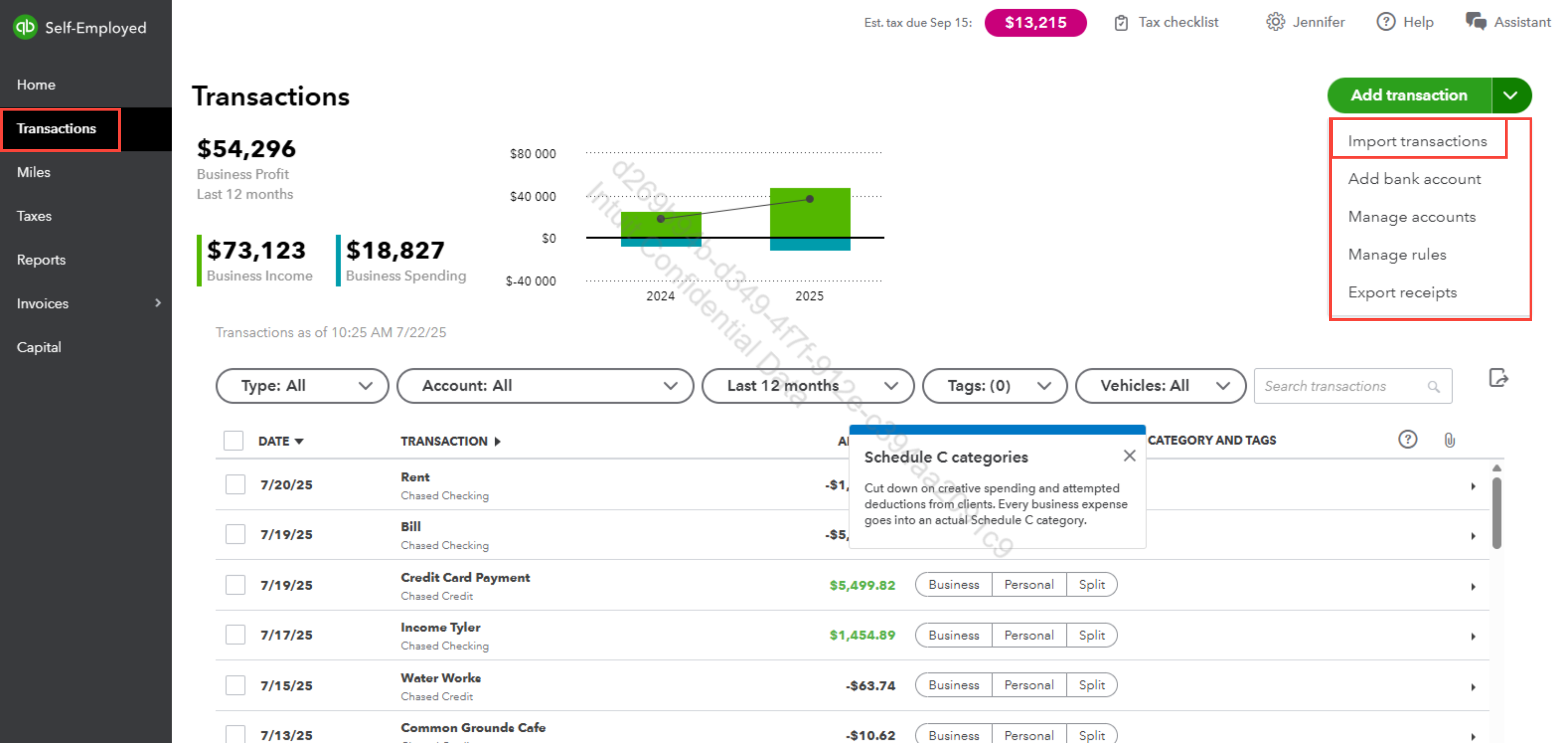
- Begin by logging into QuickBooks Self-employed. Once inside your dashboard, go to the Transactions section.
- From there, click import. Please see the visual reference below.
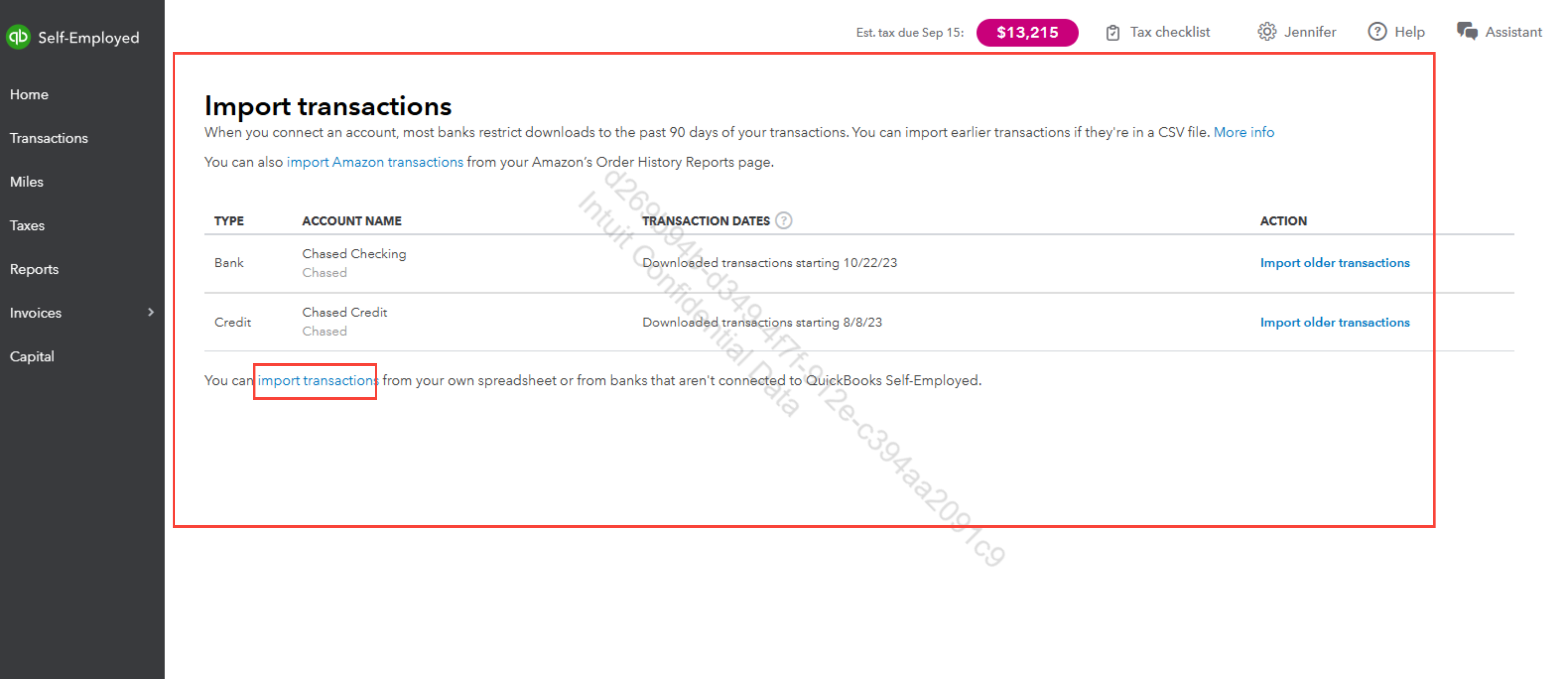
- Lastly, select Upload CSV File, then locate and upload the CSV file you prepared earlier.
If you have questions along the way, let us know.


