The option to remove the vendor information pop-up is currently unavailable, Gayle.
As a workaround, you can click the arrow above the pop-up to hide the vendor information. Once hidden, it will remain out of view even when searching for other vendors or creating additional bills.
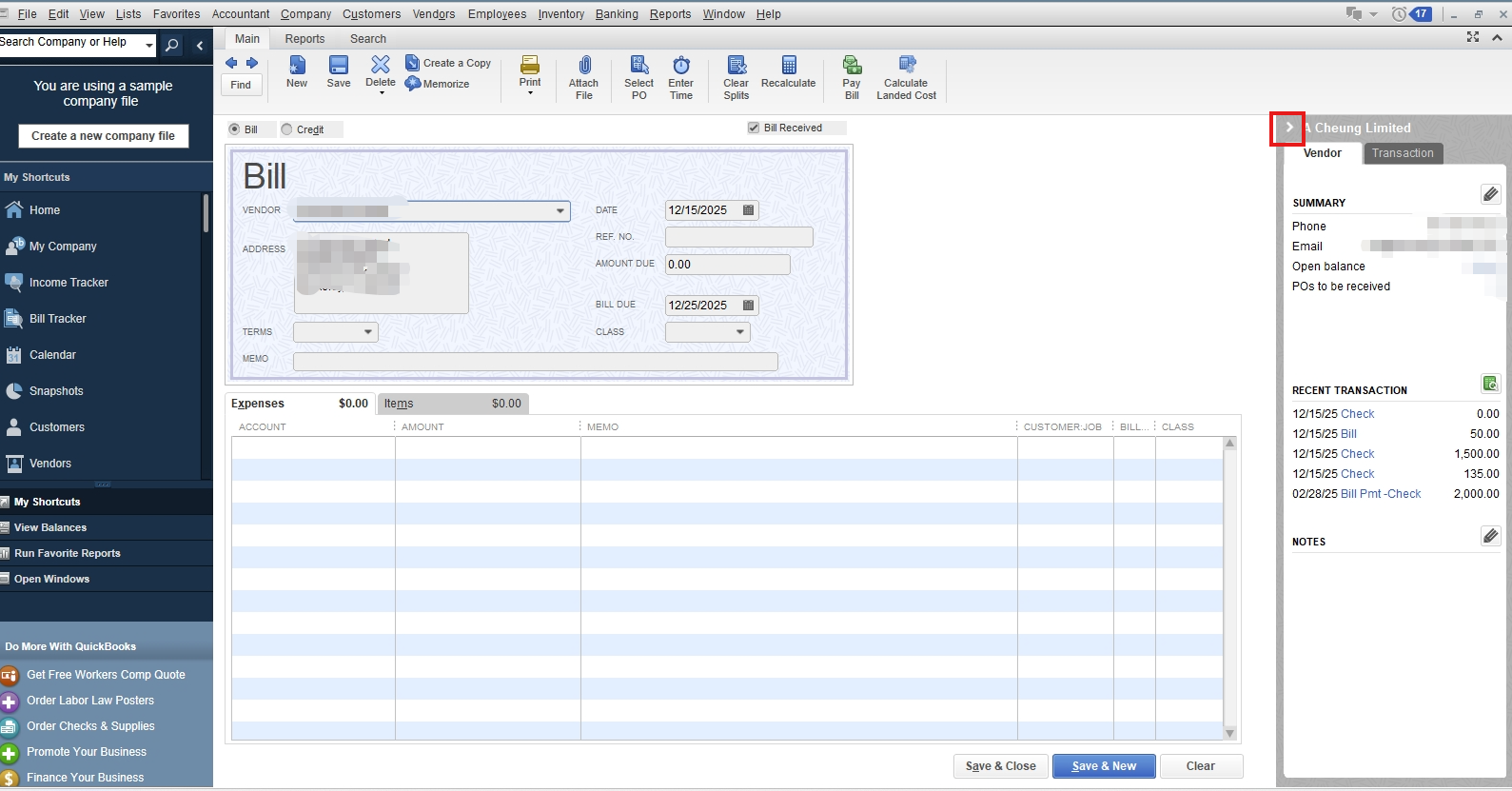
Please know that, we truly appreciate feedback like yours, as it helps shape future updates and enhancements to QuickBooks features. I highly encourage you to share this suggestion directly with our Product Development Team.
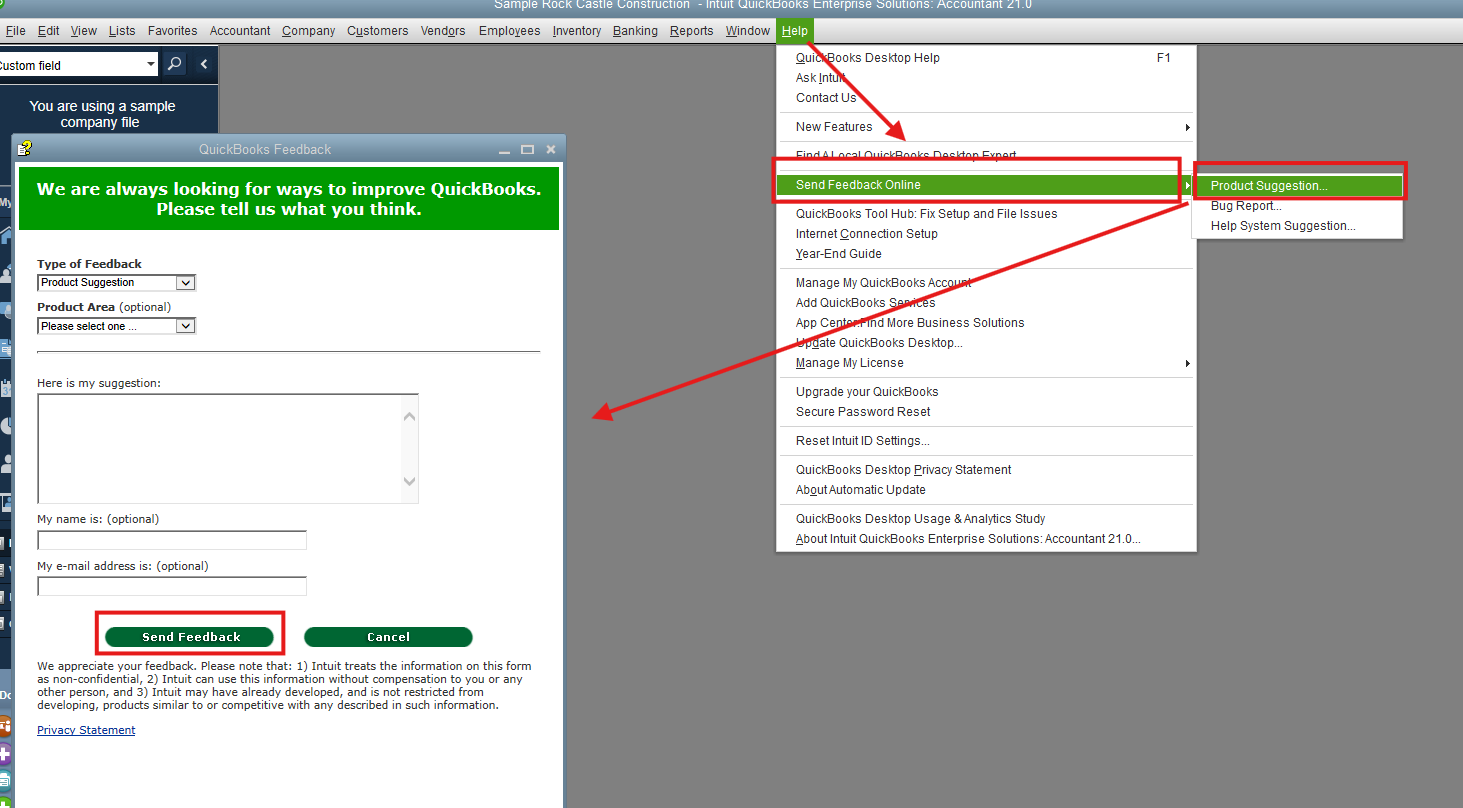
Here’s how you can submit your feedback:
- Open your QBDT company file.
- Go to the Help menu, then choose Send Feedback Online.
- Select Product Suggestion.
- Fill in the necessary information, and click Send Feedback once done.
Please don't hesitate to reach out if you need further assistance.




