Cancellation of your QuickBooks subscription varies depending on where you initially signed up, c4artyer.
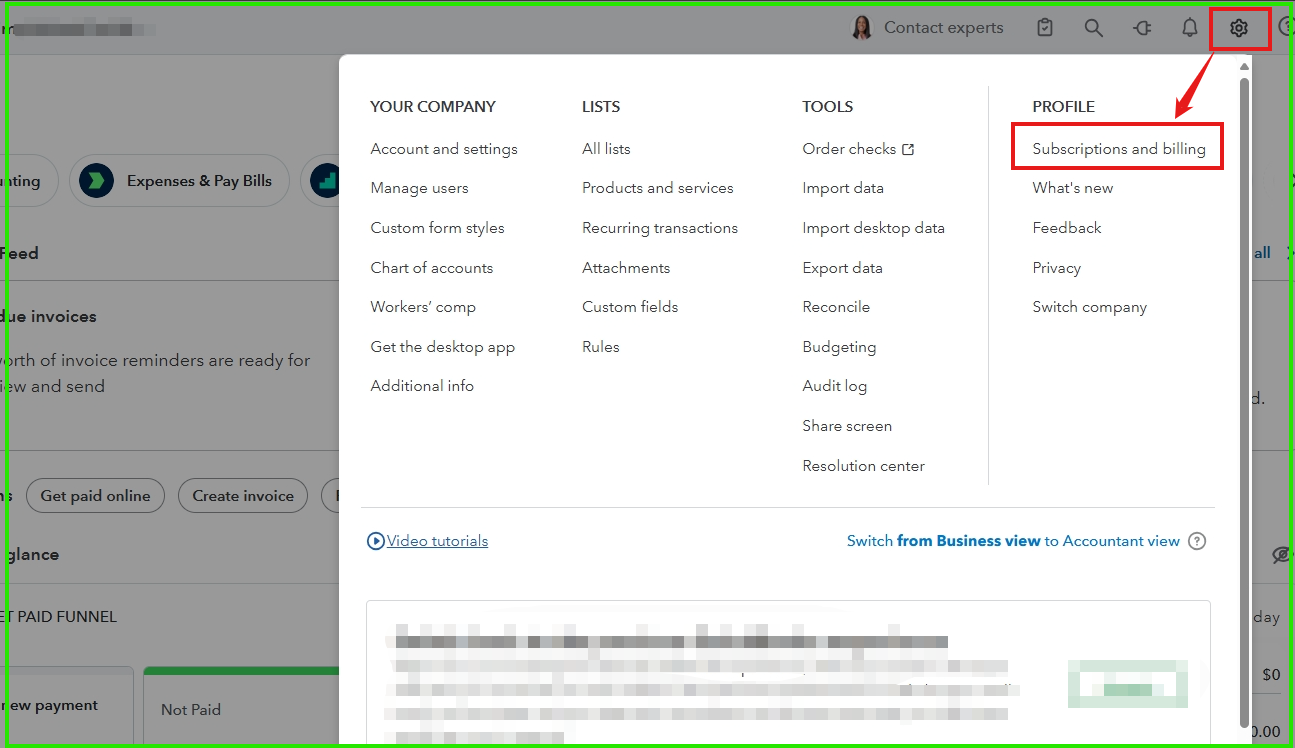
If you signed up through the QuickBooks website, you can manage your subscription by navigating to Settings and selecting Subscriptions and billing.
Here’s how you can cancel:
- Go to Settings and choose Subscriptions and billing.
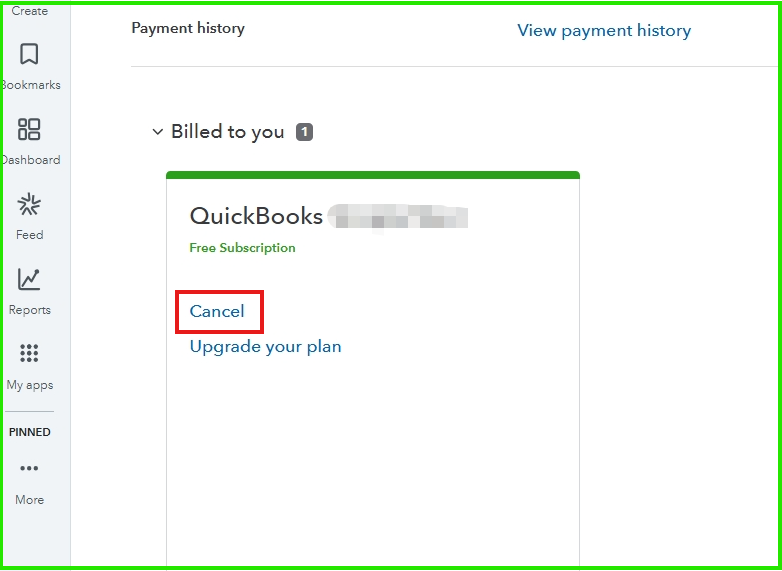
- In the QuickBooks section, click on Cancel.
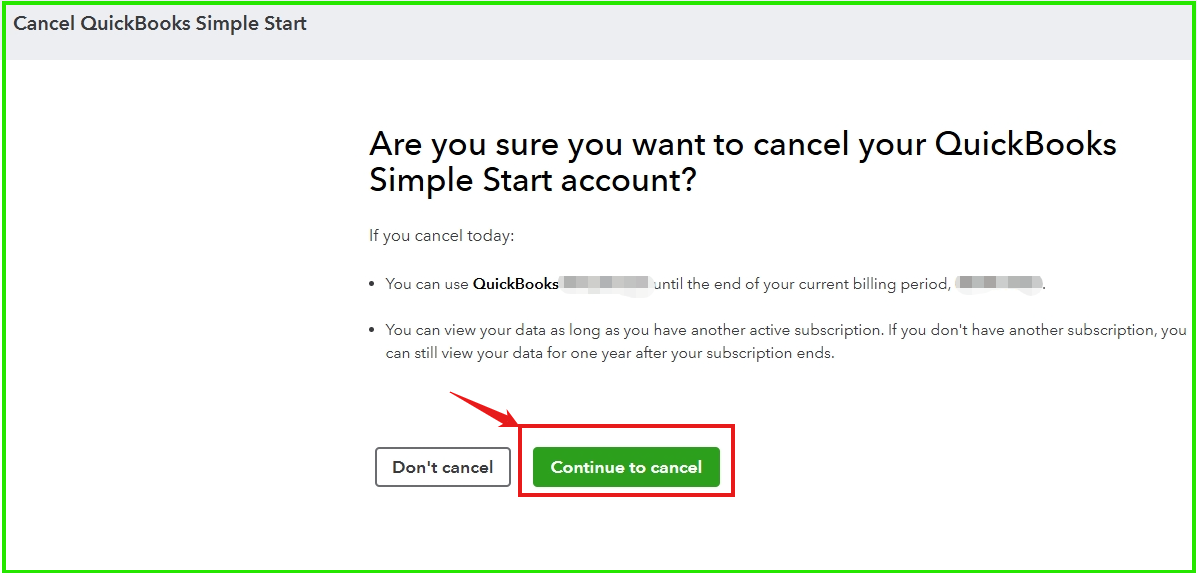
- Select the Continue to cancel button to confirm.
For other methods to cancel your subscription, you can refer to this article: Cancel your subscription.
Please note that after the cancellation of your subscription, your data will be available for 90 days and will have read-only access for one year. You can read this article for more information: What happens to my QuickBooks Online data after I cancel?
Feel free to reply to this thread if you need additional support.


