Get 50% OFF QuickBooks for 3 months*

Buy now
cancel
Showing results for 
Search instead for 
Did you mean: 
Announcements
Simplify payday and set payroll to run automatically on QuickBooks. Explore QuickBooks Payroll
heeva
Level 1

Purchases orders - copy to bill - quantity adjustment

Hello! 


In our business when we place an order for via a purchase order to a manufacturer, they can deliver +/- 5% of the quantity for request (e.g. and order for 5,000 widgets can be delivered with a quantity ranging from 4,750-5,250 units). When they go over the requested amount, quickbooks has no problem with the quantity adjustment when copying to bill and closes the transaction. However if we receive an under amount and adjust on the bill, quickbooks leaves an open amount. Is there a way to close the transaction without altering the amount within the purchase order? 


Thank you!


-Randy 

1 Comment 1
GlinetteC
Moderator

Purchases orders - copy to bill - quantity adjustment

Hi there, Randy. I appreciate adding your initial post here in the Community space. I am here to lend a hand with your concerns.


You did the usual process about the quantity adjustment when copying to a bill. Great work on that. However, the only way to close the transaction is to alter the amount within the purchase order.


You may consider consulting with your accountant to provide other options for closing it without altering the PO. I'll help you find an accounting professional if you don't have one. Feel free to follow these steps:


  1. Go to this link: https://quickbooks.intuit.com/find-an-accountant/.
  2. Enter your City or Zip code in the field provided.
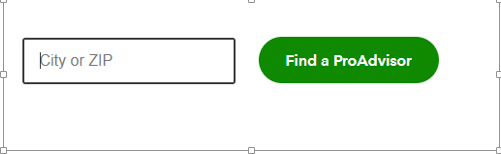
  3. Click on Find a ProAdvisor.
     

I'm also adding this article to help track and manage vendor transactions in the program: Accounts Payable workflows.


If you have other questions in mind, post them here anytime. My colleague and I are always willing to help.

Need QuickBooks guidance?
Log in to access expert advice and community support instantly.

Need to get in touch?

Contact us