Hello there, @firstchurchinmc-. May I know which account name you are referring to? Is it the Account Business Name or an Account Name within your Chart of Accounts?
If you mean to change your account business name, here's how:
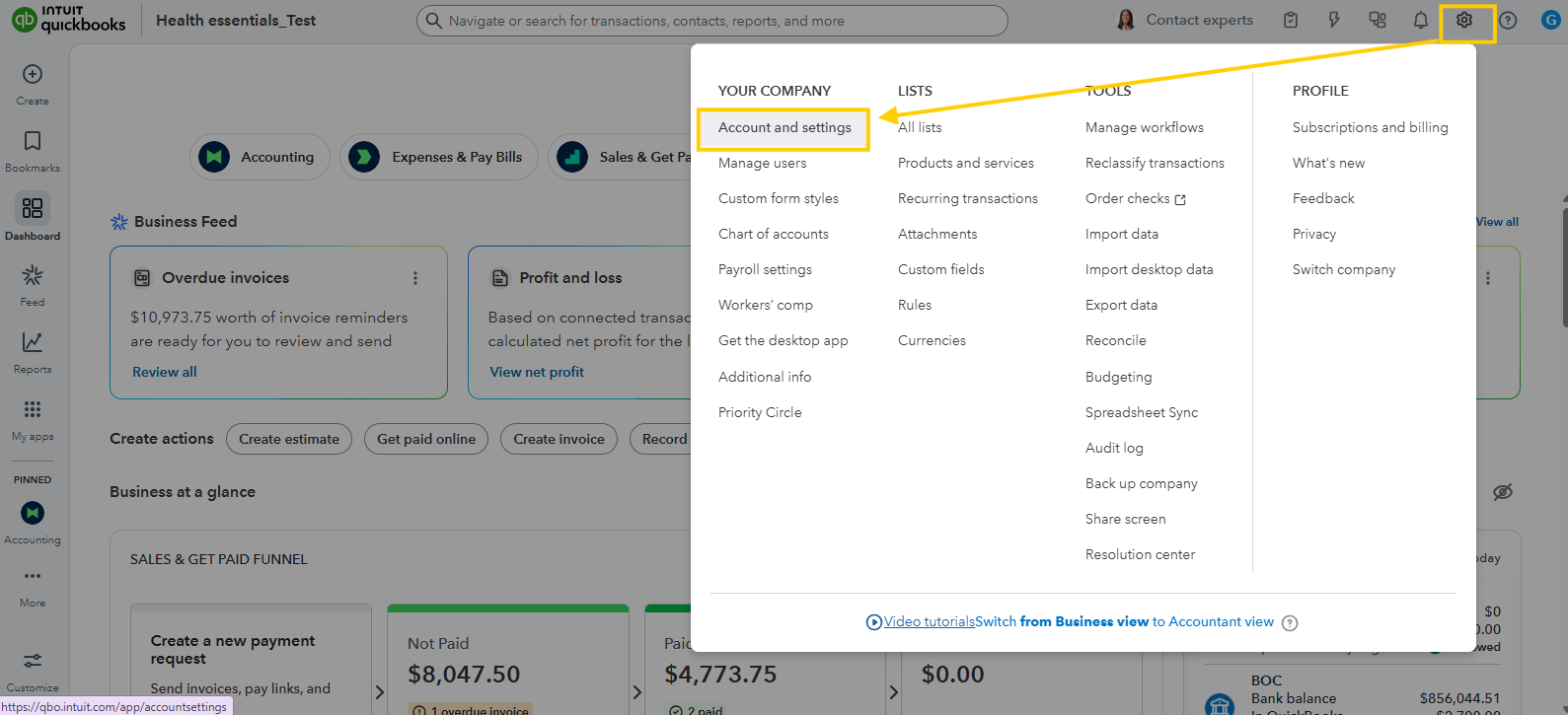
- Click the Gear icon in the upper right corner.
- Under Your Company, choose Account and Settings.
- Select the Company tab from the left menu.
- In the Company name section, click the edit.
- Update the Company name.
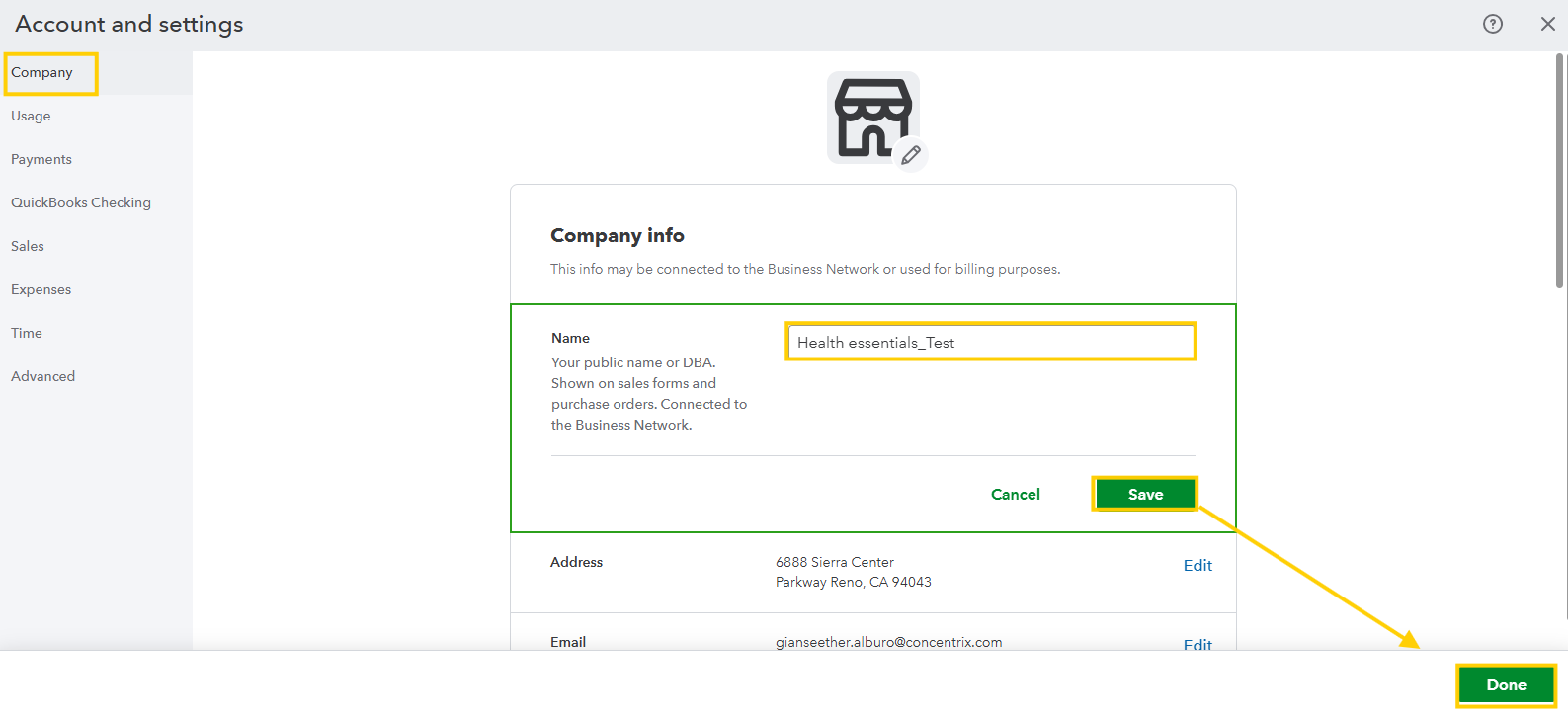
- Click Save, then Done at the bottom right.
However, if you're referring to updating an account name in your Chart of Accounts, please follow the steps below:
- In the left navigation bar, select Accounting.
- Then select the Chart of Accounts.
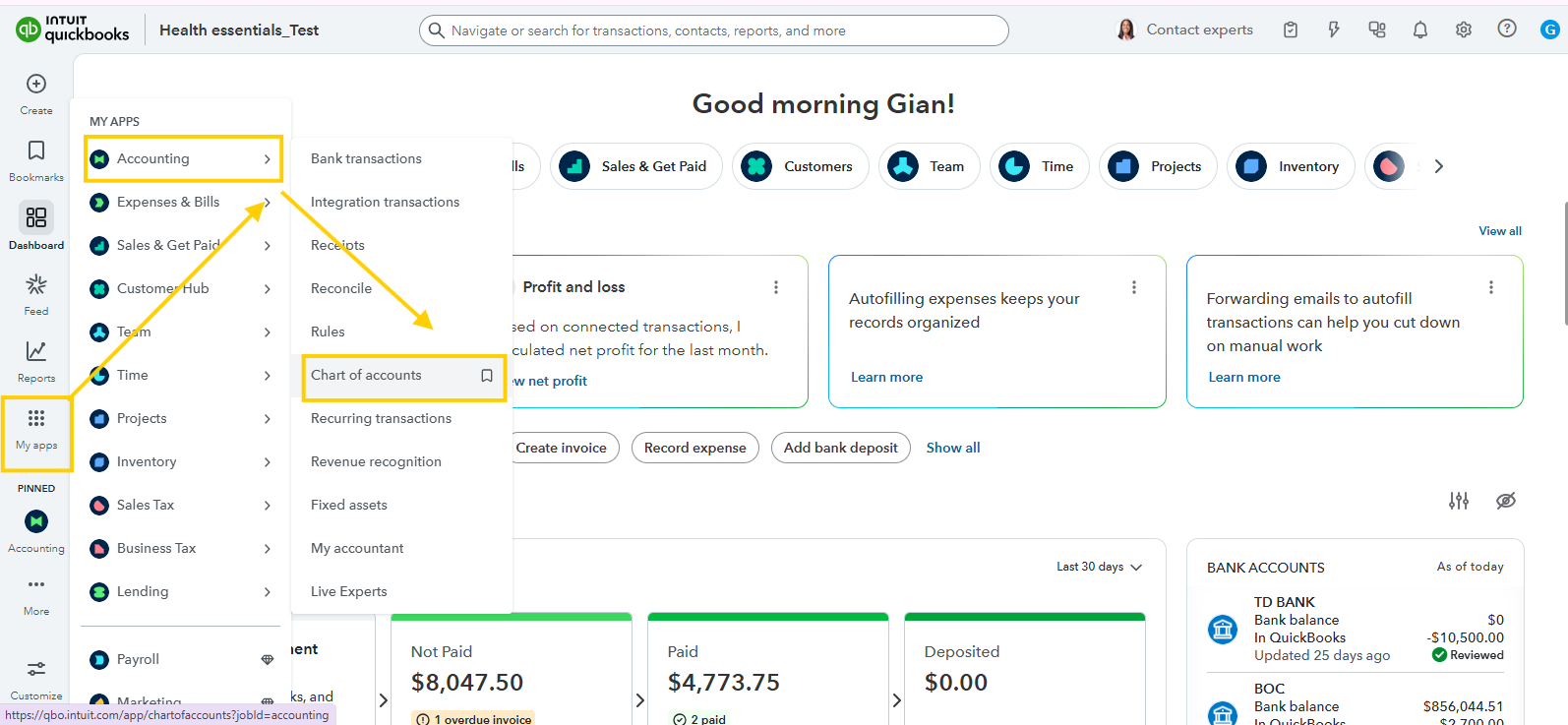
- After that, locate the account you want to rename in the list.
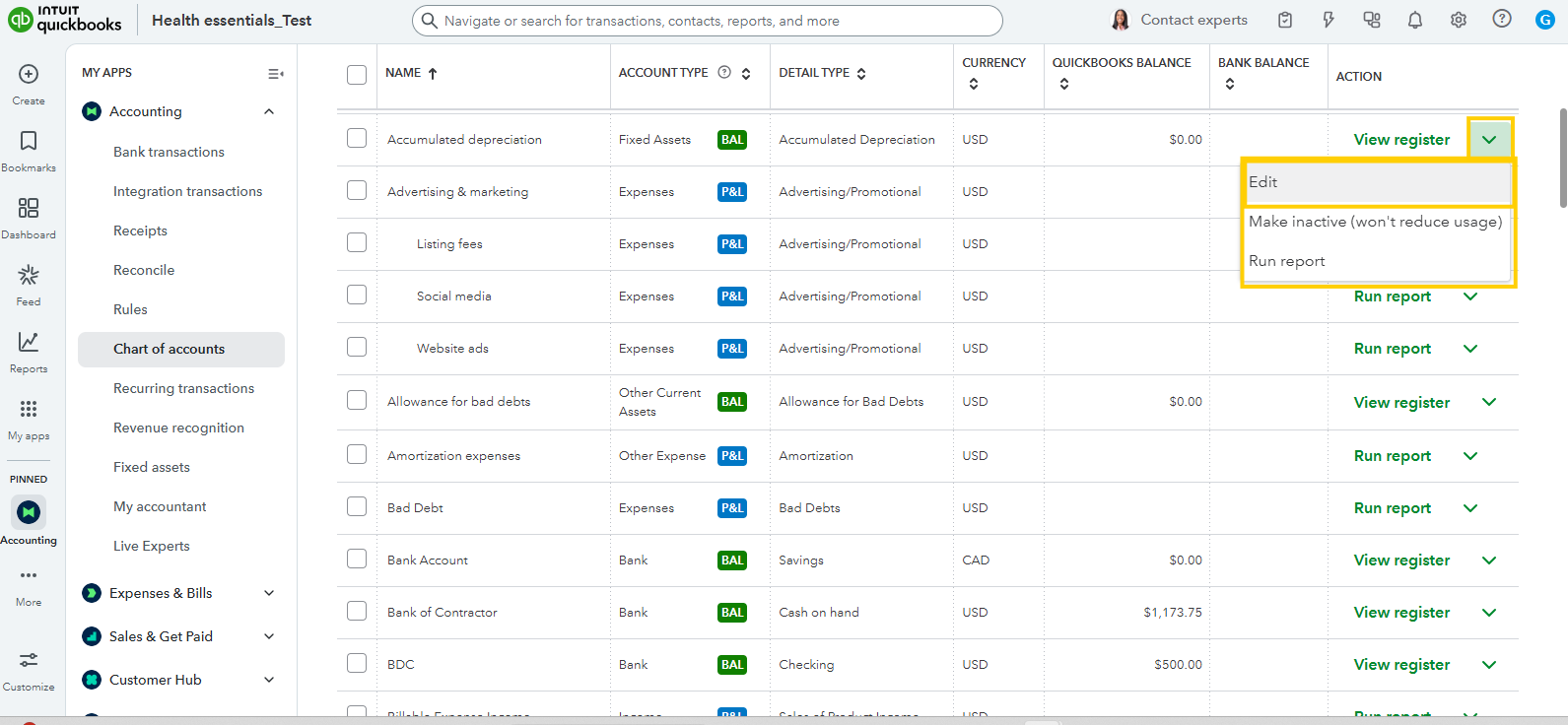
- In the dropdown arrow, click edit.
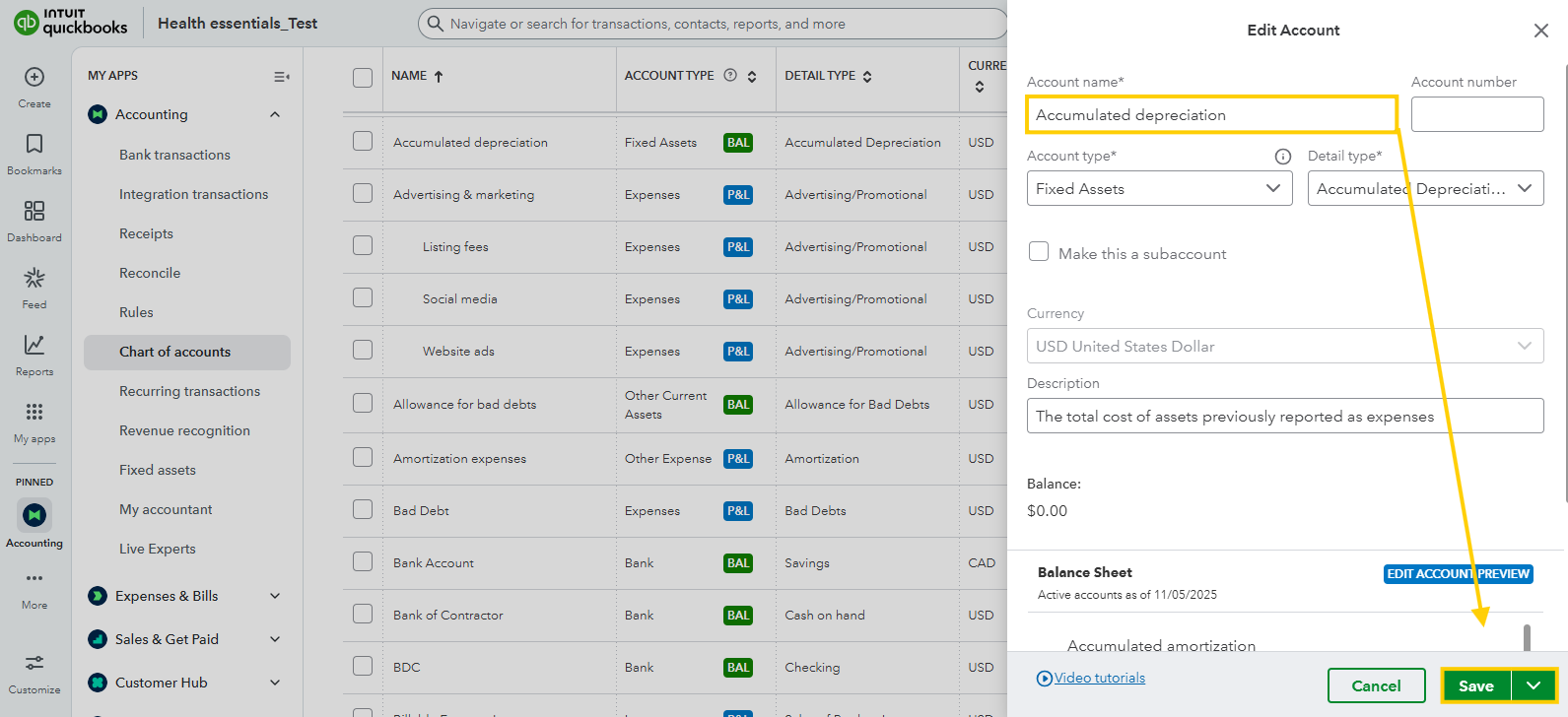
- Lastly, update the Name field, and then click Save.
If you have questions, just let me know, or feel free to ask anything else about QuickBooks.




