Turn on suggestions
Auto-suggest helps you quickly narrow down your search results by suggesting possible matches as you type.
Showing results for
Get 50% OFF QuickBooks for 3 months*
Buy now
Hi there, @norab1.
Before we can accomplish your goal for today, may I ask for a few verifications about how are you unable to close your books? Saying you've changed the company name only, may I ask you if you receive an error message prompt?
A screenshot would be greatly appreciated. Keep me updated in the comments below. Hope to hear from you soon. Take care and stay safe!
I have attached a picture of the screen where I am unable to close the books. Under Account and Settings>Advanced>Accounting, the field where I should be able to enter a date is now not a editable field. The date that is there is before I changed the name of the company. When I changed the company name, I got no error message. I had no other issues until I tried to close the books.
Thanks for getting back @norab1.
I'll walk you through some basic troubleshooting steps to help fix the issue. This way, you can close your books as soon as possible.
Ensure that you've logged in as a primary or company admin. Once confirmed and the issue persists, I'd recommend logging in through incognito mode. This way, we can determine whether the problem is browser-related. Too much cache build-up in your regular browser can sometimes cause unexpected behavior in the product.
Refer to the keyboard shortcuts below:
Once logged in, go back to the Advanced page and check if you can edit the field. If fixed, return to your regular browser and clear the cache by pressing CTRL+ Shift+ Delete on the keyboard.
Once everything is fixed, you can close your books by following the steps outlined in this article: Close your books in QuickBooks Online.
Moreover, check out these articles below on how to change the closing date and find out the year-end guide in QuickBooks:
Lastly, the screenshot didn't attach. Can you please reattach it by clicking the Photos or Choose File tab?
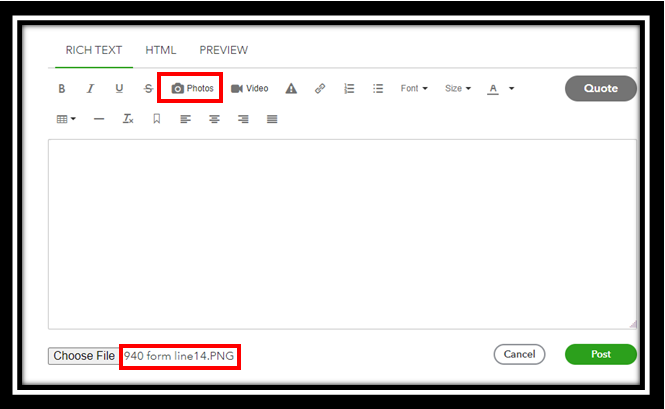
I'll be waiting for your response. And if you have other concerns about QuickBooks, you can also leave them in the comment section below. Take care.
I am still unable to close the books. I have attached the screenshot again.
Thanks for getting back with us, @norab1.
Since you're still having issues with closing your books after following my colleague's steps, I recommend reaching out to our Technical Support Team. This way, an agent can review your account in a secure environment and investigate this matter further. You can use the link I've included below to connect with our team.
I'm only a reply away if you have any questions or concerns. Take care!


You have clicked a link to a site outside of the QuickBooks or ProFile Communities. By clicking "Continue", you will leave the community and be taken to that site instead.
For more information visit our Security Center or to report suspicious websites you can contact us here


