It's good to see you here, hscanvas.
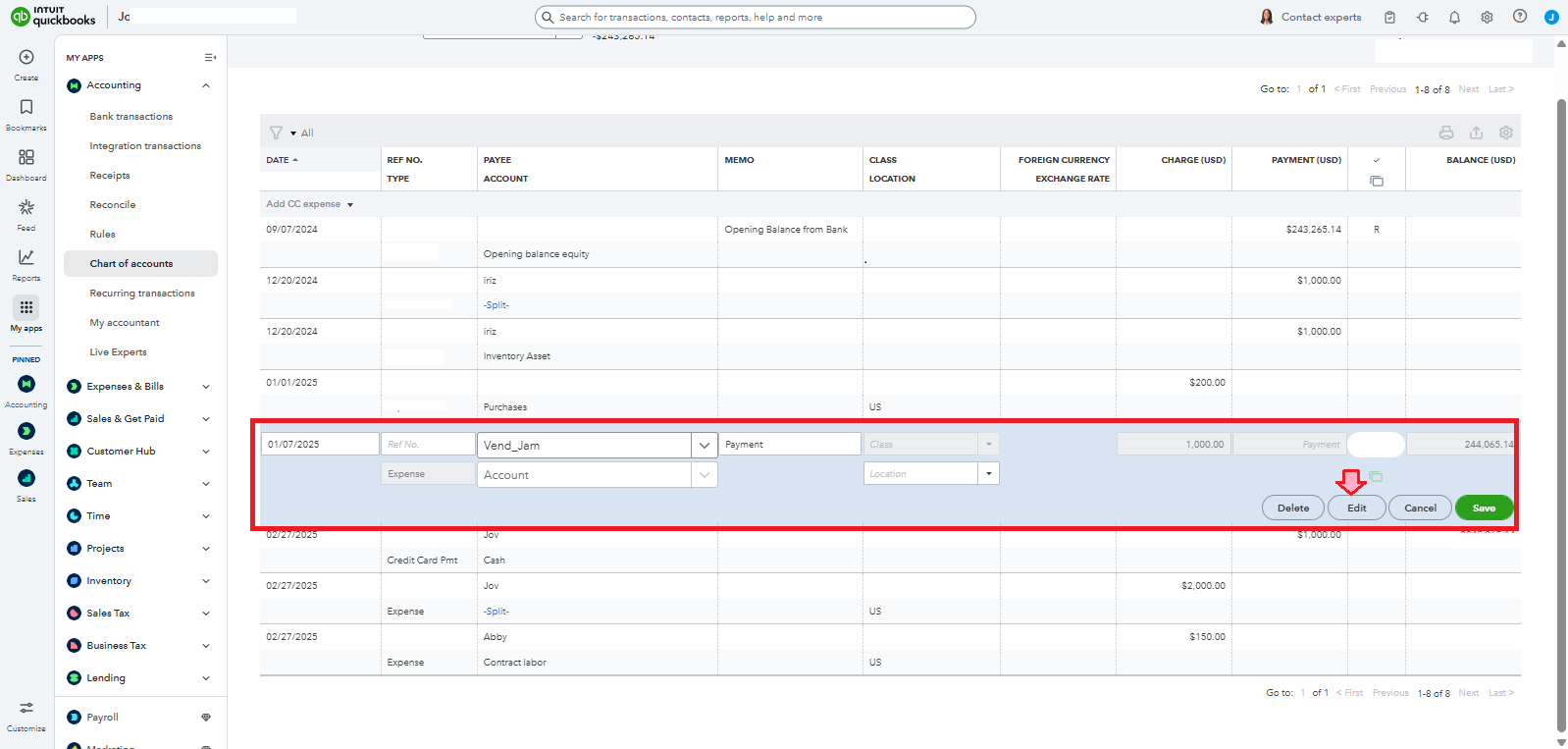
You need to click the Edit button to split the transaction in your Register. Let me share the process below.
You can assign multiple accounts in a transaction manually by following the steps below:
- On the Register, select the transaction to expand, then click Edit.
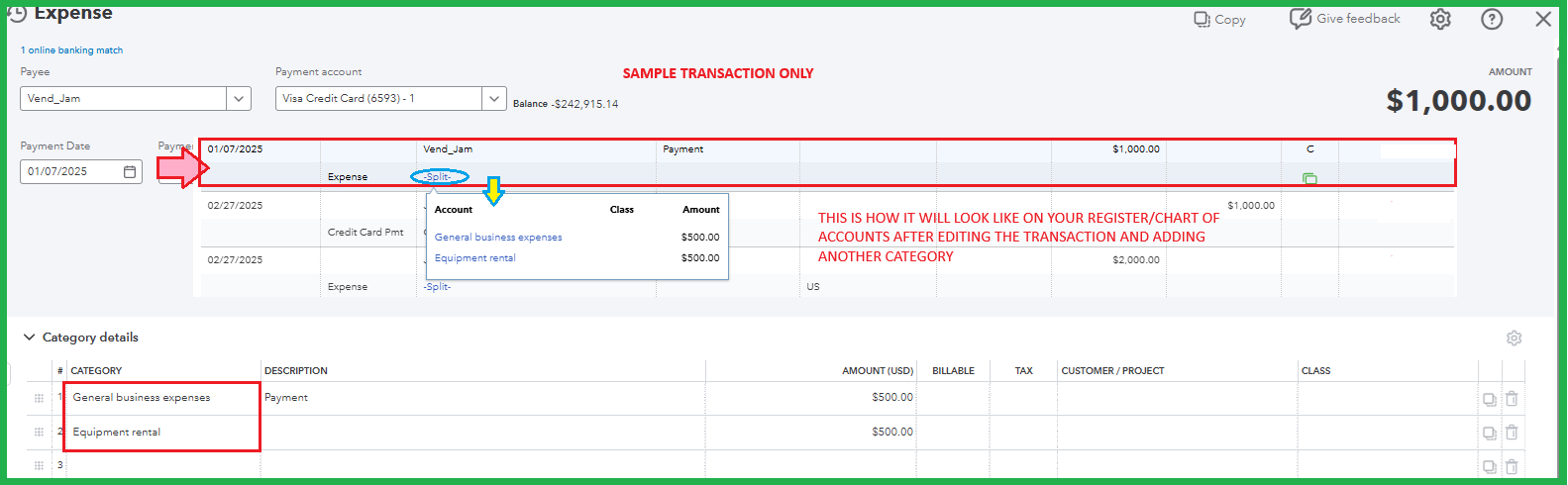
- The entry screen will open, where you can add other accounts and specify the amount. Ensure the amounts assigned to each account add up to the total transaction amount.
- Select Save.
- Review the transaction that displays Split in the account column.
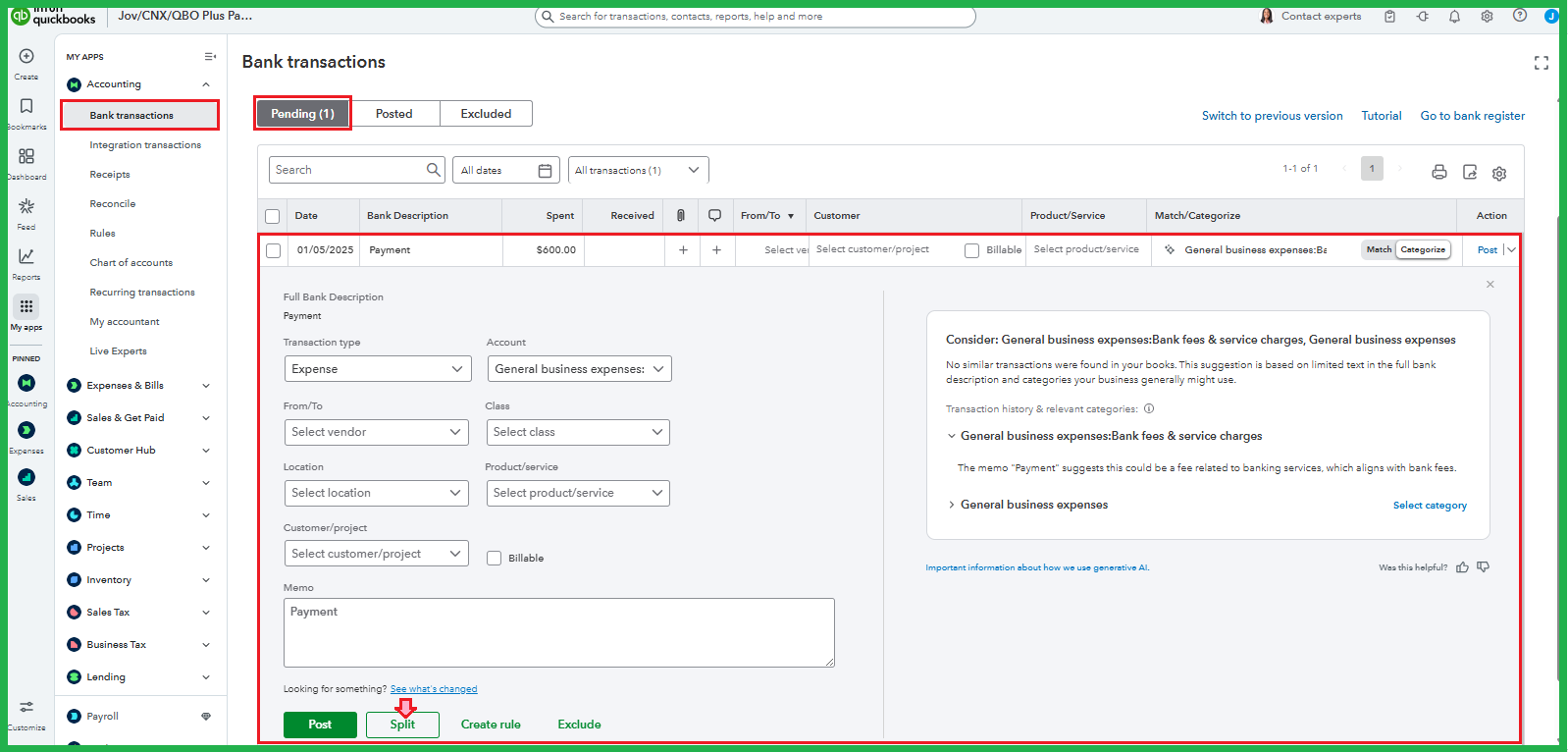
Alternatively, you can also split transactions between multiple categories in the For review tab on the Bank Transactions page.
Do you need help tracking your vendor payments and ensuring they're on the correct account? Speak now with a QuickBooks Live Expert for more personalized assistance.
Feel free to leave a comment if you have follow-up questions about splitting payments or categorizing transactions. I'll be here to help you.


