Hi, jjohnson071.
I appreciate your initiative in seeking answers to fixing your deleted reconciled transactions and recognize your dedication to maintaining accurate financial records to ensure the integrity of your accounts.
Deleting a reconciled transaction can have significant implications on your account reconciliation and financial records. Changes like this also affect your beginning balance. After recreating the deleted transactions and reconciling them manually in the register, you'll get a message the next time you reconcile. Open the discrepancy report by clicking the hyperlink shown in the image.

The deleted transaction may still be on the list, but the difference should be $0.00. It won't affect your reconciliation.
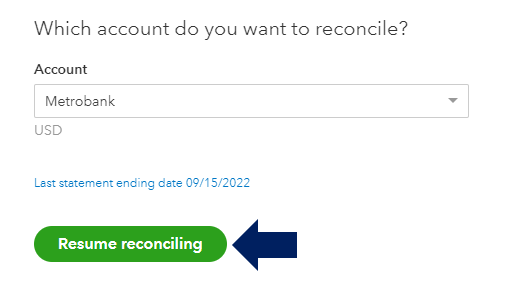
Once you've thoroughly reviewed all the information in the discrepancy report, ensure that the Total Discrepancy Difference is recorded as $0.00. Double-check the initial balance in QuickBooks to ensure it matches the beginning balance in your bank statement. Click Resume reconciling to proceed with the reconciliation process.
To learn more about what causes beginning balance issues, check out this link: Fix issues for accounts you've reconciled in the past in QuickBooks Online.
If QuickBooks doesn't match your bank statement at the end of a reconciliation, check out this link for fixes: Fix issues at the end of a reconciliation in QuickBooks Online.
Let me know in the comments below if you have other QuickBooks concerns. I'll be glad to further assist. Keep safe.


