Yes, jdj6268, a QuickBooks user can undo a reconciled entry one transaction at a time by following the steps below:
- Click the Gear icon in the upper right corner and select Chart of Accounts.
- Choose the account you're working with and click View Register.
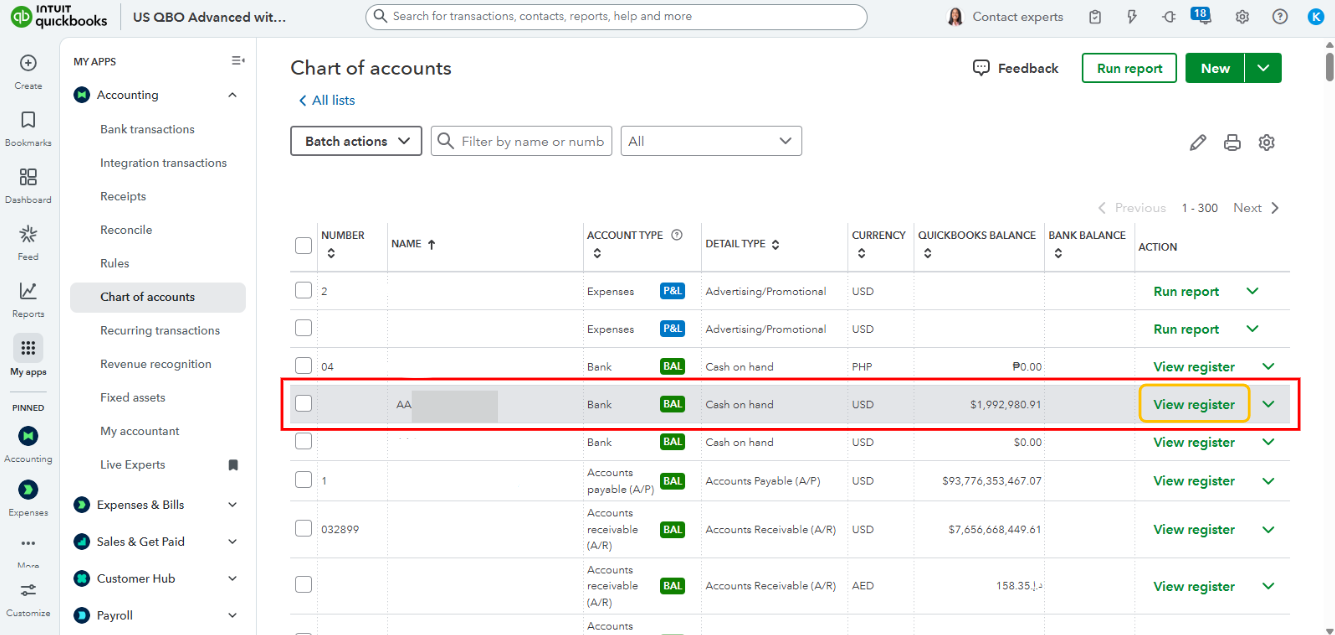
- Select the transactions you want to be unreconciled.
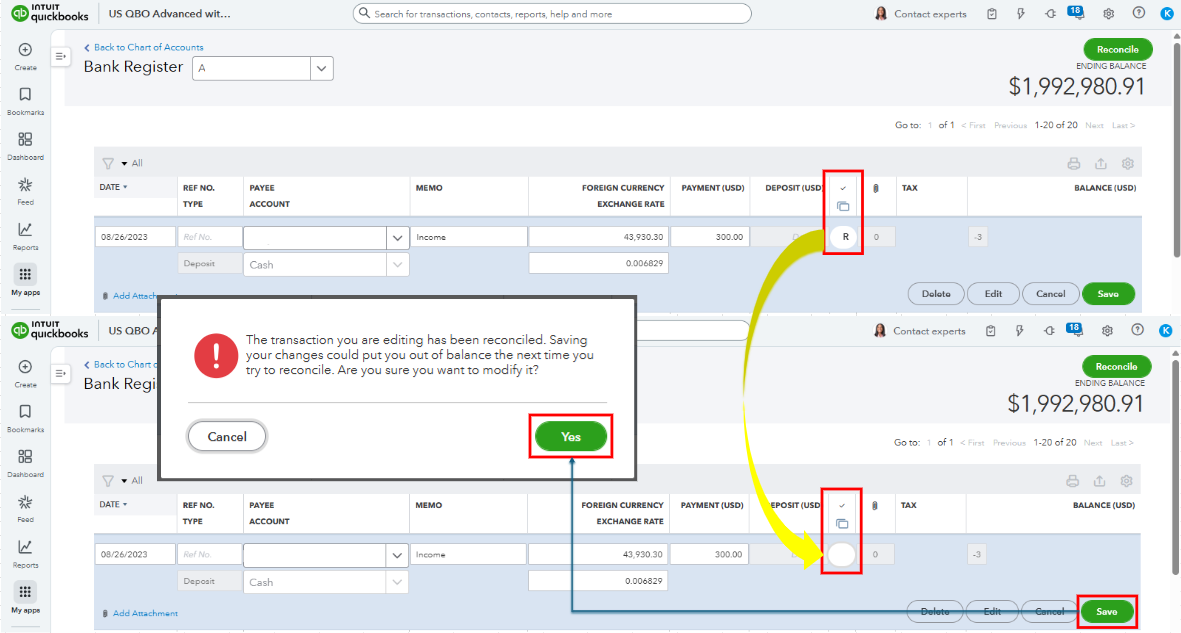
- Click the R status repeatedly until it changes to blank or cleared (C).
- Click Save.
- Confirm by selecting Yes in the confirmation window.
Alternatively, if you prefer to undo an entire reconciliation, your accountant can handle that, as this functionality is only available to accountants using QuickBooks Online Accountant.
If you don't have a financial advisor managing your books, you can find one by visiting this website: Find an accountant or bookkeeper near you.
Please let me know if you need further assistance with managing banking transactions in QuickBooks. The community is available 24/7 to help you.


