Turn on suggestions
Auto-suggest helps you quickly narrow down your search results by suggesting possible matches as you type.
Showing results for
Get 50% OFF QuickBooks for 3 months*
Buy now
Does anyone else have issues with their QB Checking account statements being incorrect??? I don't see how I'm supposed to reconcile this account when the statements are wildly inaccurate. I do not understand how they can continue to get away with these shady practices. For example, the month I started the account the statement Account summary shows:
Beginning Balance $0
Credits +$2,347.70
Debits -$1,288.54
Ending Balance $1,059.16
Calculate that & it comes out correct. However, the actual amounts are as follows:
Beginning Balance $0
Credits +$2,760.20
Debits -$2,160.20
Which does NOT come out to the ending balance. They don't show a running balance so there's no way to check the accuracy with that. How can an ACCOUNTING SOFTWARE COMPANY screw up something as simple as addition and subtraction???? Jump to the next month, the summary shows:
Beginning Balance $1,059.16(which we've established was incorrect)
Credits +$4,176.27
Debits -$4,181.01
Ending Balance $1,054.42
The actual Credits are $6,688.51 and the actual debits are -$6,871.11
I don't even know what to do with this. This is not my primary bank, however we are in a small town so our local bank is not really business friendly, so using the QB checking gives me more options for payroll and of course the HYS. Is there something I'm missing? I just don't see how I'm ever going to be able to reconcile this account like this. It's like they're literally pulling numbers out of the sky. I use QB desktop, but I have QB Money just to be able to use the checking account.

We hear you, @Anonymous. For an incorrect QuickBooks (QB) Checking bank statement, you'll need to contact the partner bank that provided it. I'll share more information below.
Green Dot Bank is the banking service provider of QB Checking. I suggest contacting them to verify the accuracy of the bank statement they provide.
Moreover, QuickBooks Online (QBO) only depends on the data provided by your bank before reconciling them.
Additionally, you can read this article to learn the overall process of reconciliation: Learn the reconciliation workflow in QuickBooks.
I'll also share this article to get answers to frequently asked questions about QB Checking: QuickBooks Checking FAQ.
Feel free to return here if you have additional questions about QB Checking bank statements. We'll be willing to help. Take care always,
Like always, this answer was completely useless.
Same here, so Quickbooks Checking is not through Quickbooks? We are dealing with the same thing. The Statements do not match the bank feed, and I QB will not allow me to delete what is not on the statement, which makes me question which is correct. Do you have a customer support number?
Hi there, WhittyB.
QuickBooks Checking is a banking feature offered through Green Dot Bank, not a direct QuickBooks service. QuickBooks provides transaction management and viewing, while the actual banking services are handled by the partner bank.
Nevertheless, QuickBooks relies on the data from your connected bank for reconciliation to maintain accuracy and consistency in your financial records. If transactions appear on your bank statements, it's a good idea to verify them on your bank's website as well. If the transactions are present there, you can manually update them in QuickBooks. If they still do not show up in your bank feeds, you have the option to upload them manually.
Additionally, QuickBooks typically does not allow the deletion of transactions that are not reflected on your bank statement if they have been reconciled or marked as cleared. This restriction is in place to maintain accurate financial records.
Furthermore, you can visit this article to reach out our customer service support team, they have the resources to help with your mismatched statements and bank feeds promptly: Get help with QuickBooks products and services.
Finally, I'm adding this resource for future reference, on how to reconcile your accounts so they always match your bank and credit card statements: Reconcile an account in QuickBooks Online.
We stand ready to support your exploration of these options. For any queries or additional assistance about your mismatched statements and bank feeds, please use this communication channel. We value your consideration and are enthusiastic about helping you elevate the QuickBooks user experience.
But, we cannot reconcile when the balance doesn't match! I have been an accountant for 30 years and I know how to reconcile an account. I manually checked off every transaction shown on the statement. I entered the correct ending balance. It is not balancing! This is frustrating!
And it's not right that you put your name on the checking account as "QuickBooks Checking" and then pass it off to Green Dot.
I want to assure you that your frustration is valid and your concerns are important to us, smoran0727.
We can run a reconciliation discrepancy report if none of the above resolves the issue to identify the source of the imbalance. Here's how to do it:
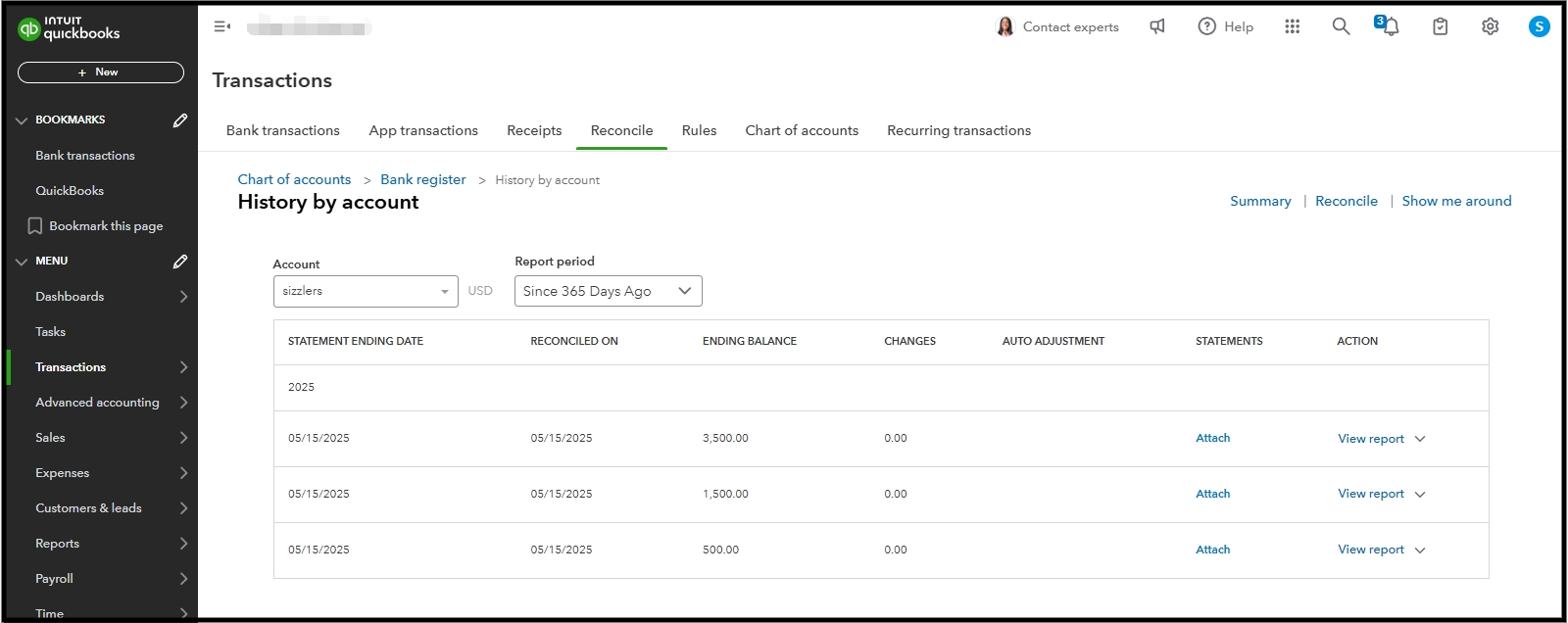
If the issue continues, we recommend contacting our Customer Phone Support team for further assistance. They can check your account to identify the primary cause of the discrepancies and explain why it is not balancing correctly.
I am including this article on the best times to reach out for assistance with QuickBooks products and services: Get help with QuickBooks products and services.
If you have any questions or concerns, please let us know. We’re here to help you.
I'm having the same problem! My QB Checking Statements run from the 8th of the month to the 7th of the month. I noticed for the 8/8/25-9/7/25 statement that the credits included interest payments for the period, but the date for them is 9/8. I couldn't reconcile unless I checked those as well. THEN, the next statement's beginning balance was incorrect! It was the balance it would have been had those interest payments not been included. Snowball from there. The only way I was able to make it make sense was to change the ending balances to what it would be if the interest payments were not included. This is so incorrect on so many levels!
I'm not even sure what to do now. This would just go on and on.
And, I agree, how can an accounting software company not get their statements wrong???
If you have any further questions or concerns, please don't hesitate to let us know. We’re here to help.


You have clicked a link to a site outside of the QuickBooks or ProFile Communities. By clicking "Continue", you will leave the community and be taken to that site instead.
For more information visit our Security Center or to report suspicious websites you can contact us here


