Thanks for posting in the Community, @tinaromero.
Yes, you can make corrections after you reconciled. However, this may affect your beginning bank balance. Also, the Undo Reconciliation feature is currently available in QuickBooks Online Accountant only. If you're connected to one, you can ask them to undo it for you.
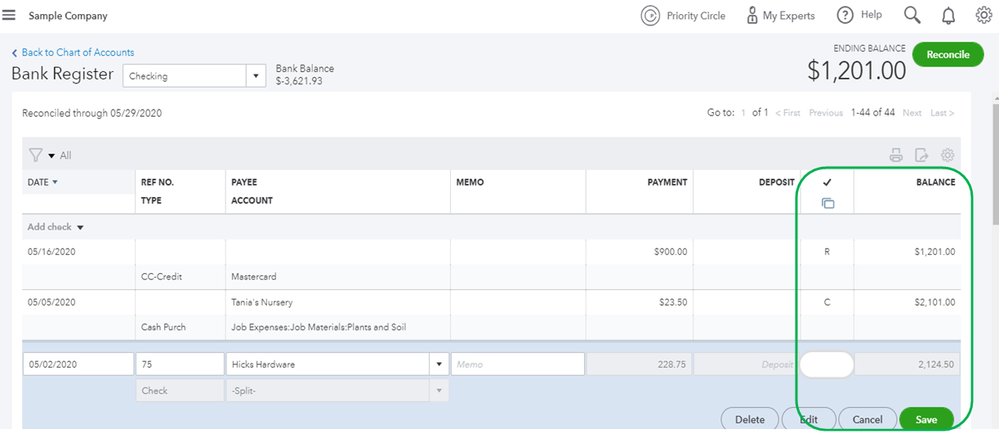
Otherwise, in a regular QBO account, you have to go through each previously reconciled transaction and manually remove the R (Reconciled) under the Check column to undo it.
Here's how:
- Go to Accounting and select Chart of Accounts.
- Select the account from the list and click View Register from the Action column.
- Find the transaction that needs to be unreconciled one at a time.
- Click on R on the Check icon column, between Deposit and Balance. Change the status to C (Cleared) or leave it blank.
- Hit Save.
- Choose Yes to confirm that you want to unreconcile the transaction.
As a reference, you can also check out this article for further guidance: How to unreconcile a transaction or undo a reconciliation.
You can also refer to this article to learn the workflow process of reconciliation within QBO: Learn the reconcile workflow in QuickBooks.
Get back to me if you have other questions about reconciliation or any concerns about QuickBooks. I'll be happier to help you out. Take good care.


