It's a pleasure to have you here, @thomas39. I'm here to ensure you can add Profit and Loss in QuickBooks.
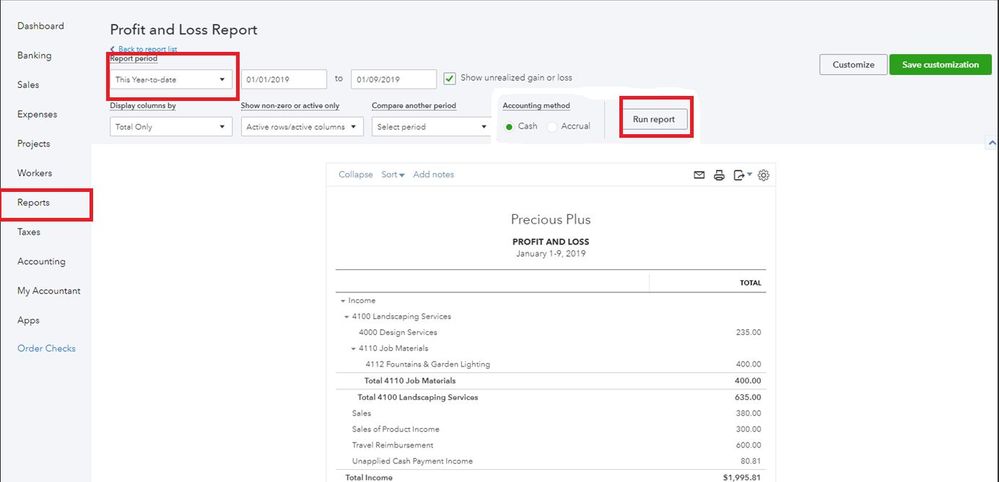
If you mean you want to run a Profit and Loss statement in QuickBooks Online, you can simply proceed to the Reports menu to generate one. Let me show you how:
- Log in to your QBO account.
- Select the Reports menu at the left panel.
- In the Find report by name field, search and choose Profit and Loss.
- Select the date and click Run report.
In addition to that, you're two other admins can see the Profit and Loss statement since primary and company admin has access to every part of the QuickBooks account. This includes viewing all reports.
For additional details, you may visit this article: User roles and access rights in QuickBooks Online.
Feel free also to check out these articles for additional guidance and reference when running reports in QBO:
Let me know or visit us anytime you need help while working with your reports in QuickBooks. We're always here to guide and assist you. Take care and have a good day!


