Thanks for visiting the Community space, Kellogg. I'll make sure you can locate your transactions using the dollar amount in QuickBooks Online (QBO).
In QBO, you can directly search for the transaction amount with the magnifying glass button. Let me show you how:
- Click the Magnifying Glass in the upper-right corner.
- Enter the transaction amount you’re looking for, then select the desired transaction.
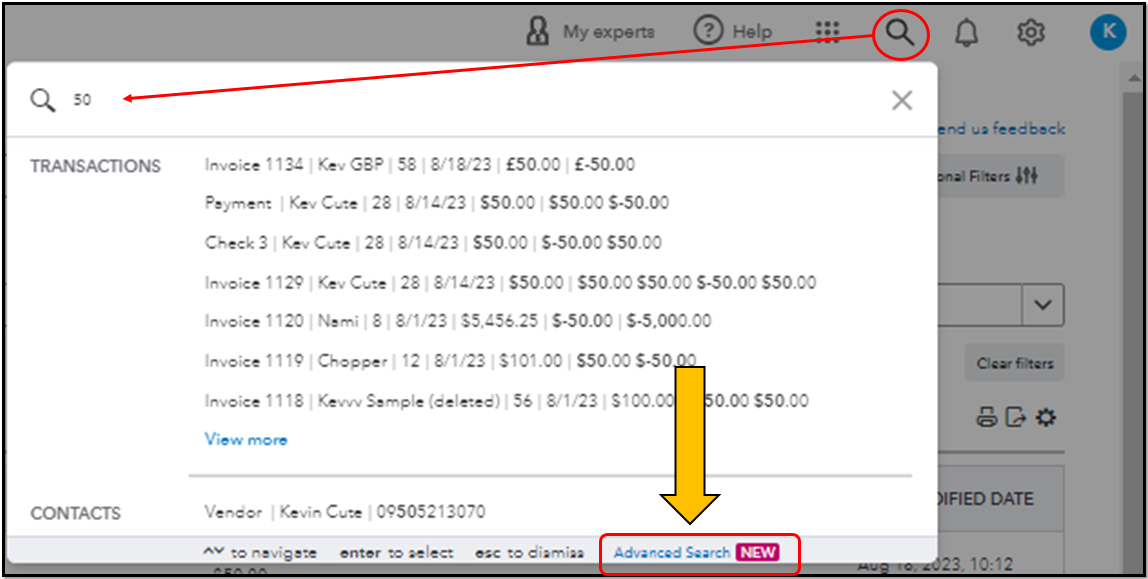
- Tap Advanced Search if the transaction you're looking for is not in the results list.
- Adjust the filters to find the type of data you want.
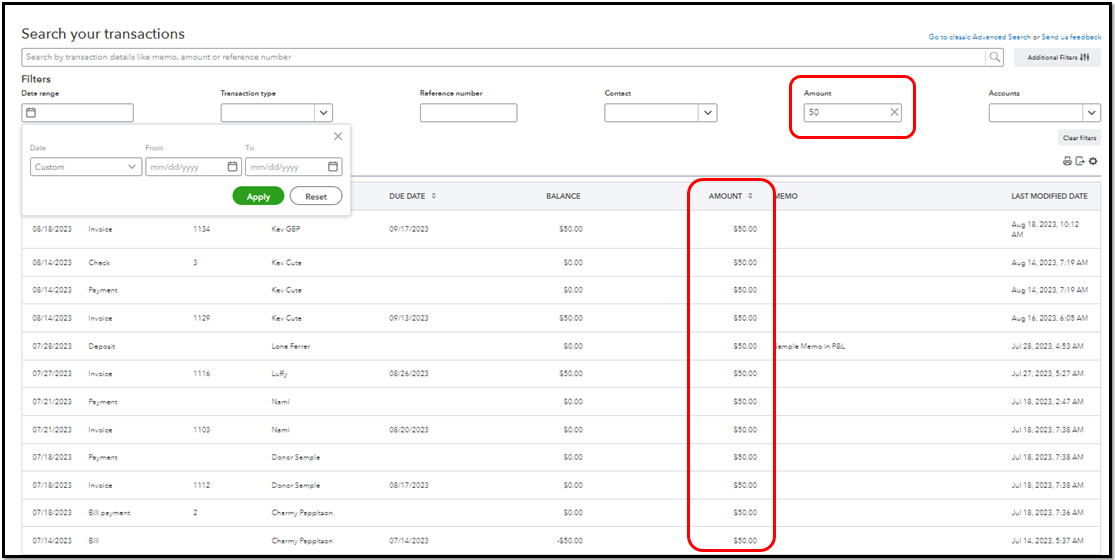
For more details about this process, refer to this article: How to search for transactions in QuickBooks Online.
Additionally, check out this article if you need help finding, reviewing, or editing transactions within the account registers in QBO.
I'm only a post away if I can be of additional assistance with searching your transactions or need more help with QuickBooks. Have a great day ahead!


