Posted transactions from the banking page are reflected in your Bank Register for reconciliation, nkpitterman.
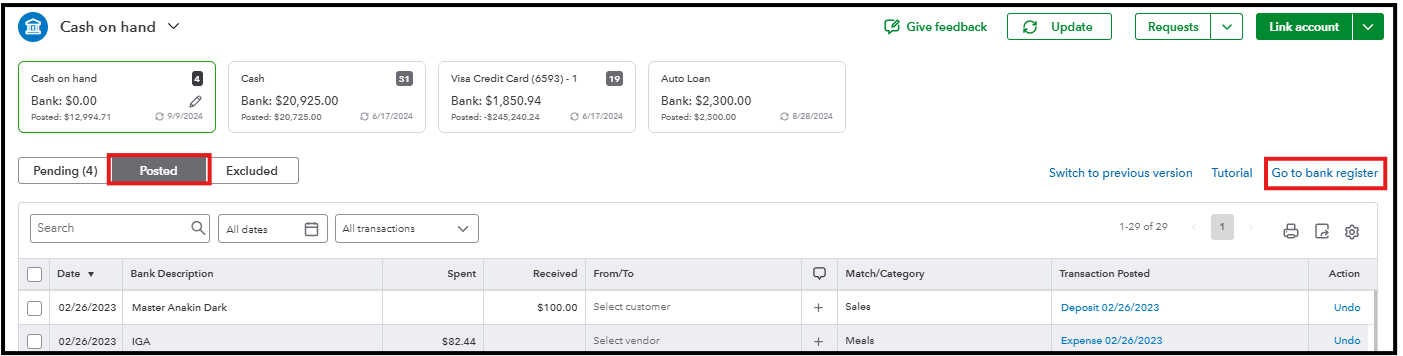
These transactions are those that have been fully added or recorded in QuickBooks and impact your account balance. Here's how to see your transactions in the account register that are for reconciliation:
- Go to the Posted tab from the Bank transactions page.
- Click Go to bank register.
- Once you're ready, you can click the Reconcile button.

Once you have your monthly account statement, you can start reconciling. For a detailed step-by-step process to reconcile your account: Reconcile an account in QuickBooks Online.
If this isn't the case, can you share more information about your concern? This can help us get on the same page and provide you with an accurate resolution.
Moreover, we have QuickBooks Live Expert Assisted that are always available to help you with best practices in setting up and making the most out of QuickBooks Online.
You can always count on us if you have other banking-related queries. We'll be sure to get back on this thread to help you again, nkpitterman.


