Currently, there is no available option to set-up recurring adjustments or rules that can reflect your monthly loan paydowns. As a work around, we can create recurring expenses or a check, Keith.
Please note that this only applies if the payment amount remains the same. If there are any changes to the interest rate or the payment amount, you will need to adjust your entries manually.
Here’s how we can set up the recurring transaction:
- Navigate to the Transactions menu and select Recurring Transactions.
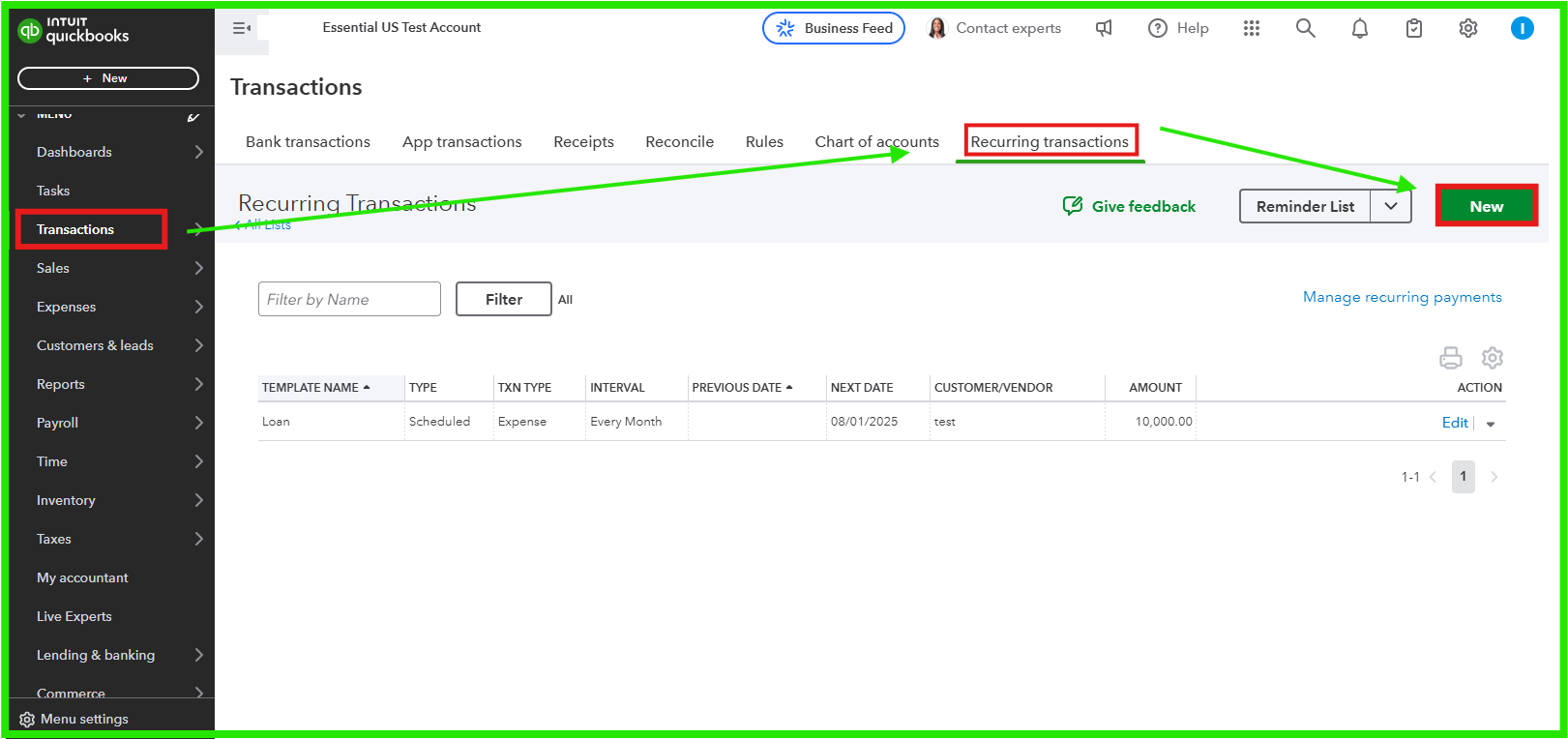
- Click New and choose the appropriate transaction type
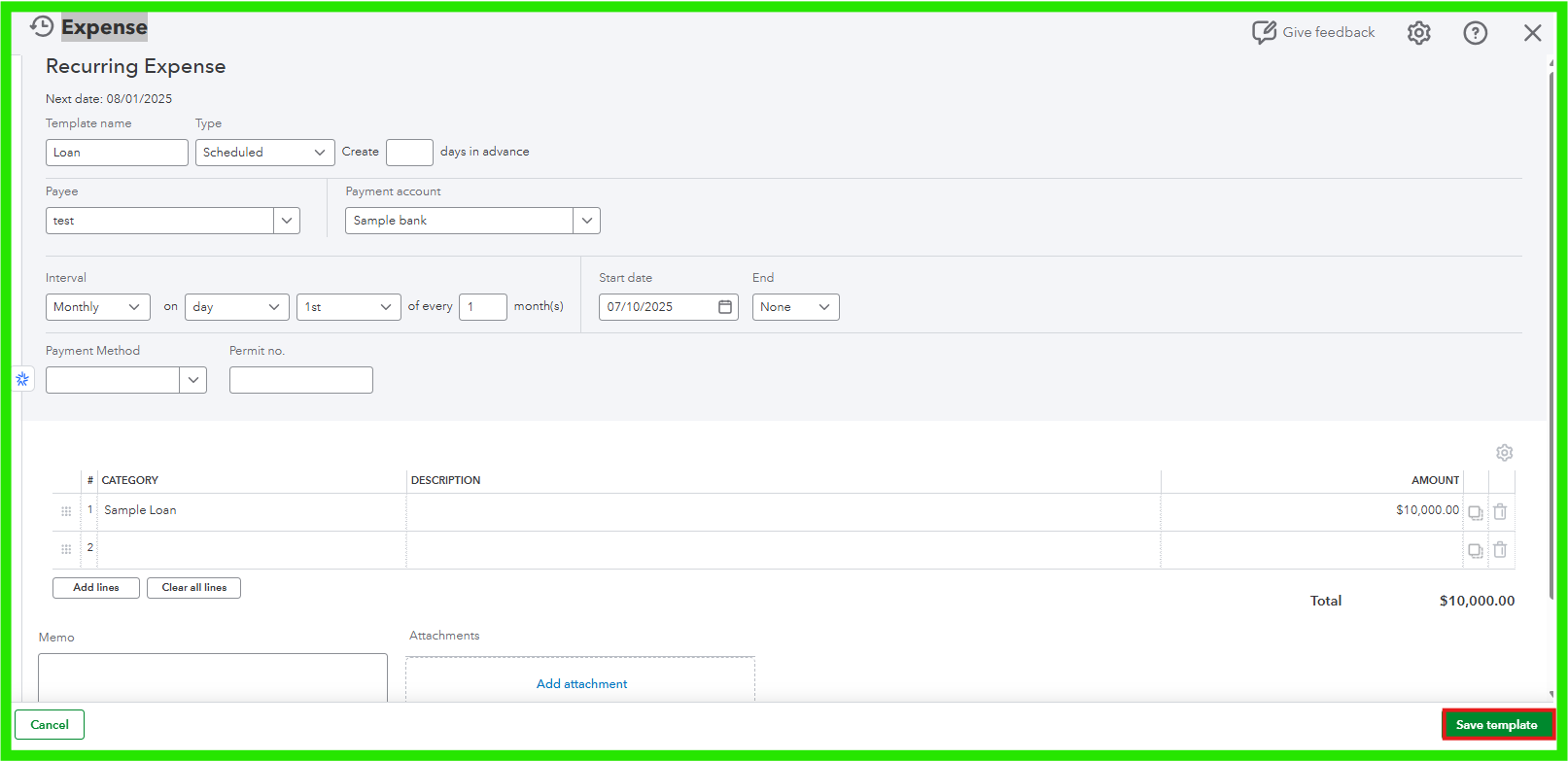
- Click OK to proceed, then Select your desired Type and Schedule.
- Set the Interval to Monthly and specify your start date.
- Optionally, you can set an End date for the recurring transaction.
- Fill out the required fields with your loan details.
- Review your entries and click Save to create the recurring transaction.
If your payment amount changes or if the loan terms are adjusted, you may need to disable the recurring option and enter the updated payment manually:
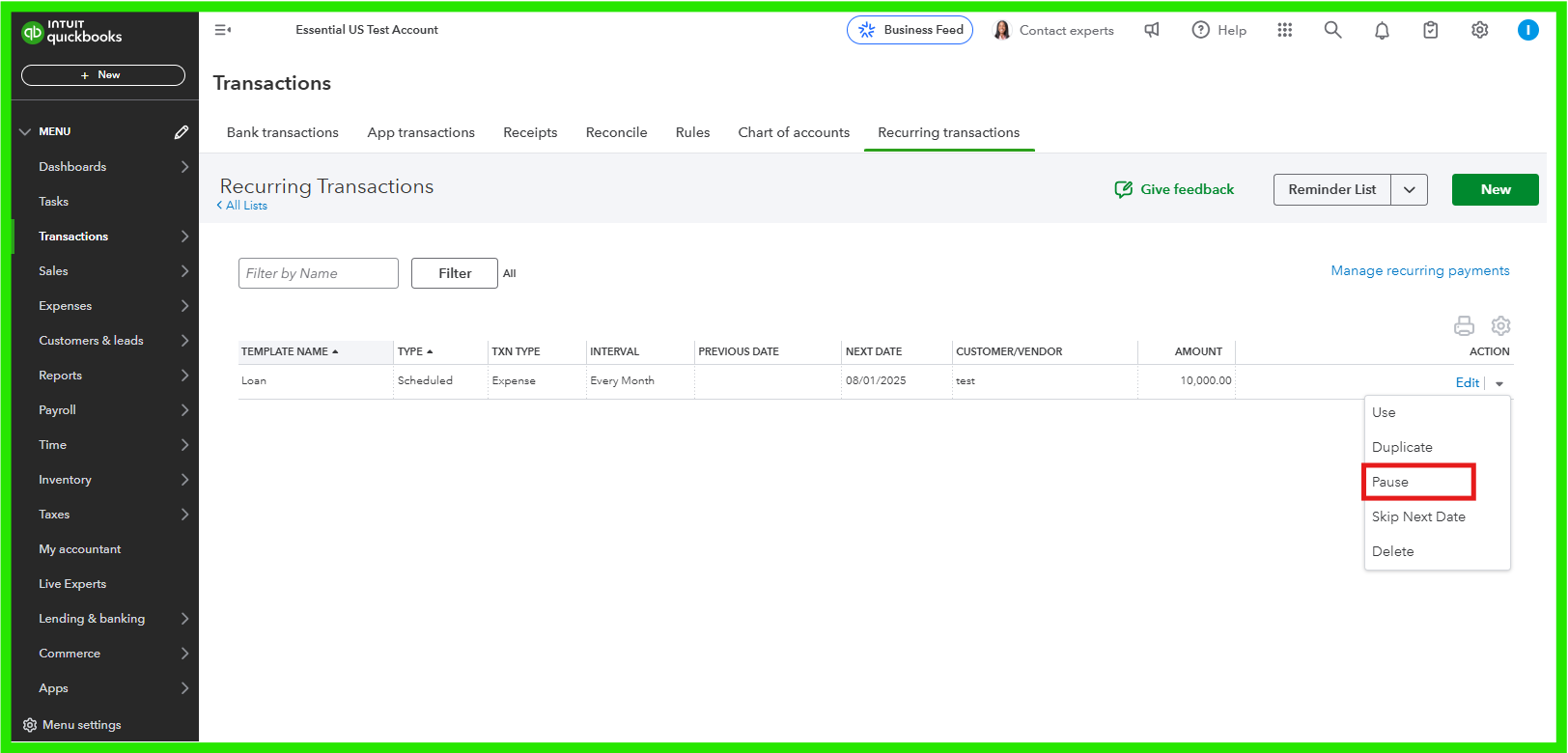
- Go to the Transactions menu and then navigate to Recurring Transactions.
- Find your recurring template and select the dropdown next to the Edit menu.
- Choose Pause to temporarily stop the recurring transaction until you can input the new amount.
Please ensure that you make adjustments to your transactions if there are any changes to your payment amount or loan terms, to keep your records accurate. You can regularly review your loan account balance in the Chart of Accounts.
If you need further assistance or need help, please feel to comment below.


