We can perform a manual update to show the transactions in QuickBooks Online, Support89.
But before that, please confirm how Mercury Bank allows transactions to be downloaded. Some banks allow downloading transactions for the last 90 days, while others may provide access for up to 24 months.
Here's how to manually update your transaction:
- In your QuickBooks account, navigate to the Accounting menu.
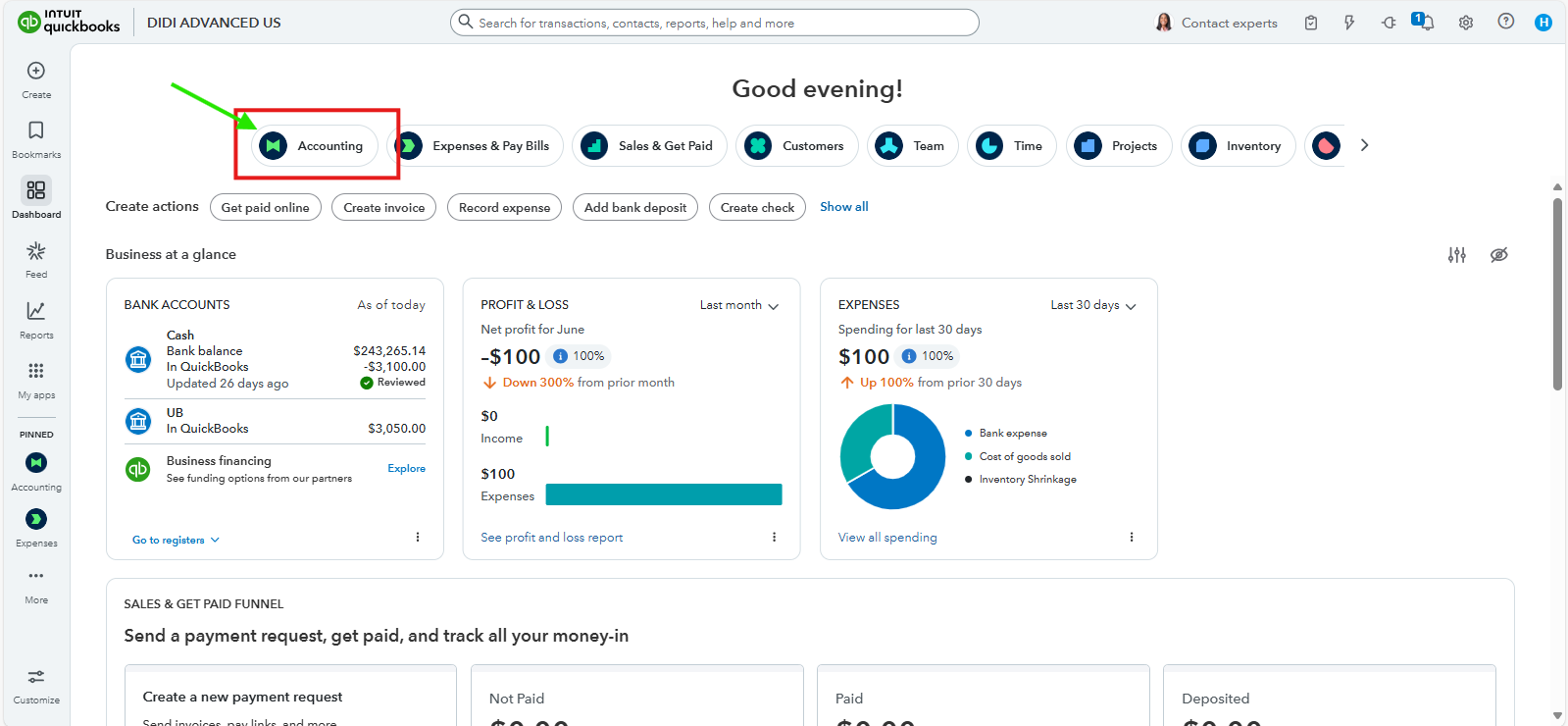
- In the Bank Transactions page, select your Mercury Bank account.
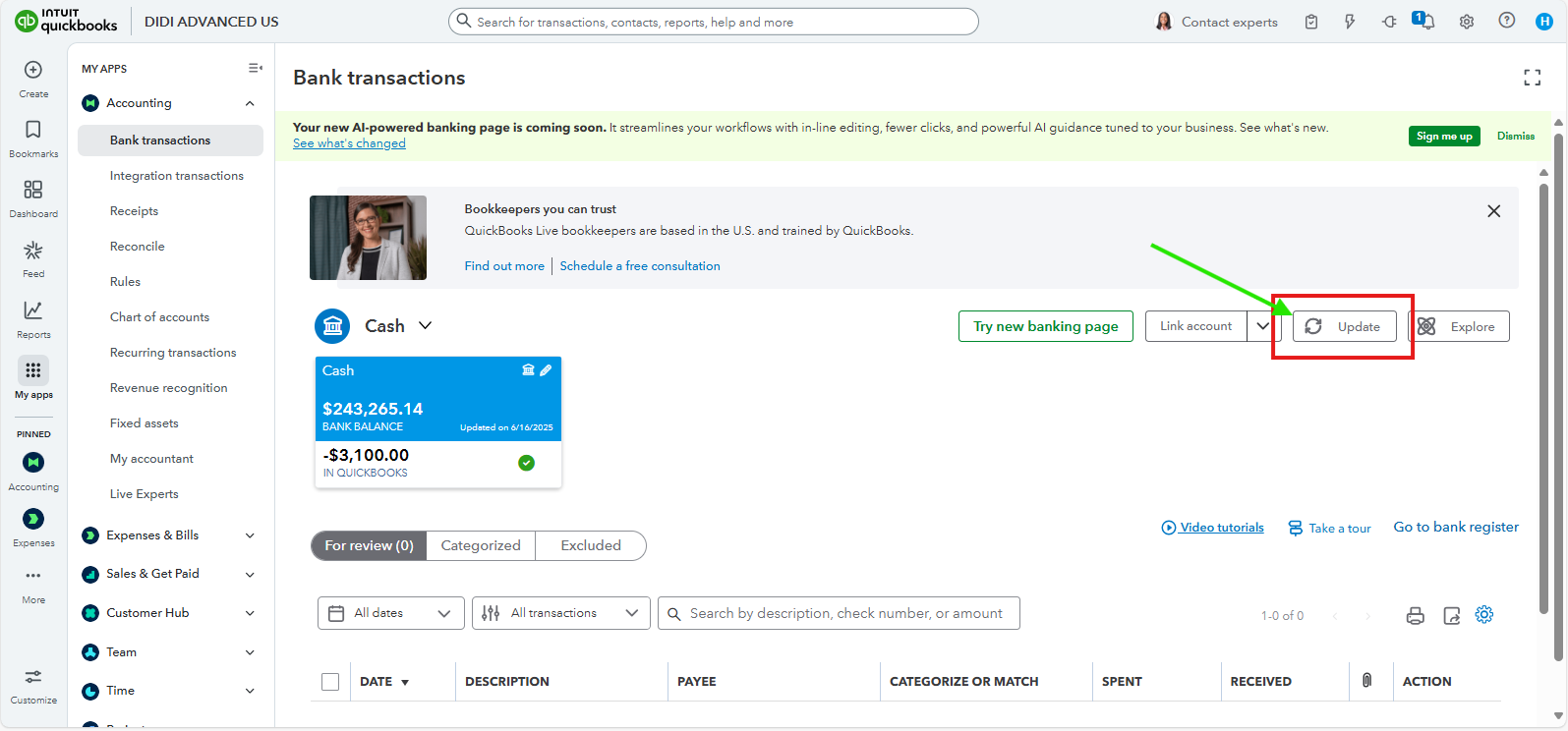
- Locate the Update button and perform a manual update to pull in the transactions.
We can visit Mercury Bank's website to verify if there are any notifications regarding system maintenance or confirmations that affect the downloading of transactions into QuickBooks.
If there are no issues reported by the bank, you can also log into your QuickBooks account using a different supported browser to avoid compatibility issues and perform a manual update again.
If you need to categorize your transactions in the meantime, you can manually upload the missing transactions from Mercury Bank into QuickBooks Online as a workaround.
Have you heard about the QBO Advanced Priority Circle? It's essentially a dedicated account team just for you with Experts trained to support all of our Advanced features, including the ability to customize user management and reporting to meet your business needs. Consider upgrading to QuickBooks Advanced today.
You can reach out again if you need any further assistance with managing your transactions in QuickBooks Online.


