Hi, Atzichaim.
If you're unable to get transactions for your account, we can try updating your bank connection to sync transactions into your account.
Here's how:
- Navigate to Accounting, then Bank Transactions.
- Select Update.
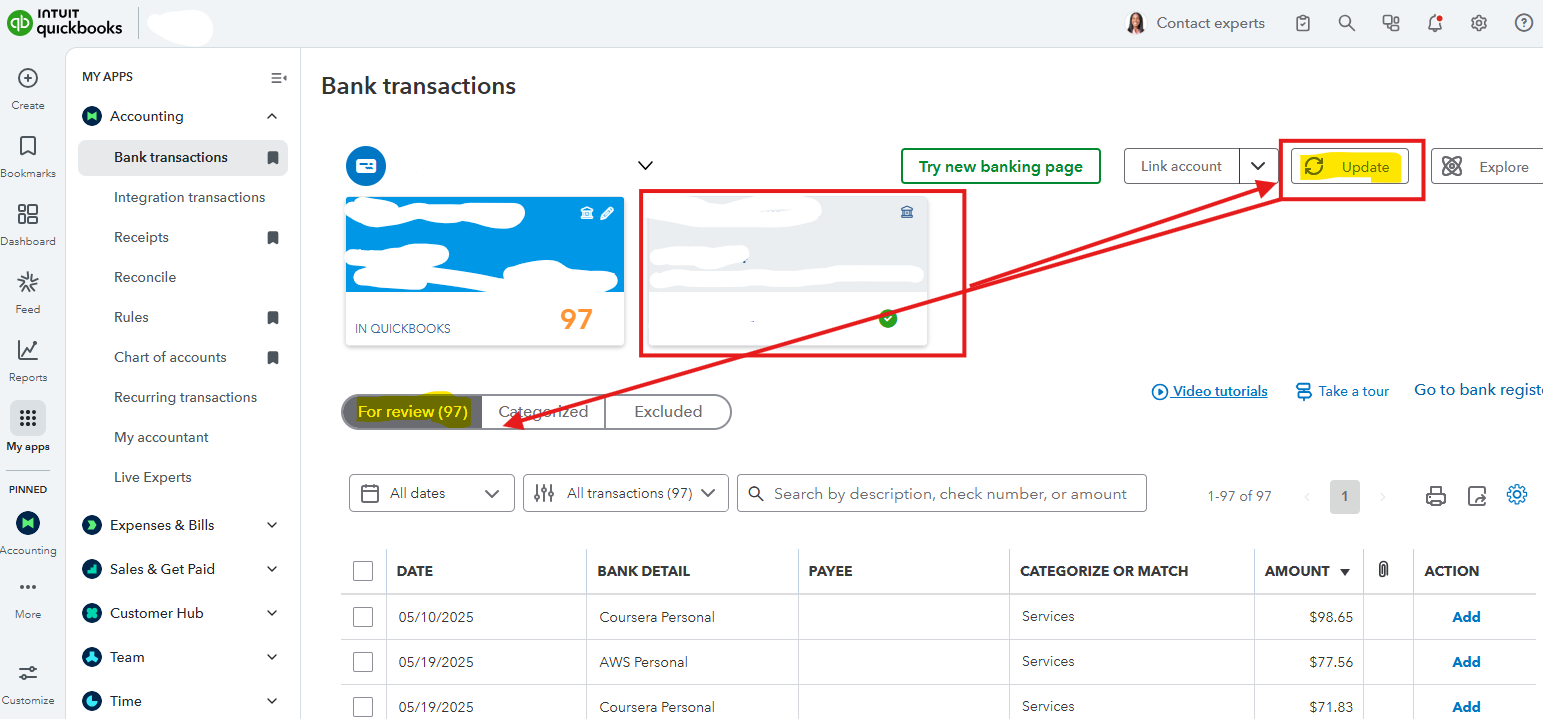
- Once updated, check the For review tab to see if the transaction appears.
Another one is to check your bank's website for any alerts, messages, or maintenance notices. If there are no notices, we can also try to update your account information. Here's how:
- From the Accounting tab, select the tile for the affected account.
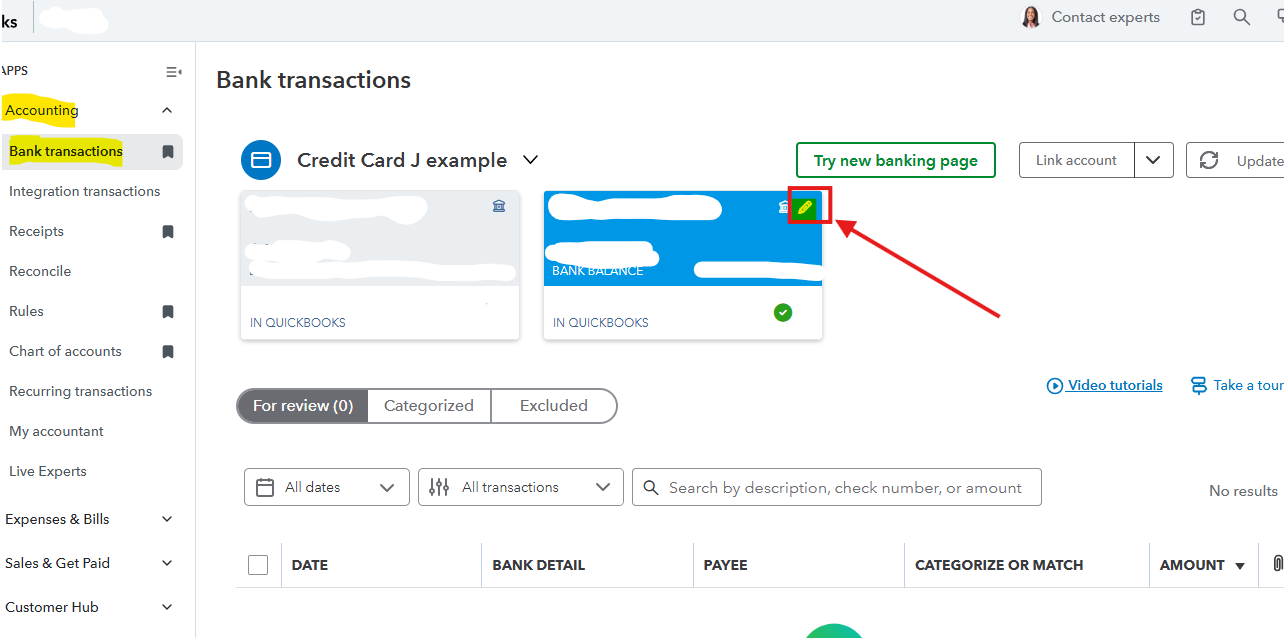
- Click the Pencil icon, then choose Edit sign-in info or Edit account info.
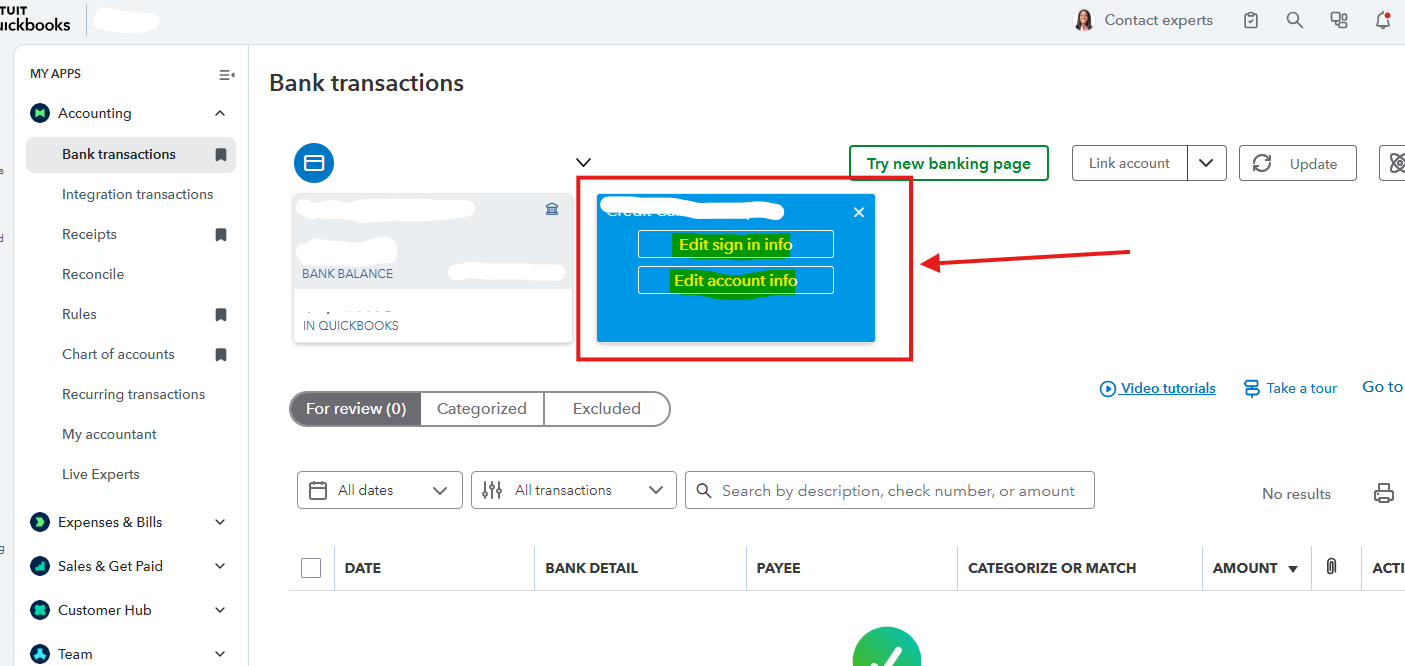
- Enter your credentials and Save.
If you still can't get your transactions into QuickBooks Online, consider manually uploading your bank transactions. Here are the steps:
- Go to Transactions, then Bank Transactions.
- Click on the account tile you want to use.
- Choose Upload from file in the Link Account dropdown.
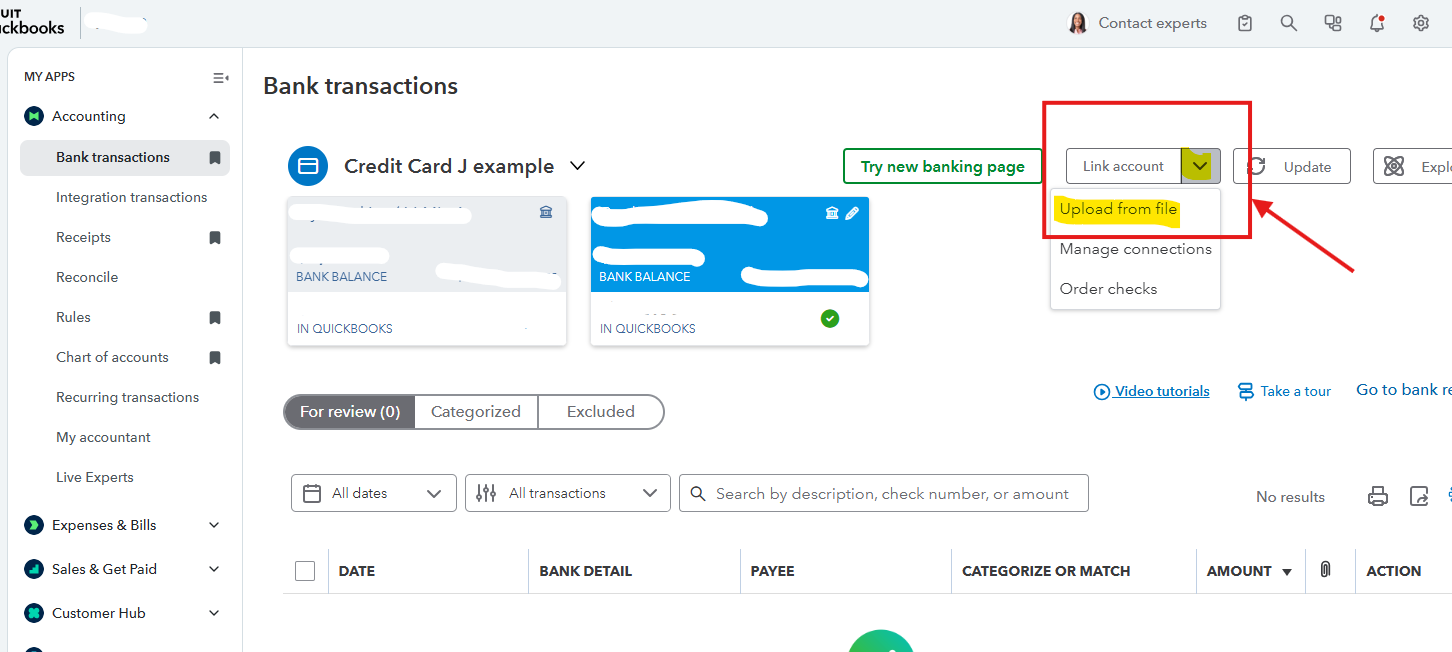
- From the QuickBooks account dropdown, select the appropriate account, then click Continue.
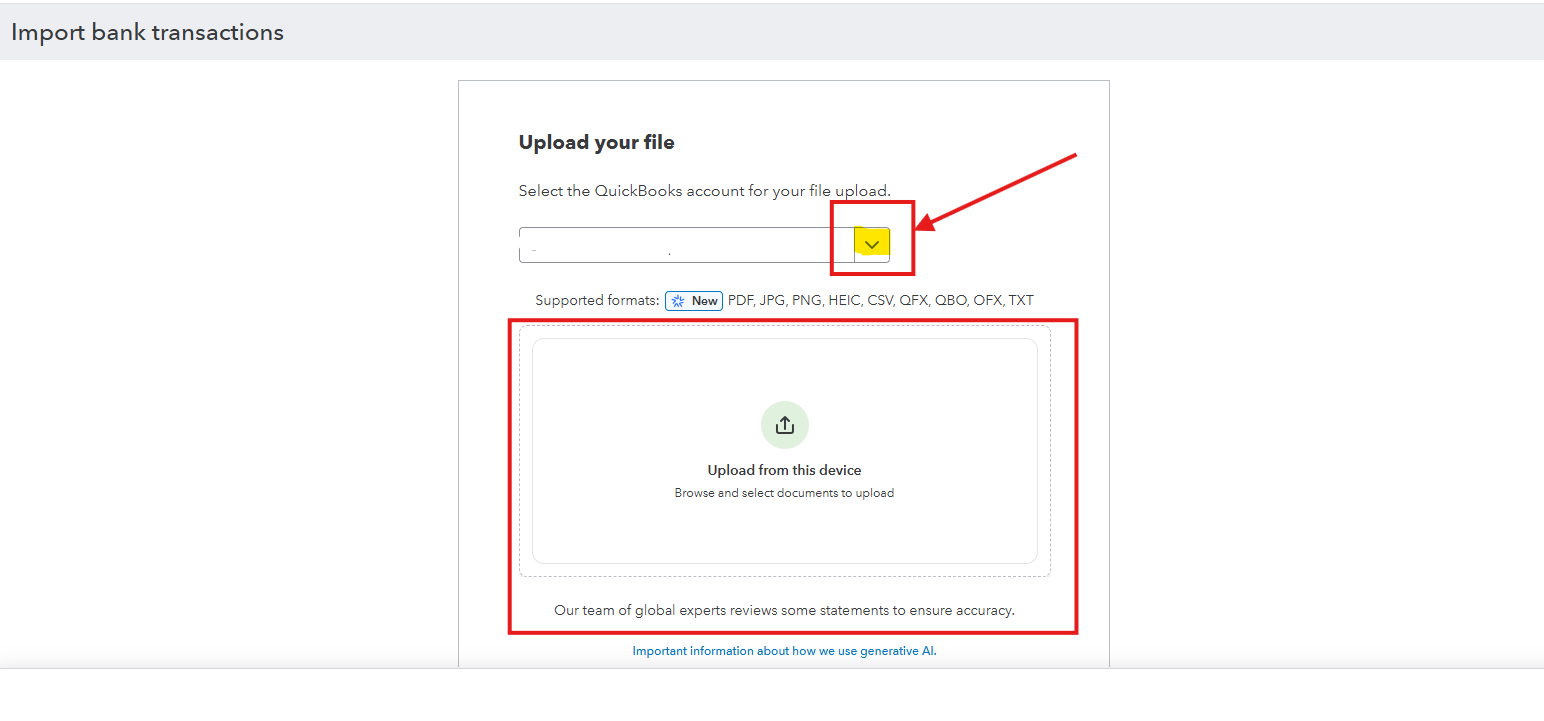
- Drag and drop or select the file you downloaded from your bank and select Continue.
- Match the file columns to the correct fields in QuickBooks as prompted, then hit Continue.
- Select the transactions you want to import and Continue.
Before manually uploading transactions, export or save them from your bank's online platform as a CSV file.
Let us know in the comments if you have any other questions or concerns about QuickBooks.


