Turn on suggestions
Auto-suggest helps you quickly narrow down your search results by suggesting possible matches as you type.
Showing results for
Get 50% OFF QuickBooks for 3 months*
Buy nowThe csv file was created by MileIQ. I didn't change it. I uploaded it directly to QB.

Hello there, Mike. The email summary you received is a notification of the import attempt process. To determine the exact cause and details of the error, we'll need to manually inspect the file from MileIQ.
The error indicates that some rows in the file couldn't be processed due to formatting issues. Although the CSV file was created directly by MileIQ, formatting discrepancies can occur during the export process.
You can locate the downloaded CSV file on your computer and review its format. Check that there are no duplicate trips in the file. It's also important to confirm that all trips are tagged as Business. QBSE only imports business trips.
Next, verify the date format. QuickBooks expects dates to match your account (MM/DD/YYYY). If the dates are exported differently, these entries will result in errors and will need to be adjusted accordingly.
Additionally, ensure there are no zero-mileage trips, blank rows, or special characters in the file, as these can break the import process.
Once everything is sorted, import the file again. You can also upload it using an incognito window or a different supported browser to rule out cache-related issues.
You can leave a reply below if you need more help with importing your data. We’re here to guide you step by step.
Hello there, Mike.
I just wanted to follow up to check if the resolution we provided helped resolve your issue.
Please let us know if everything is now working as expected or if you're still experiencing any problems.
We'll be glad to assist further if needed.
Trixie,
I appreciate the pedestrian feedback which assumes user errors first, but I exported the file from MileIQ and imported it. Didn’t touch the formatting. It imported 190 rows and rejected 350. None of the issues that you highlight are apparent in the file.
Perhaps Intuit can provide the specs for the input file? Or I can send the file to them and they can figure it out?
Am I stuck in Community Help, or does the actual company have access to this too?
Thanks! I appreciate your time and your follow up from last week.
Mike
Hi Mike. I understand that some transactions were successfully uploaded while others were skipped. To address this issue, I recommend contacting our Live Support team for further assistance with uploading the CSV file. They’ll be able to provide guidance and help resolve the problem.
Follow the steps below:
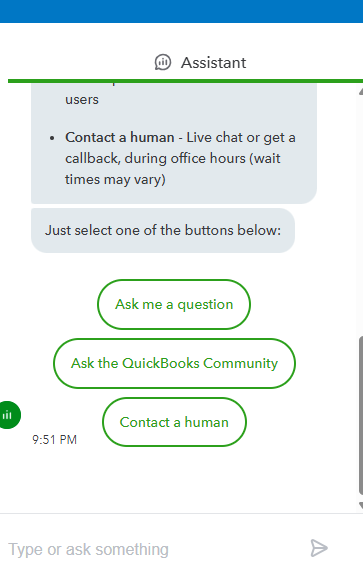
If you need further assistance with importing files from MileIQ to QuickBooks Self-Employed, don't hesitate to click the Reply button below.


You have clicked a link to a site outside of the QuickBooks or ProFile Communities. By clicking "Continue", you will leave the community and be taken to that site instead.
For more information visit our Security Center or to report suspicious websites you can contact us here


