Currently, matching multiple customers to a single Venmo payout (payment) using the mobile app is unavailable, Rasnick. However, this functionality is available through the web browser, allowing you to match transactions seamlessly.
To do so, follow the steps provided below:|
- Go to the Integration transactions menu and navigate to the Venmo application.
- In the Pending tab, locate the Venmo payment and click to open it.
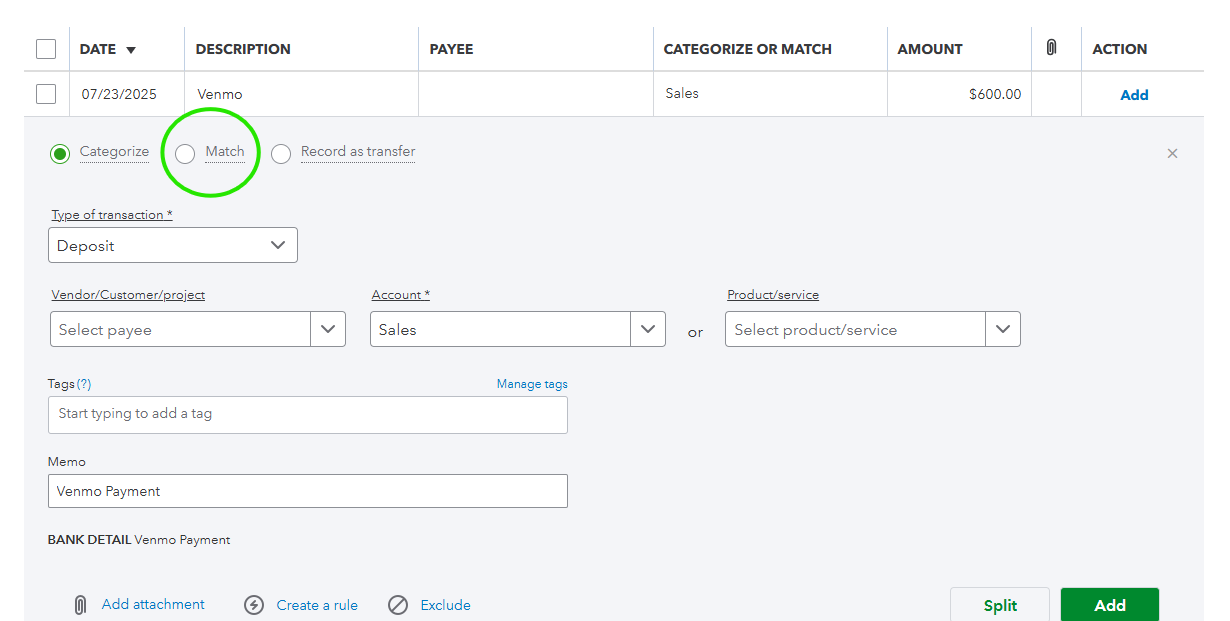
- Select Match.
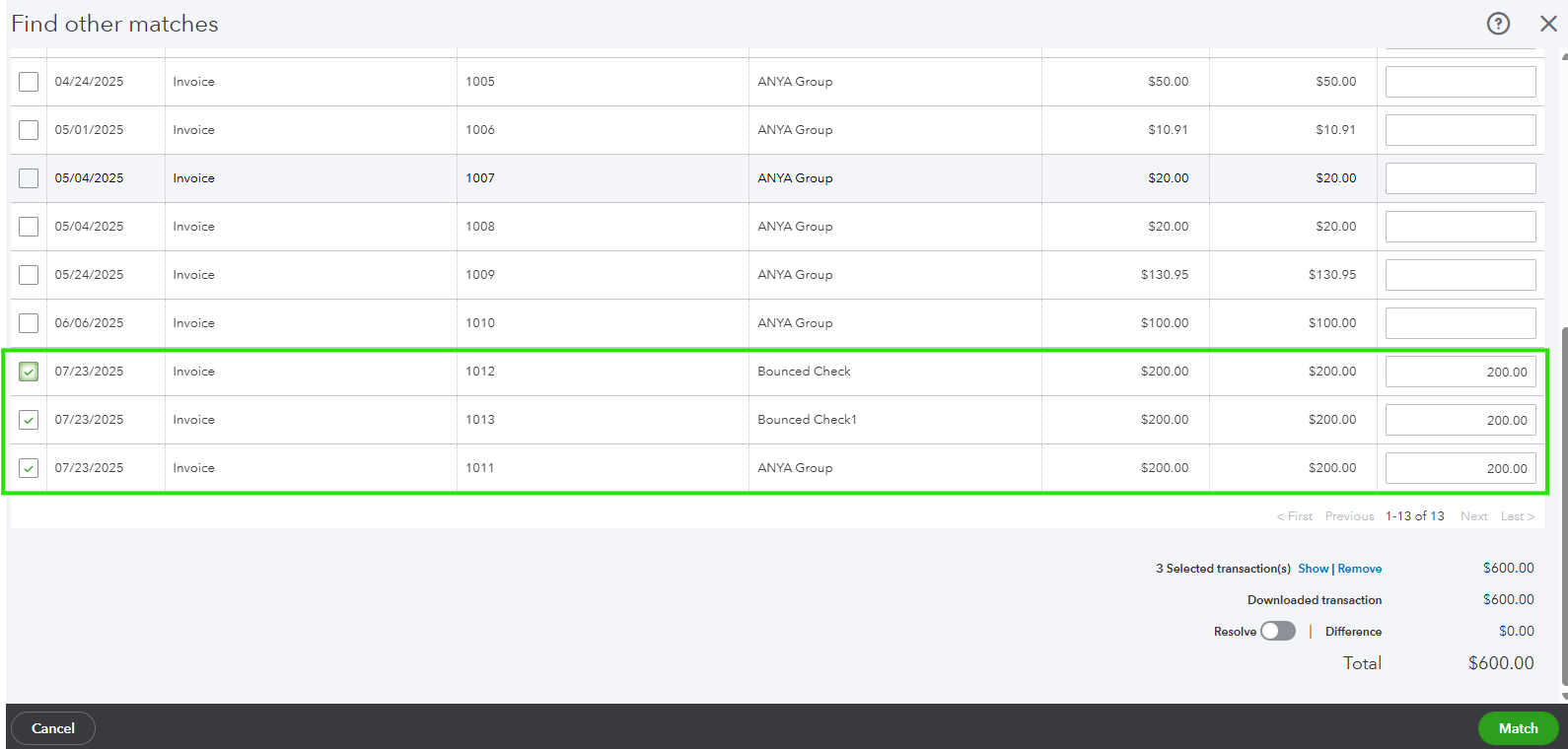
- Choose the customers and Hit Match.
- Once completed, you will find the Venmo payment transaction listed under the Posted tab as matched.

If you wish to streamline or automate when matching transactions in your Banking or Integration page, feel free to connect with our QuickBooks Live Expert Assisted team. They can help you save time and simplify the process.
If you have any more questions or concerns about matching transactions with Venmo, please don't hesitate to reach out. I'm here to help and ensure everything is clear and resolved for you.


