Welcome to the Community, Steven. You can find the Rules, along with the Auto-add feature, by navigating to the All app menu.
To find these features, go to All apps > Accounting > Rules. From this page, you can create a New rule or click Edit under the Actions column to enable the Auto-add toggle.
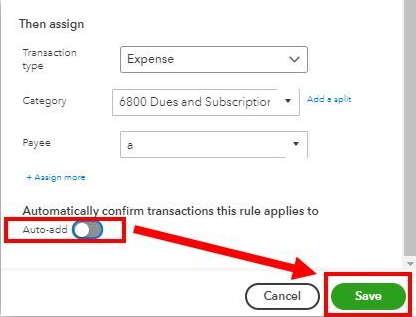
After you enable this, any transactions in the For Review tab that meet the specified conditions will be added automatically.
If you have additional questions or concerns, please leave a comment below.


