Welcome aboard to the Community, @chris140.
The QuickBooks app can be download directly through our website. You'll get to choose if you need an installation file for Windows or the Mac OS.
Here's how:
- Go to: http://quickbooks.intuit.com/apps/.
- Click Free Download.
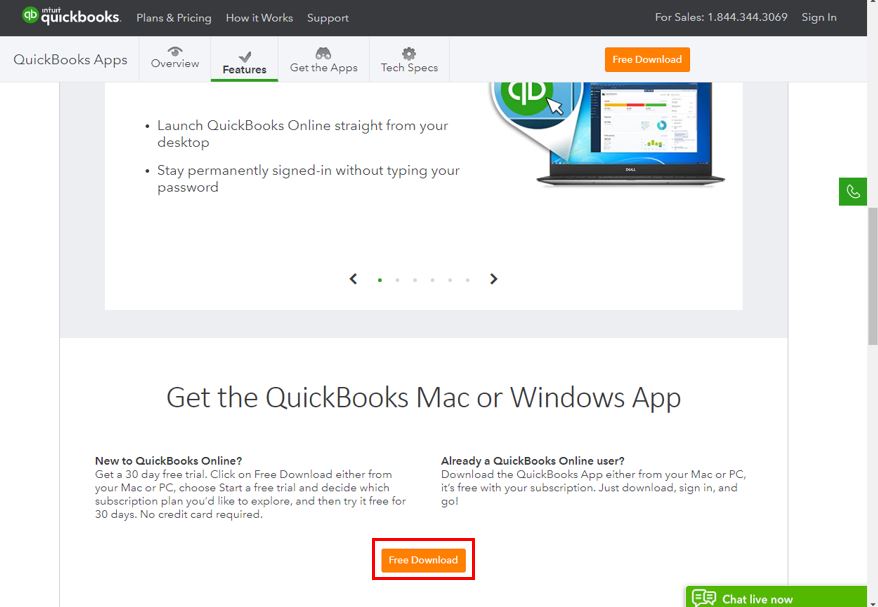
- Select Download Now.
To install the downloaded file to a Windows Operating System:
- Double-click the file you downloaded to launch the installer.
- Select Next, then choose Agree & Install.
- Wait for the installer to run the rest of the way through.
- Select Finish.
For Mac:
- Open the QuickBooks.dmg file in the downloads section.
- Drag QuickBooks to the Applications folder.
- From the Applications folder, launch the QuickBooks App and the program will load to the sign-on page.
- Select Sign In, if you have QuickBooks Online account.
- Select Create a new QuickBooks account if you don't have one.
For additional information about the installation process, check out the QuickBooks App for Windows and Mac: General support article. It also contains detailed steps and screenshots for visual reference.
Please know the Community has your back. If you have additional questions, click the Reply button and post a comment. I’m here ready to assist further. Enjoy the rest of the day.


