There are several reasons why your transactions are not showing up, Joe.
If this is your first time linking your bank to QuickBooks, note that some banks allow you to download transactions from the last 90 days, while others can provide data for up to 24 months.
However, if your bank only offers recent transactions, you'll need to upload your bank transactions manually. For detailed guidance, please refer to this article: Manually upload transactions into QuickBooks Online.
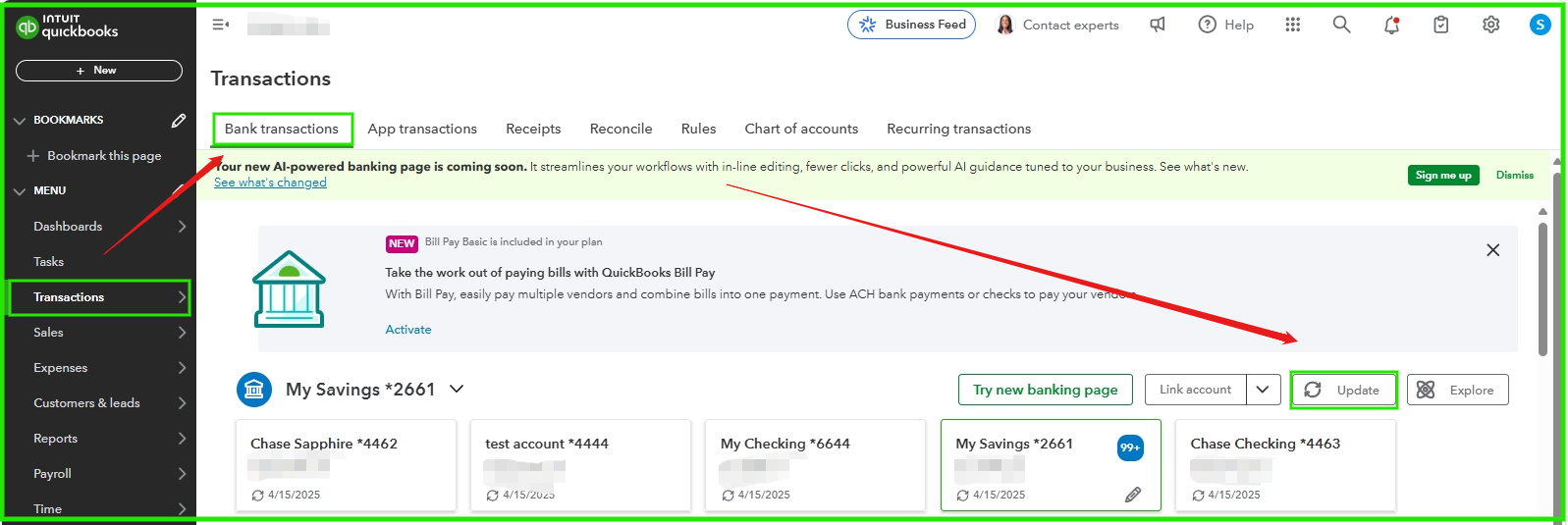
On the other hand, if this is not the first time connecting your bank, and there are some missing transactions, we can manually update it by following the steps below:
- Navigate to the Transactions tab and select Bank Transactions.
- Click on Update to refresh your bank transactions.
If you have further questions or clarifications, you can save this thread below, and we are here to offer a helping hand.


