Hi there, @Becky118. Happy to walk you through the steps of adding holiday pay for your employees.
We'll need to go through each employee's profile and add the Holiday pay.
Here's how:
- Go to the Payroll menu.
- Navigate to the Employees tab.
- Choose the employee for whom you want to add holiday pay.
- Scroll down to Additional Pay Types.
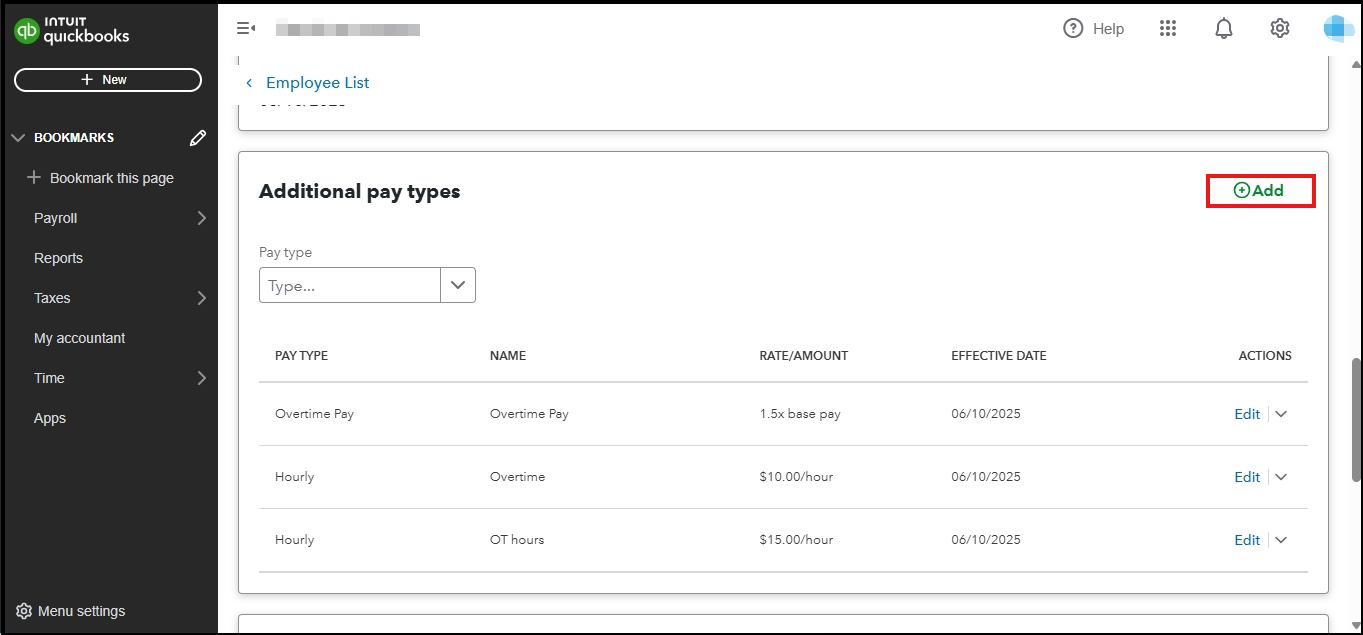
- Click the + Add and select Holiday pay.
- Choose the effective pay period you prefer and the end pay period.
- Once done, click Save.
Please feel free to add a comment below if you have any other questions.


