I'm dedicated to providing the step-by-step guide in changing the pay method from check to direct deposit in QuickBooks Online Payroll (QBOP), @Tommi.
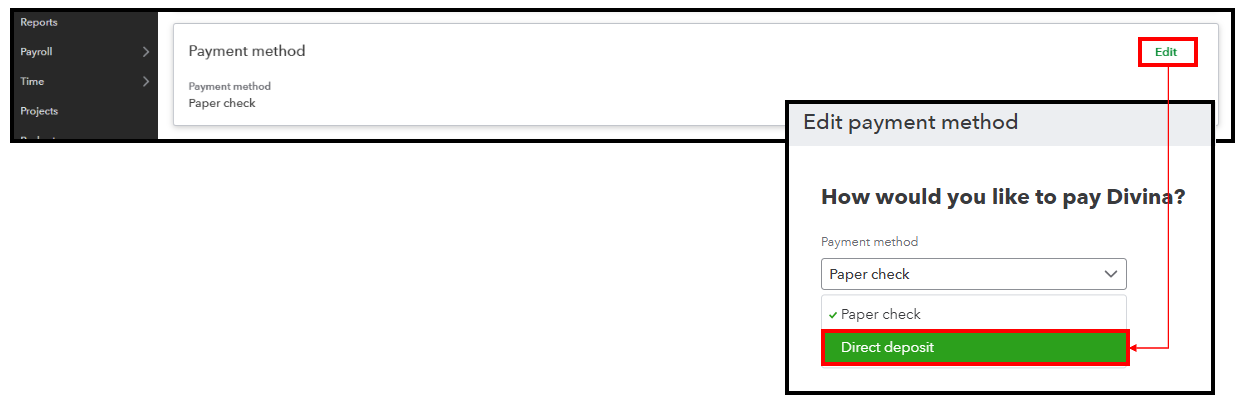
You can modify an employee's payment method by going to their profile. Before doing so, ensure to set up and add them to direct deposit.
Here's how:
- Go to Payroll and select Employees.
- Click the employee's name.
- Navigate to the Payment Method section, then Edit.
- In the Payment Method dropdown, select Direct Deposit.
- Click Save.
Moreover, this article can be helpful if you encounter issues about employee not receiving their direct deposit in QBOP: Handle a direct deposit paycheck that was not received by an employee.
Furthermore, QuickBooks Live Assisted is an additional service where you can get one-on-one assistance from our experts who can provide guidance on your payroll processes.
Do you have additional concerns about paying your employees? Let us know in the comments below, and we'll be glad to jump in to the discussion.


