Welcome to the Community Space, @Pack1.
If the check has not yet been processed, you can void it and create a new direct deposit instead.
First, you'll need to void the original check to prevent duplicate payments. Then, change the employee's payment method from a paper check to direct deposit. Here’s how:
- Go to the Employees tab from the Payroll menu.
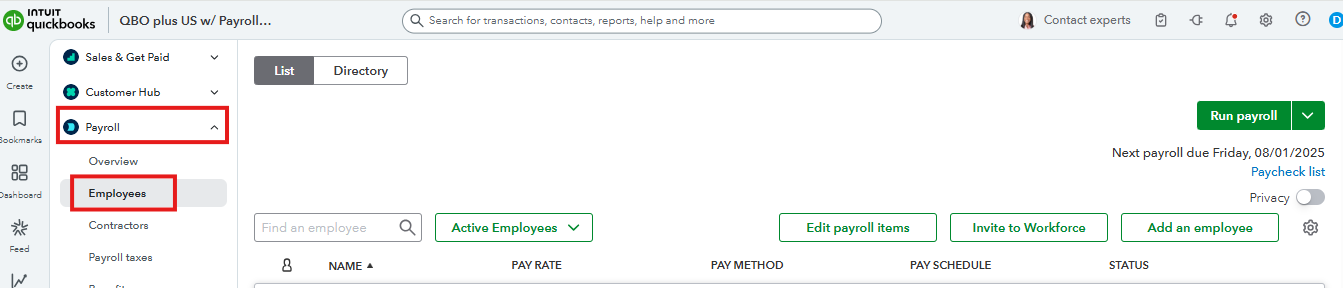
- Select the affected employee
- In the Payment method section, click Edit.

- In the Payment method dropdown, select Direct deposit.
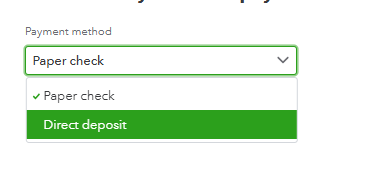
- Save the changes.
After that, you can recreate the paycheck and process the payroll. However, please note that this process needs to be done within the current tax quarter.
If the check has already been processed or is from a previous quarter, you'll need to contact our Live Support Team for assistance with backdating payroll or making paycheck corrections.
If you have any additional questions, just click the Reply button below.


