Yes, you can edit the pay period date of a scheduled payroll within the employee's profile or the payroll items, stanislaus. Let me show you how.
When adjusting the Pay schedule, updating it depends on the Pay frequency, as you need to set the correct End of next pay period or End date. Keep in mind that it'll create a new one that you can assign to an individual or all employees associated with it. Follow these steps to proceed:
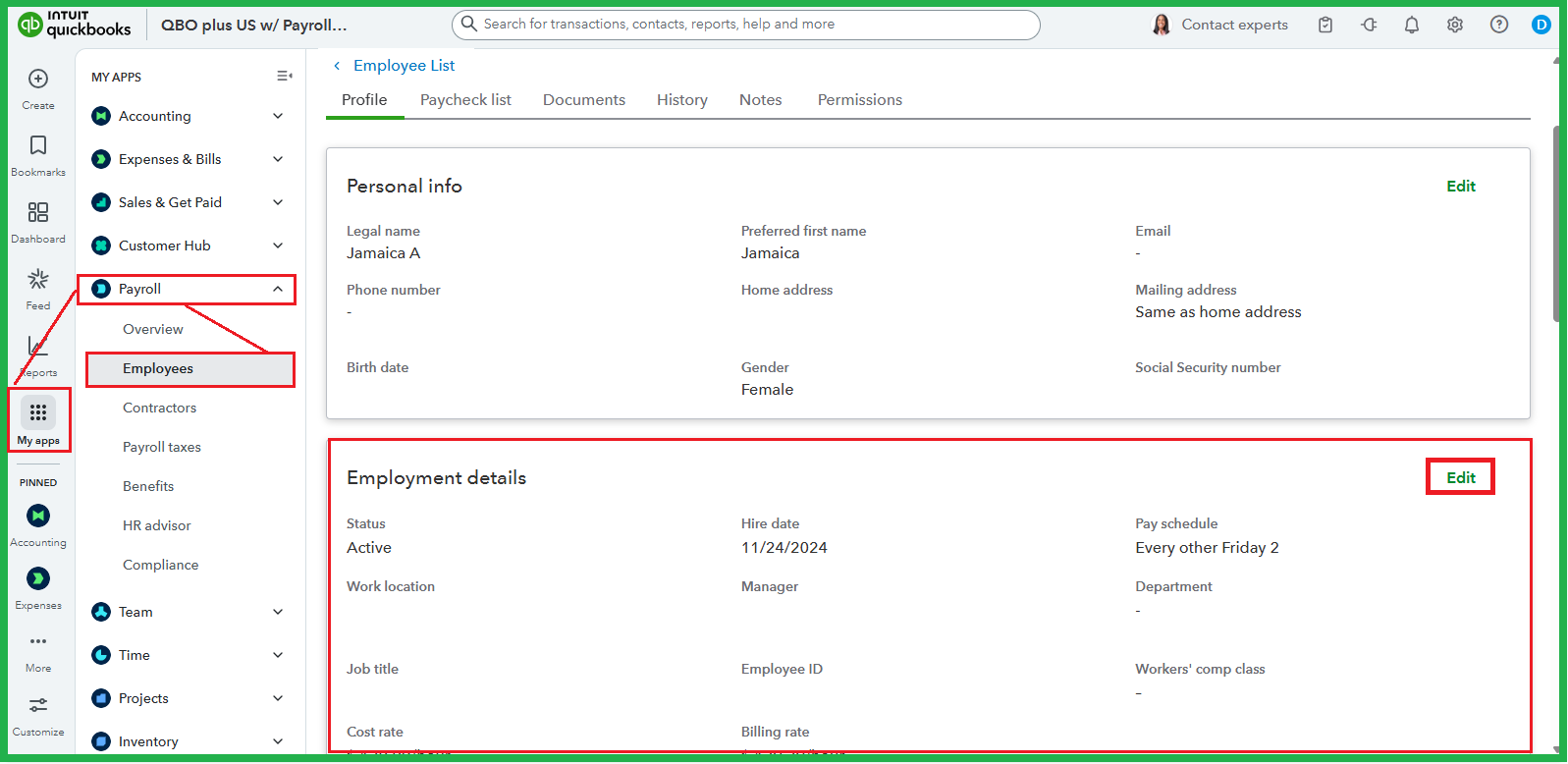
- On the left panel, navigate to My apps.
- Hover your mouse over Payroll, then Employees.
- Select your employee on the List to view their profile.
- Scroll down to Employment details, then click Edit.
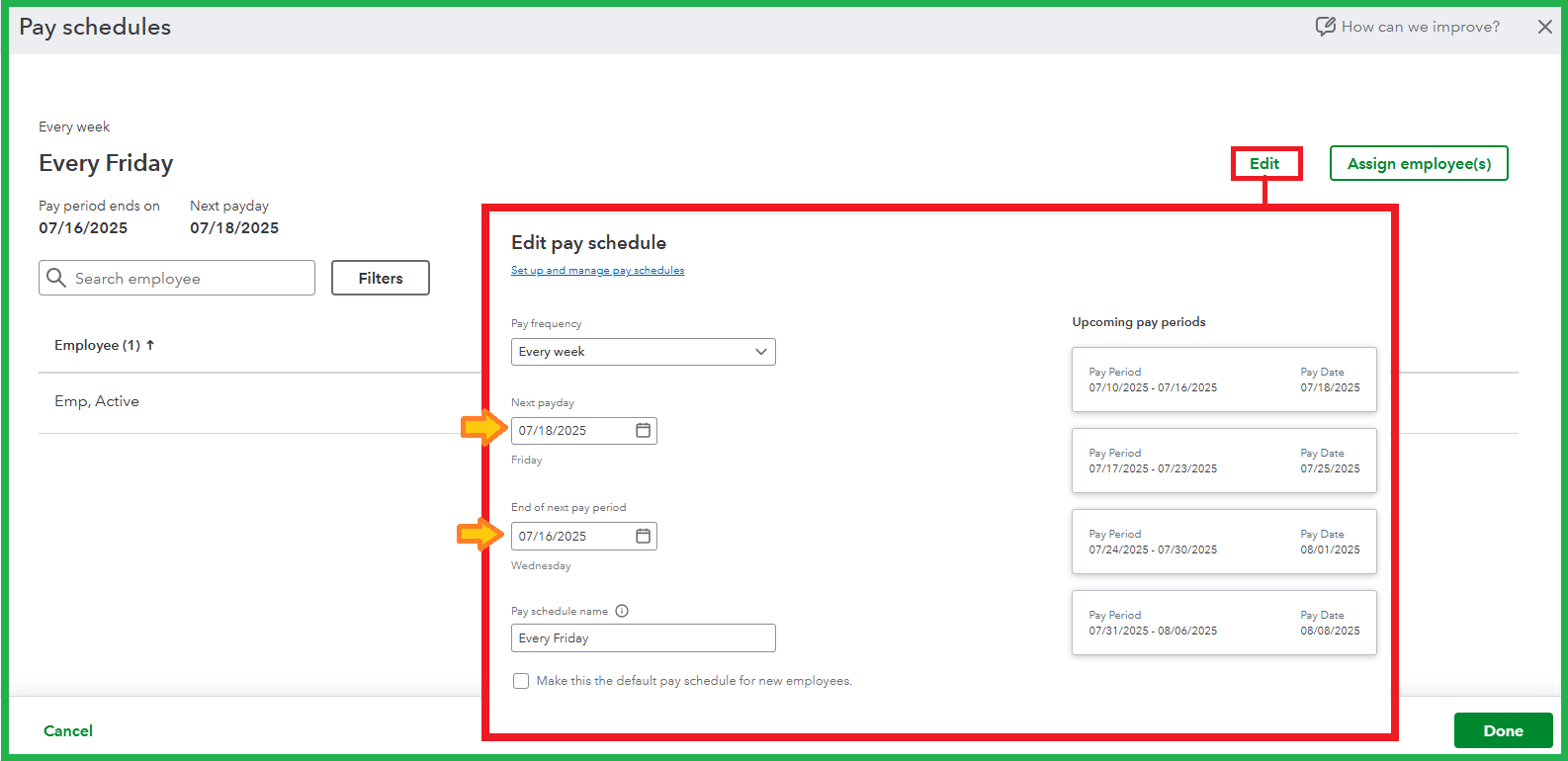
- From the Pay schedule ▼ dropdown, select the pencil icon to update the payday and the End of next pay period, then Save.
- Click Save on the Edit employment details page.
Alternatively, you can Edit payroll items on the Employees page to adjust them for all. Just select the Pay schedules and choose one to edit the dates and/or Assign employee(s).
It's also worth noting that you need to go to Payroll Settings and remove an employee from Auto Payroll to make modifications. You can put them back once you've saved the changes. Rest assured, your new Auto Payroll dates are reviewed to ensure your team gets paid on time.
You can check this article to explore your options after a paycheck has been created in the system: Fix incorrect pay period dates on paychecks.
Speaking of paycheck generation, explore QuickBooks Payroll for more personalized support in streamlining the process.
Please let me know if you need further assistance with navigation or have more questions about pay schedules. I'll be here to provide more resources.


