Glad to see you in the Community, @KLee-LLC.
You can utilize the Other Earnings checkbox to add more pay types for your adjustment. When you create paychecks, these pay types will appear in the menu. All you need to do is select them and enter the amount to fix the difference.
- Select Workers from the sidebar menu.
- Click the Employees tab.
- Choose the appropriate employee.
- Hit the Edit employee button.
- Scroll down to Section 4.
- Click the Add additional pay types (like overtime, sick, and vacation pay) link.
- Select the Other Earning and enter Adjustment as a pay type name.
- Click Done to complete the process.
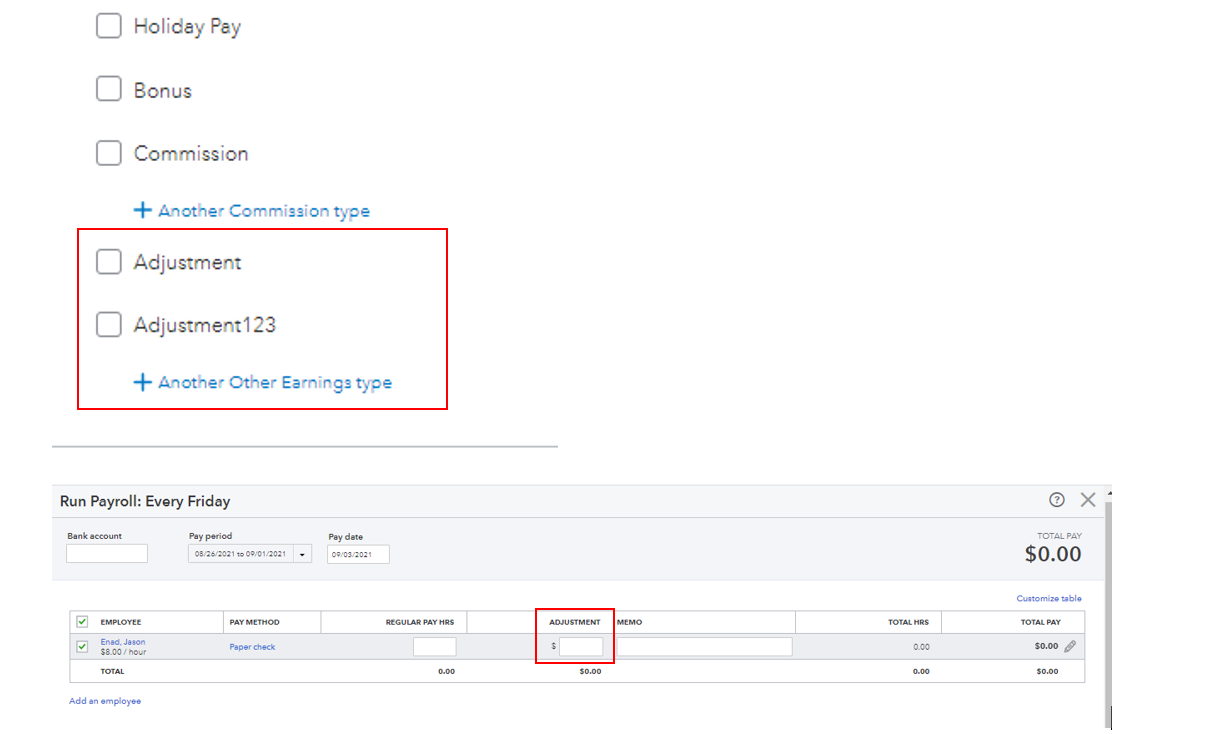
I'm adding this article to know more about the supported pay types in QuickBooks Online: Supported pay types and deductions explained.
Once you're ready to process or run payroll, feel free to check out these articles for the detailed steps and information:
I also encourage you to visit this article to help you track your business finances: Run payroll reports.
Please know the Community has your back. If you have additional questions or concerns, leave a comment below. I’ll pop right back in to assist further. Have a great rest of the day.


