Turn on suggestions
Auto-suggest helps you quickly narrow down your search results by suggesting possible matches as you type.
Showing results for
Get 50% OFF QuickBooks for 3 months*
Buy nowSolved! Go to Solution.

You've reached the right support to help you manage your expenses, @tlc3453.
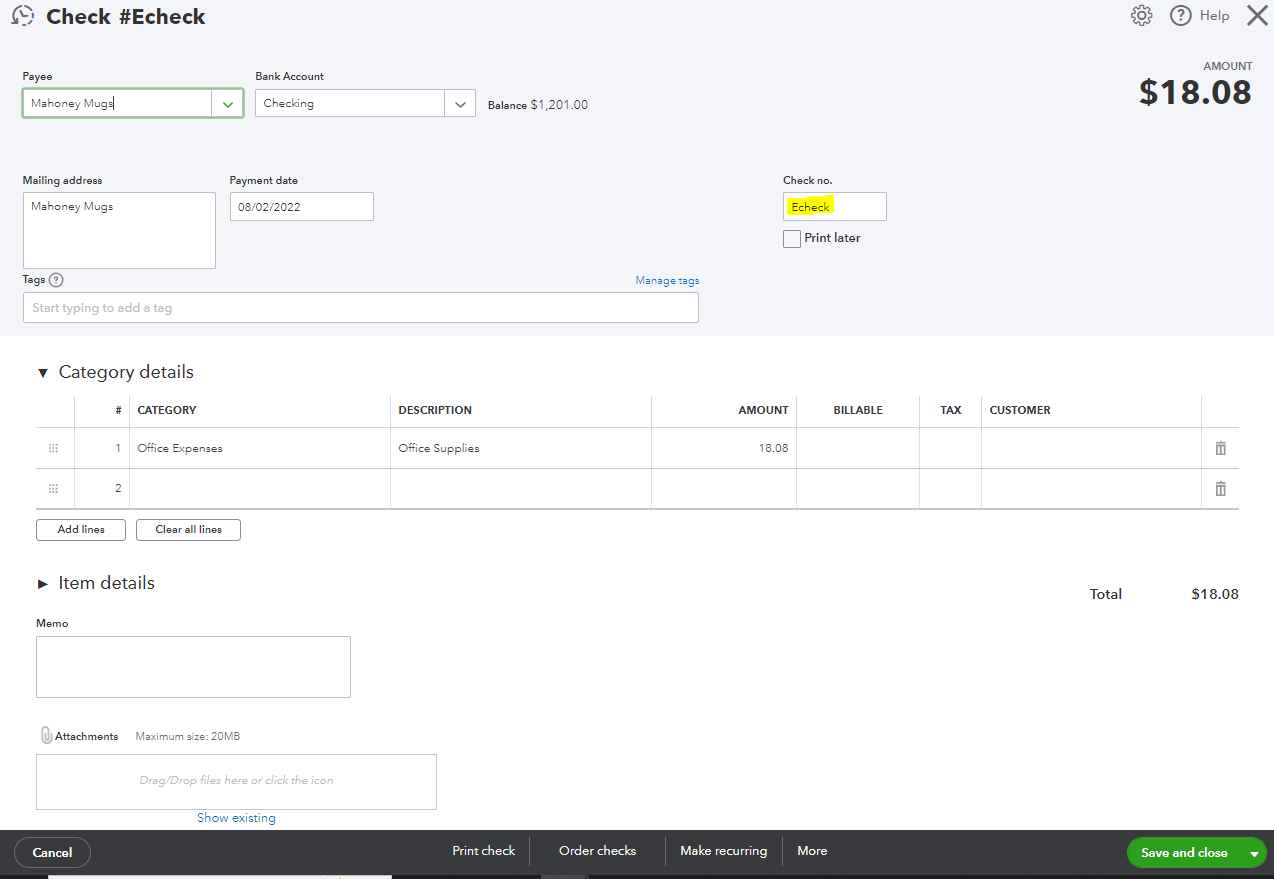
Allow me to help you ensure your expense is recorded properly in the program. If you're okay with the system recording it as a check, you can simply input the word Echeck in the Check no field. See this:
Also, the system will allow you to use duplicate check numbers. When you get the A check with number [XX] already exists. Do you want to save anyway? alert, just click Yes, and it will record the transaction.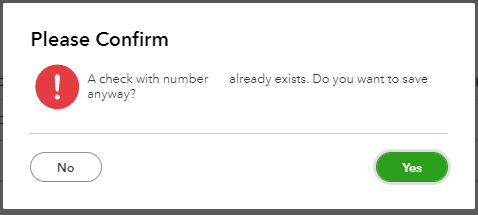
Also, if it shows To print, remove the Print Later check mark aby clicking the tick box. Then, you can enter the number or label you want.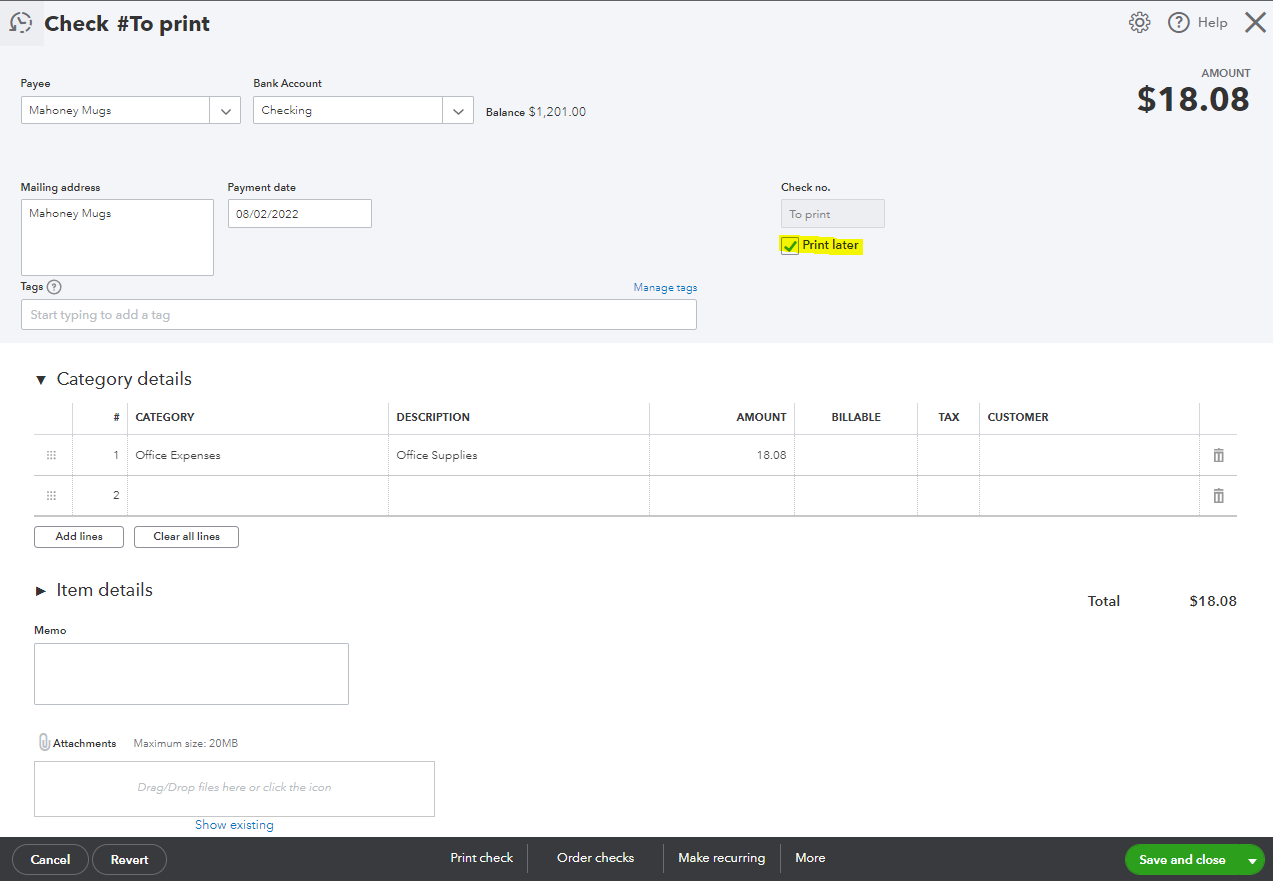
Otherwise, you can delete the transaction an record it as an expense/expenditure. To delete the entry, click More at the bottom then Delete. Once you're ready to recreate the entry, use the + New icon then choose Expense.
Comment back here about the result of the troubleshooting or if you need further assistance. I'll be more than happy to help you out. Have a good one!
You've reached the right support to help you manage your expenses, @tlc3453.
Allow me to help you ensure your expense is recorded properly in the program. If you're okay with the system recording it as a check, you can simply input the word Echeck in the Check no field. See this:
Also, the system will allow you to use duplicate check numbers. When you get the A check with number [XX] already exists. Do you want to save anyway? alert, just click Yes, and it will record the transaction.
Also, if it shows To print, remove the Print Later check mark aby clicking the tick box. Then, you can enter the number or label you want.
Otherwise, you can delete the transaction an record it as an expense/expenditure. To delete the entry, click More at the bottom then Delete. Once you're ready to recreate the entry, use the + New icon then choose Expense.
Comment back here about the result of the troubleshooting or if you need further assistance. I'll be more than happy to help you out. Have a good one!
Thank you
!
Hello there, tlc3453.
You are very much welcome. We're glad that we solve your issues about your transaction in the check register.
Please know that you can always post again in the Community if you have any other QuickBooks concerns.


You have clicked a link to a site outside of the QuickBooks or ProFile Communities. By clicking "Continue", you will leave the community and be taken to that site instead.
For more information visit our Security Center or to report suspicious websites you can contact us here


