Hi there, paulnovi.
Welcome to the Community. I'd be glad to assist you find your existing account in QuickBooks Online.
Let's perform some basic troubleshooting to fix it. There are times when a browser's cache data becomes full of frequently-accessed pages, or it is damaged. This unexpected behavior can be caused by some browser issues. We'll start logging into your account through a private browser. It's the best spot to identify web problems. These are the shortcut keys:
- Microsoft Edge: Ctrl + Shift + P
- Google Chrome: Ctrl + Shift + N
- Firefox: Ctrl + Shift + P
- Safari: Command + Shift + N
Once you're in the Private / Incognito Window, sign in to your QuickBooks account, you'll see the two companies and switch between them. If it works, then you can go back to your original browser and clear the cache. Alternatively, you can use other compatible browsers. It could be that the one you're currently working on has a temporary issue with QuickBooks.
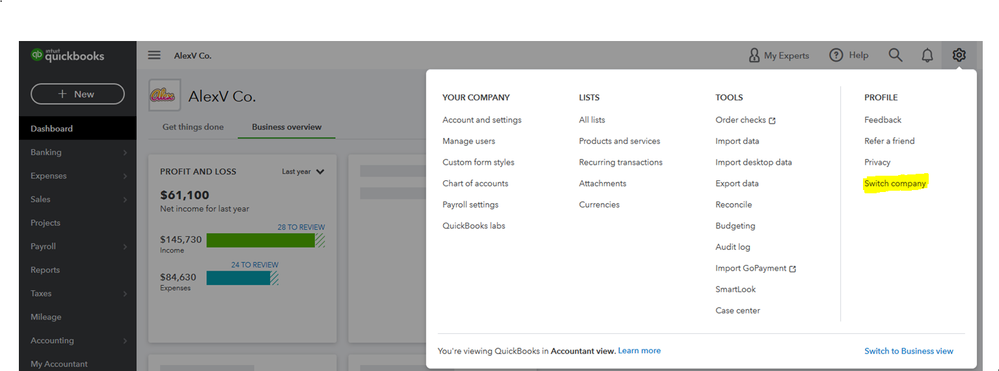
You can check this article if you're planning to add more companies: Create or add another company.
That should do it. Let me know if you need further assistance by leaving a comment below. I'm always glad to help in any way I can. Have a great rest of the day.


