You can review the employee's payment method, @1231 4620 4163 224.
When setting up an employee's profile in QuickBooks Online, you can choose either Direct deposit or Paper check. Open the employee's profile and change it to Direct deposit.
Once done, you can void the paycheck you've created with a paper check and create a new one for direct deposit.
Here's how:
- Hover your mouse over My apps, then choose Payroll and click the Employees.
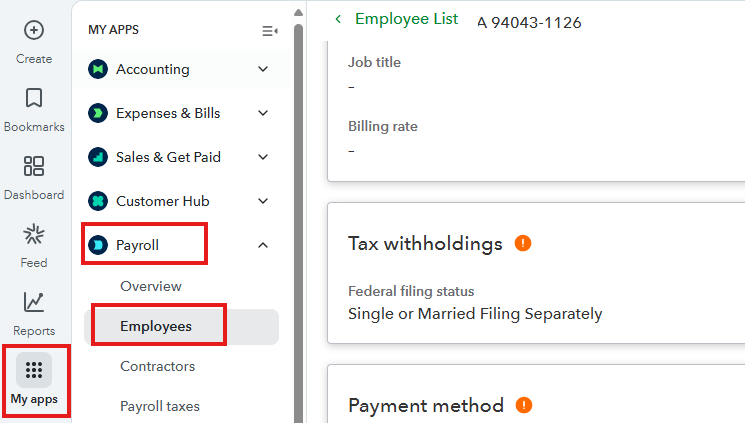
- Choose the employee.
- From the Employee's profile, scroll down and click Edit under Payment method.
- Choose Direct deposit from the Payment method dropdown.
Please take note of the direct deposit funding time. Check this article to determine the available funding time for each subscription: When to send your direct deposit payroll.
Leave a comment below if you have questions about payroll direct deposit in QuickBooks Online.


