Turn on suggestions
Auto-suggest helps you quickly narrow down your search results by suggesting possible matches as you type.
Showing results for
Get 50% OFF QuickBooks for 3 months*
Buy nowWe acquired a business that uses QuickBooks. I installed QuickBooks on a Citrix server. I used their license and product id. When I try to run QuickBooks, it loads, you can see it in task manager, but it does not open. Could this be a licensing issue?
Hello there, pduffy64. This actually doesn't appear to be a licensing issue. The problem you're experiencing is likely due to the application being stuck in a background loop.
To resolve this, start by opening the Task Manager, right-click, and select End Task. Once you have cleared those, try right-clicking the QuickBooks icon and selecting Run as Administrator to check if that allows the window to open.
If it still won't open, I recommend using the repair tool in this article to reset the display settings: QuickBooks Desktop won't open.
If it still refuses to load on Citrix, consider installing it on a standard local machine. This will help us determine if there’s a specific compatibility issue with the Citrix environment.
You can revisit this thread if you have follow-up questions.
What QB Desktop year version?
It is Desktop Enterprise version 24. I think I figured it out, I need to purchase a new license. I was hoping I could transfer our Canadian License.
What do you mean by "transfer our Canadian license"?
Do you need to convert your data from Canadian version to US version?
Or do you need to purchase a new license for US version to register new data?
Hello there, Pduffy64. QuickBooks Desktop United States and Canadian versions are separate software builds with distinct frameworks for regional tax and payroll requirements, which generally cannot be converted into a US version or vice versa.
To determine whether you need to purchase a new license or if a transfer is possible for your account, contact our QuickBooks Desktop live support team for further assistance: What can we help you with?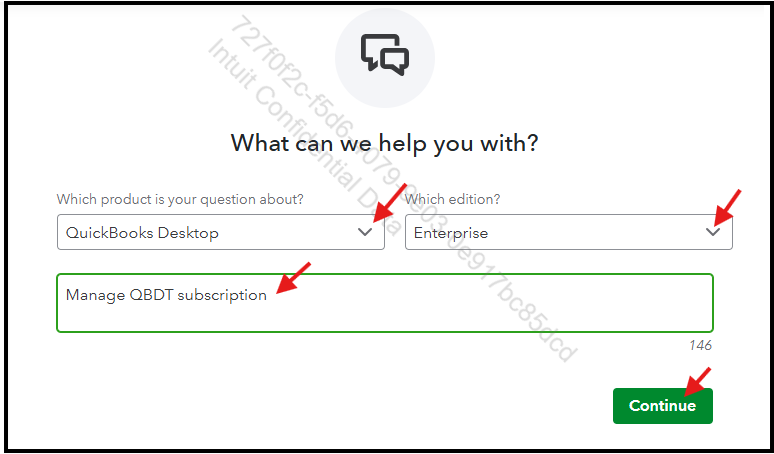
Additionally, QuickBooks Desktop requires a stable, high-speed network to function properly and prevent data corruption. Here are the lists of networks you can use: Recommended networks for QuickBooks.
However, if you need to run both the US and Canadian QBDT Enterprise versions 2024 side-by-side and manage different business entities on a single computer, here are some important things to consider: How to manage multiple QuickBooks Desktop versions on one computer.
If you have any other concerns, please leave a comment below.
Thank you for the reply! I was able to talk with a knowledgeable person in Sales and for my situation, I just need to purchase another license.
Please note that you cannot open QB Desktop files created in the Canadian version directly in the US version. You can also purchase a new QB Desktop Enterprise license through a reseller for a larger discount if needed.


You have clicked a link to a site outside of the QuickBooks or ProFile Communities. By clicking "Continue", you will leave the community and be taken to that site instead.
For more information visit our Security Center or to report suspicious websites you can contact us here


