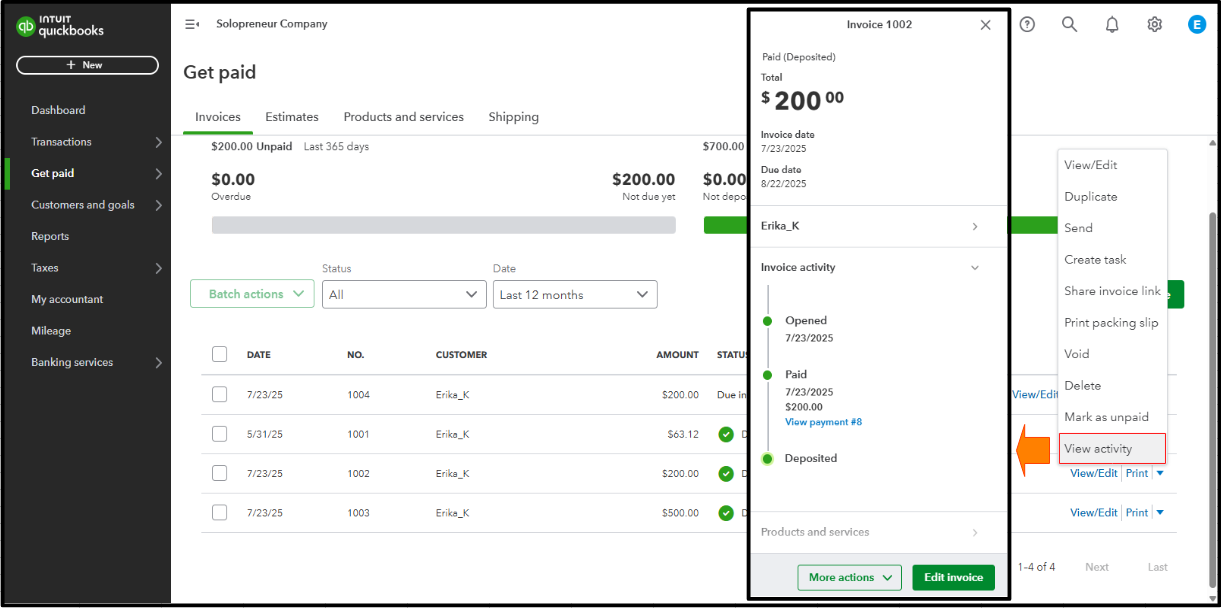
When you record a payment for your invoices in QuickBooks Solopreneur, the invoice status will automatically update to Deposited, Drone.
The Deposited status indicates that the invoice has been paid and the payment is in the selected account. To check the invoice details, select the View activity option, and refer to the image below for visual reference.
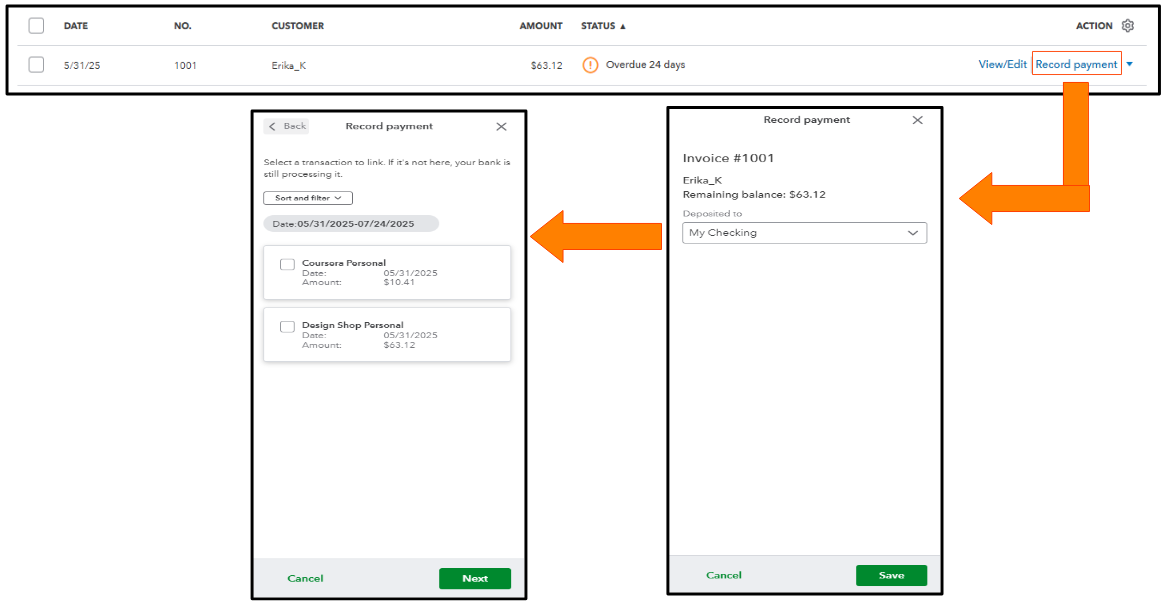
On top of that, you can choose the account for the payment directly. However, you'll first need to ensure that the payment transaction appears in your bank transactions to match it with the invoice.
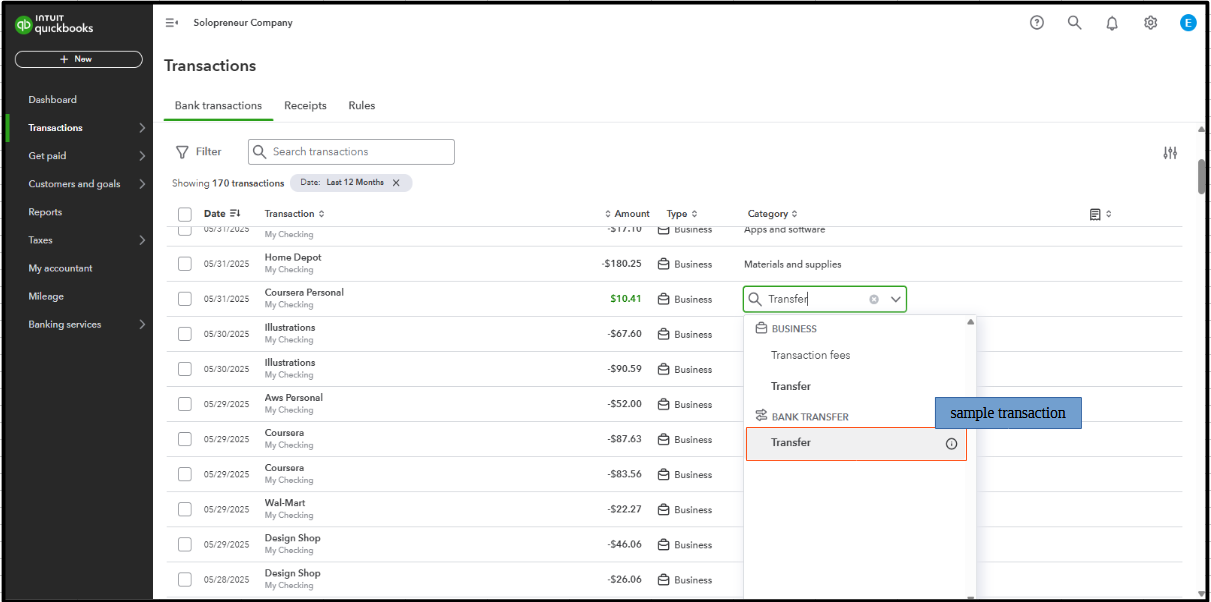
Alternatively, if you prefer to record the payment as cash, categorize it as a Transfer when it appears in your bank transactions. This will ensure your finances are accurate.
Here's an article for additional information: Record invoice payments in QuickBooks Solopreneur.
Please let me know in the comments below if you have any further questions about managing your sales transactions.


