Thank you for reaching out here in the Community, Blaine.
QuickBooks Self-Employed (QBSE) relies on automatically pulling data from connected bank accounts and credit cards. If your bank account was not connected or the connection was interrupted, transactions may not have been imported for that specific time period.
Let’s check your bank connections:
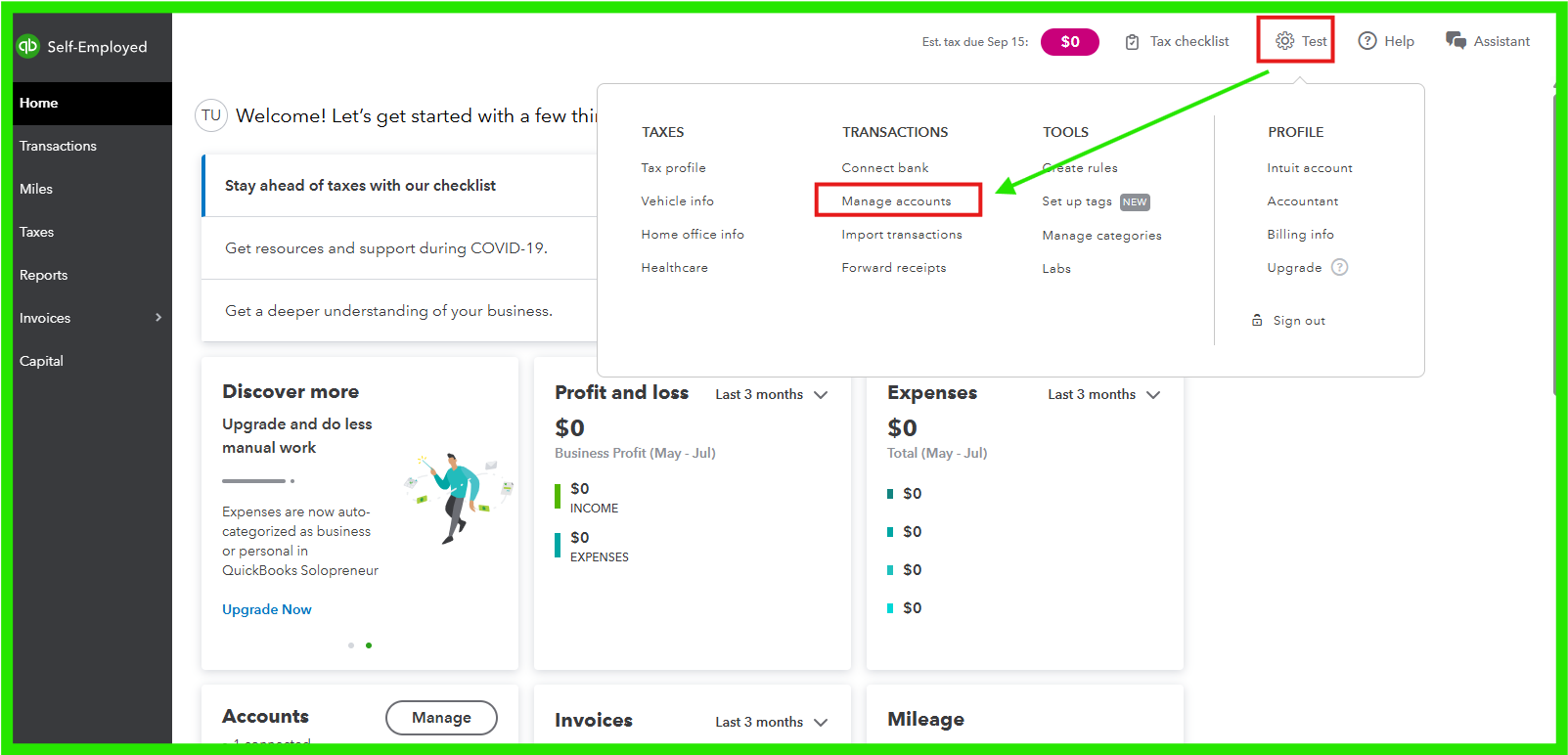
- Navigate to the Gear icon in the upper-right corner.
- Please go to Manage Accounts and verify that your bank accounts are properly connected and syncing.
Once you have verified your connected bank and ensured it is not already linked, you can manually import transactions into QBSE.
If your account is already linked to online banking and you require older transactions, please follow the steps in this article: Add older transactions to QuickBooks Self-Employed.
If you have any additional questions or require further assistance, please feel free to leave a comment below.


