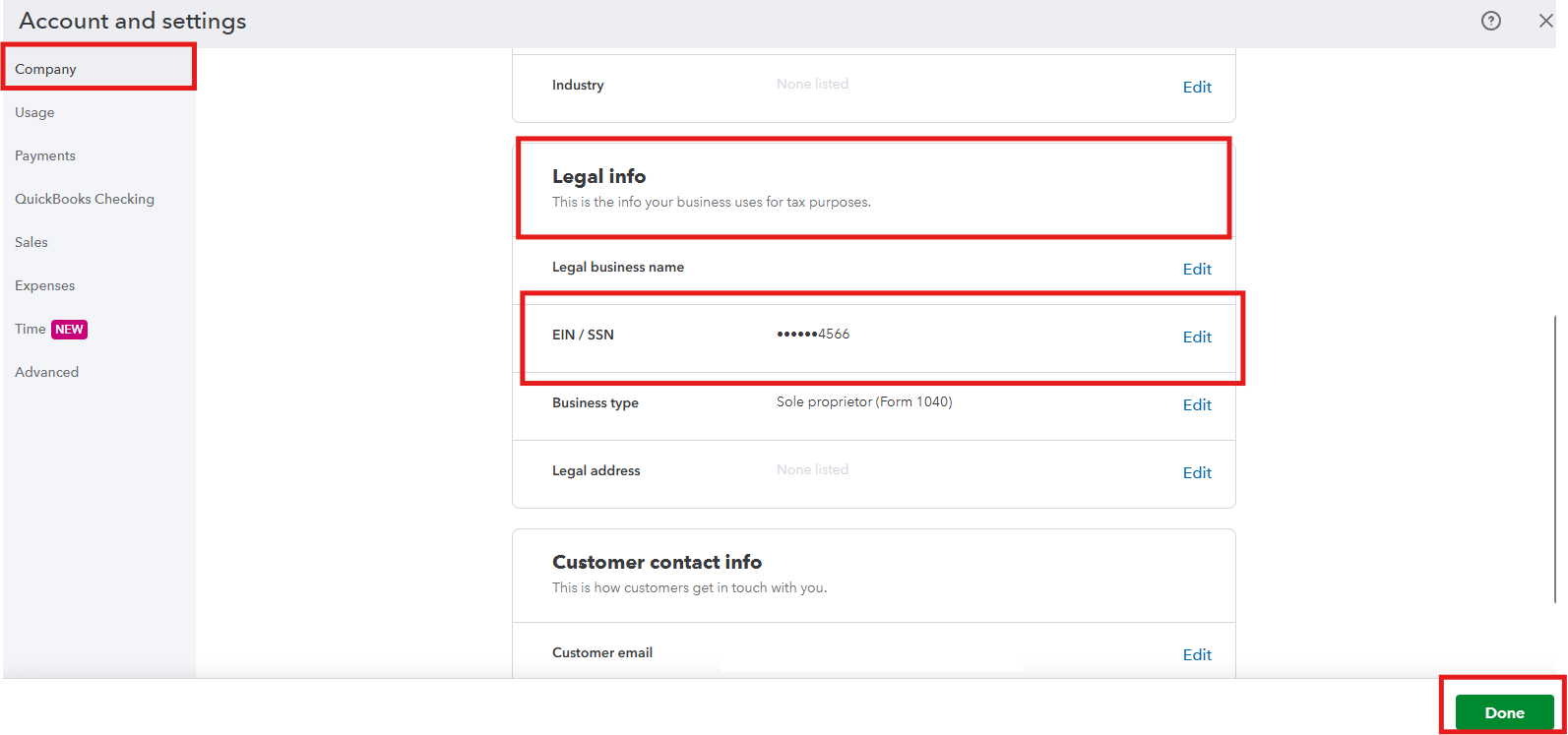
You can update your EIN in the Company section of Account and Settings, @flyinbryan34.
Here’s how:
- Navigate to the Gear icon and choose Account and Settings.
- Go to the Company tab and locate the Legal Info section.
- After that, click the pencil icon to edit the EIN/SSN option.
- Enter the correct EIN.
- Click Save and then Done.
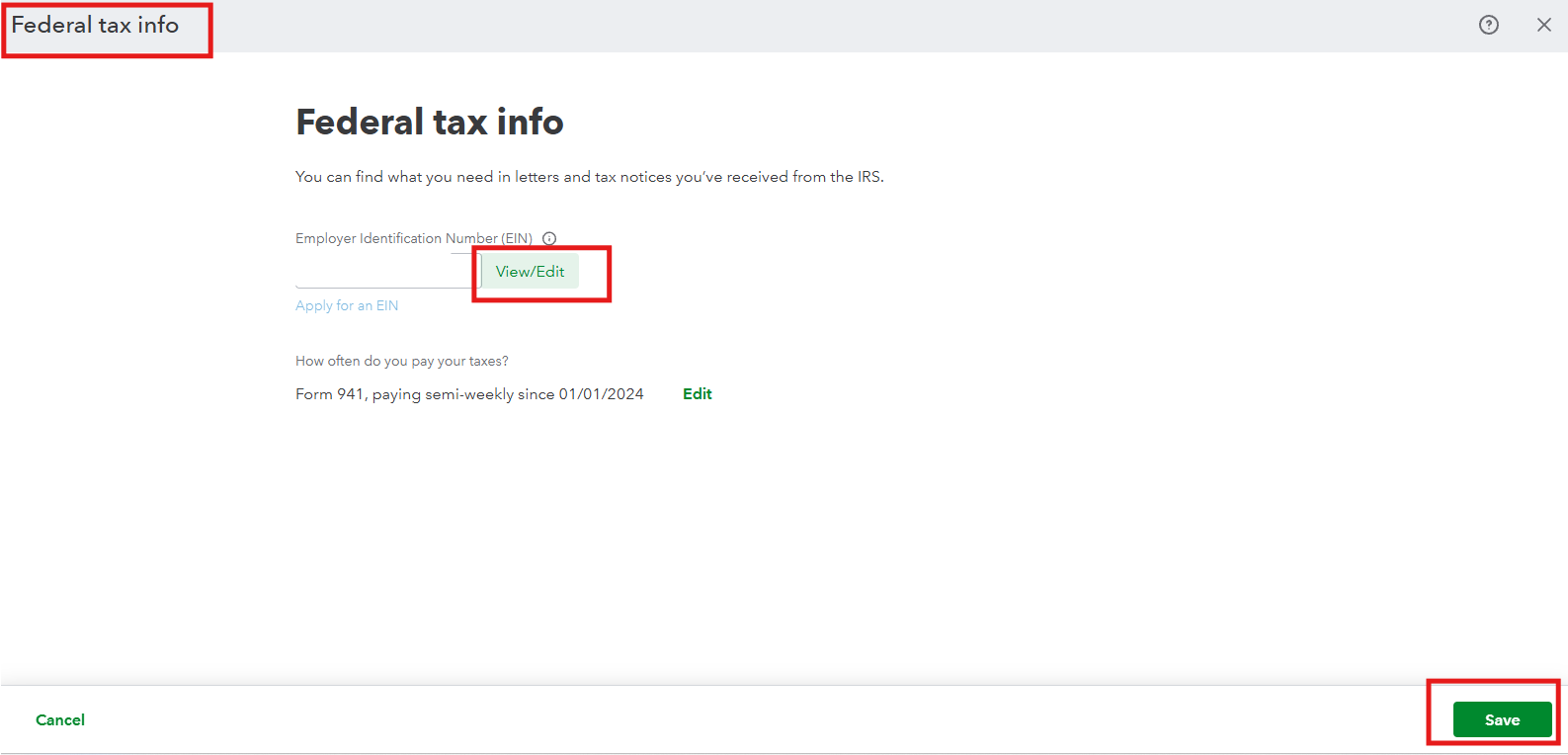
However, if you’re referring to your QuickBooks Payroll. Here’s how you can change it:
- Go to the Gear icon and select Payroll settings.
- Locate the Federal tax section and click Edit.
- Select the View/Edit option to update your EIN.
- Once done, click Save.
For detailed guidance on updating your business information, refer to this guide: Change your Employer Identification Number (EIN) for payroll.
If you also need to update your email address, user ID, password, or other account details, refer to this article: Update or change your Intuit Account sign-in information.
Also, consider checking out our QuickBooks Live Expert Assisted team. They can help you with your accounts, transactions, and reconciliation.
Feel free to reach out if you have any other concerns about EIN.


