You will need to use the web version of QuickBooks Online (QBO) on a computer to perform these actions, @butternutcreekfarmz.
It's not possible to delete categories or accounts using the QBO app on an Android phone. To learn more about its functionality, refer to this article: Compare mobile app features.
Alternatively, here's how to remove the categories using a mobile or web browser:
- Navigate to Settings and choose Chart of Accounts.
- Locate the account you wish to delete.
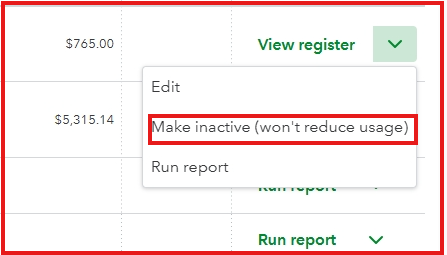
- From the Action dropdown, select Make Inactive.
Additionally, I'm including an article on how to reconcile your accounts, as well as identify and resolve any discrepancies. This helps maintain the integrity of financial statements: Reconcile an account in QuickBooks Online.
If you have any further questions about removing the category, please do not hesitate to ask. I'm always here to help.


