Hi there, Carol47. You can locate and restore the excluded transaction in the Bank Transactions section.
Here's how:
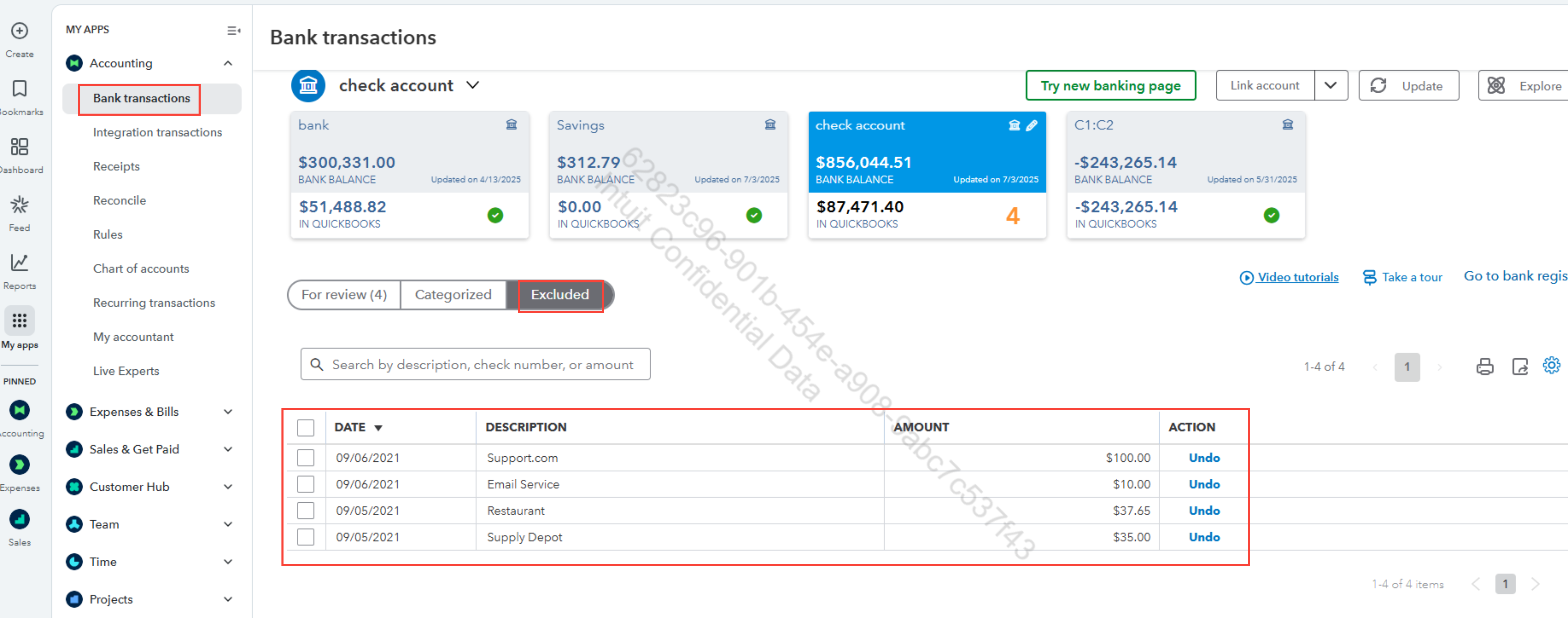
- Navigate to the Bank Transactions tab.
- Choose the bank or credit card account where the transaction belongs.
- Click the Excluded tab.
- In the Excluded tab, you’ll see all the transactions that were marked as excluded.
To re-include the transaction, here's how:
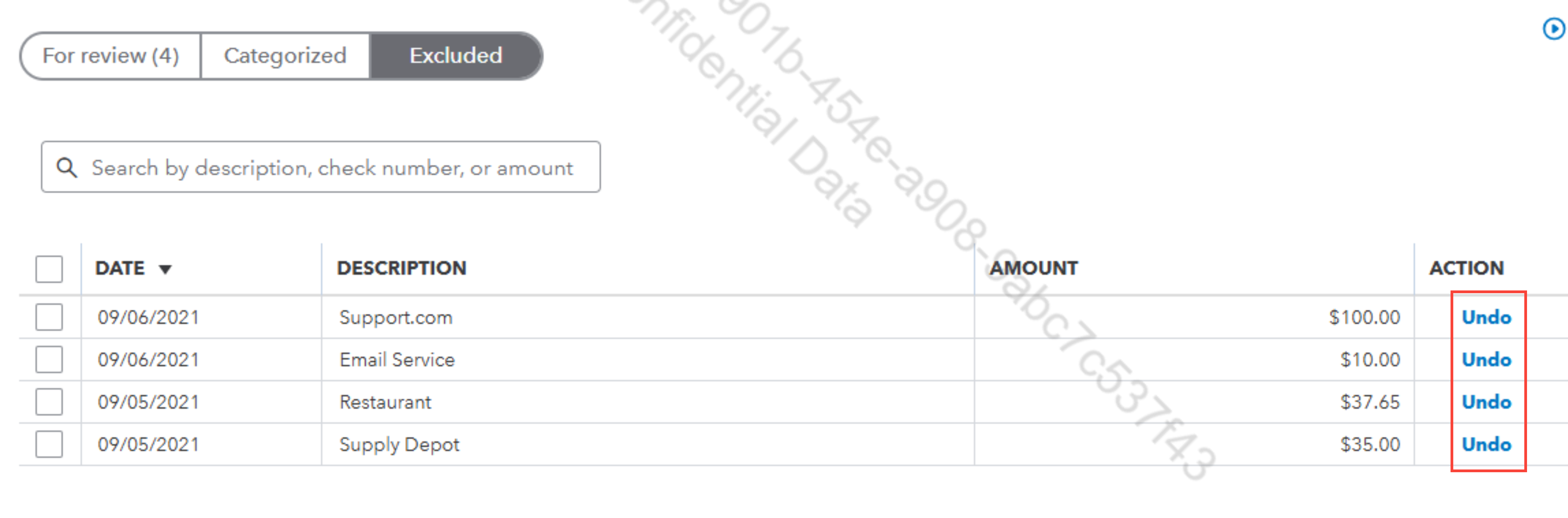
- Find the transaction you want to include.
- Select the checkbox next to the transaction.
- Click Undo to restore it.
- Once restored, the transaction will move back to the For Review tab.
To categorize the transactions, here's how:
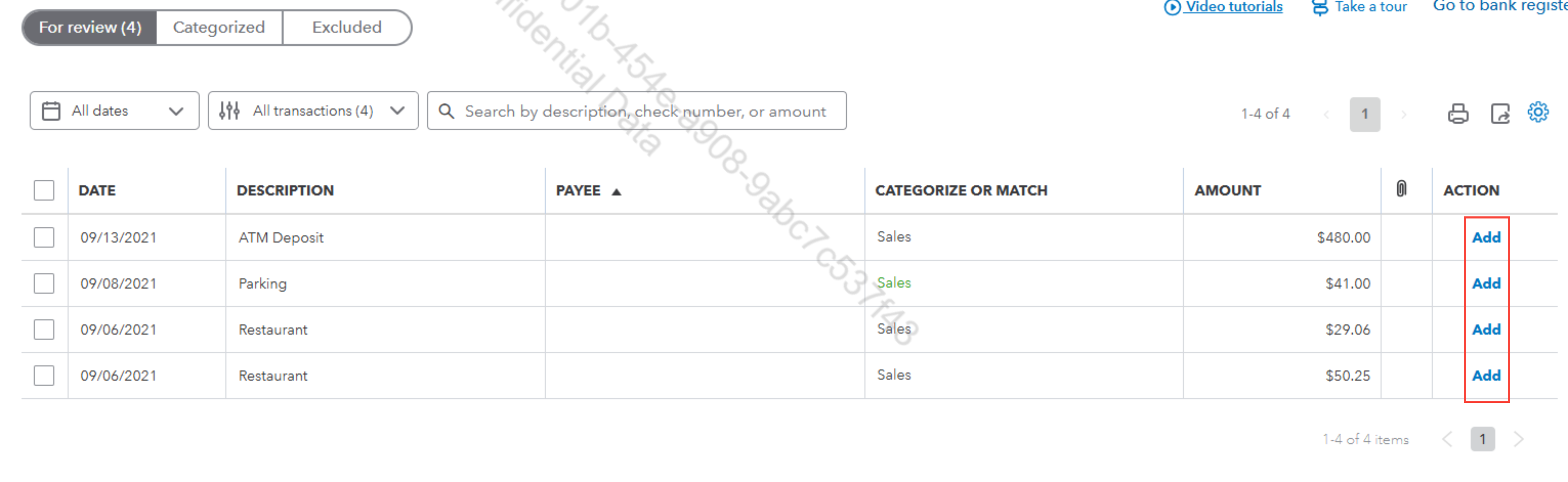
- In the For Review tab, locate the restored transaction.
- Click Add to include the transaction in your books.
If you have any questions, feel free to reach out.


