Let’s ensure to utilize the correct email address when receiving payment notifications, debi19.
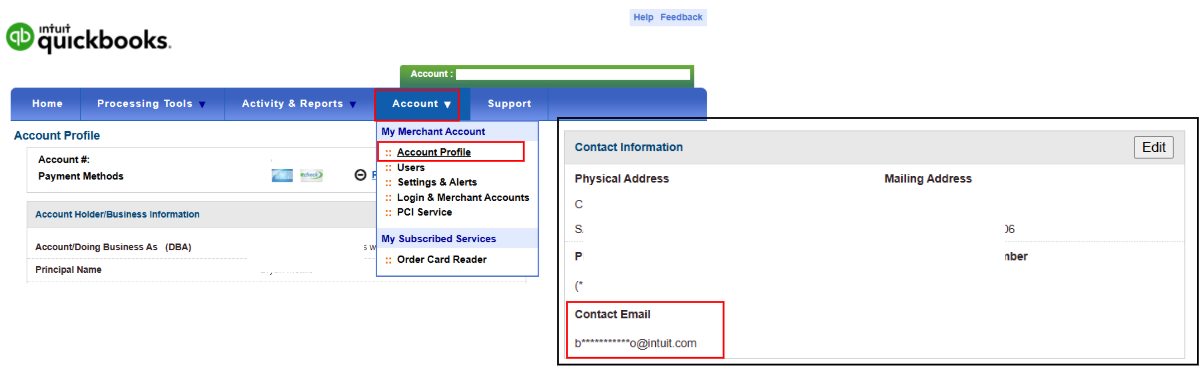
In your Merchant Service Center, sign in as the primary admin and go to the Account menu. Then, select Account Profile from the drop-down and follow these steps:
- From there, navigate to the Contact Information section and click Edit.
- Change the email address if need be, and its reason.
- Then, select Submit.
If you're still unable to receive payment notifications, you can check your spam or junk folders. All unrecognized emails are moved there.
Here's how to check your spam folders:
- Open your email, and then check your Spam or Junk folder.
- Locate the email or notification, and then move it to your Inbox.
- If not, please proceed to steps 2 and 3 in this article: Unable to receive Intuit email.
We’ll be around to help you with any further queries.


