I’d be happy to provide you with information about the Customer financing option available in QuickBooks Online (QBO), Info.
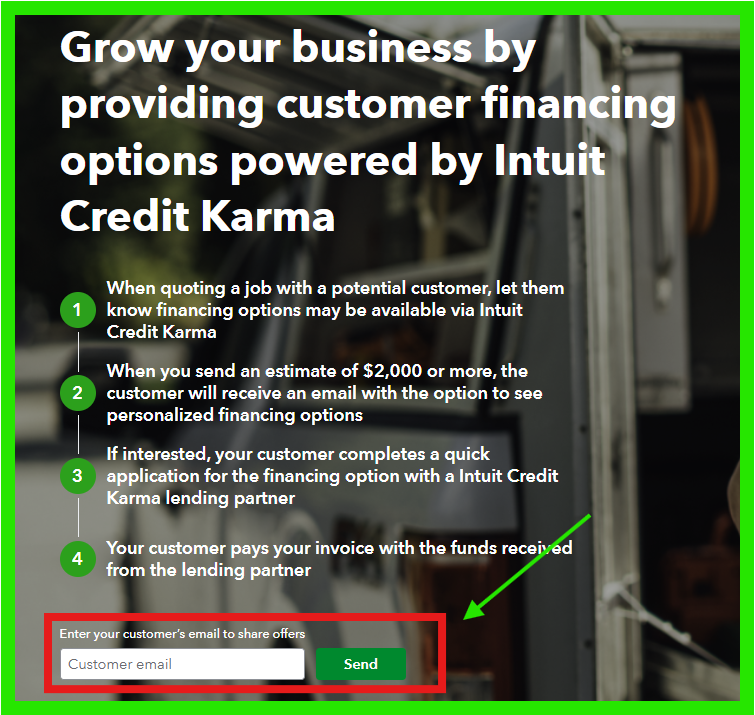
Currently, this options only available for estimates over $1,000 sent to customers through QuickBooks Online. However, this option is not yet available for invoices sent via QuickBooks, as it can take several days for financing funds to be received by the customer or the borrower.
This allows your customers to easily view personal loan options for specific estimates to finance the purchase of your products and services. There is no cost to your business for offering this service. Your customers will pay a competitive Annual Percentage Rate (APR) directly to the lender they select, based on credit approval through Intuit Credit Karma's marketplace.
If you want to offer this payment option to your customers, you need to turn this on in the Account and Settings:
- Navigate to the Gear icon and choose Account and Settings.
- Click to the Sales section.
- Under Financing, click Edit ✎.
- Enable the Customer Financing option.
- Click Save, then Done.
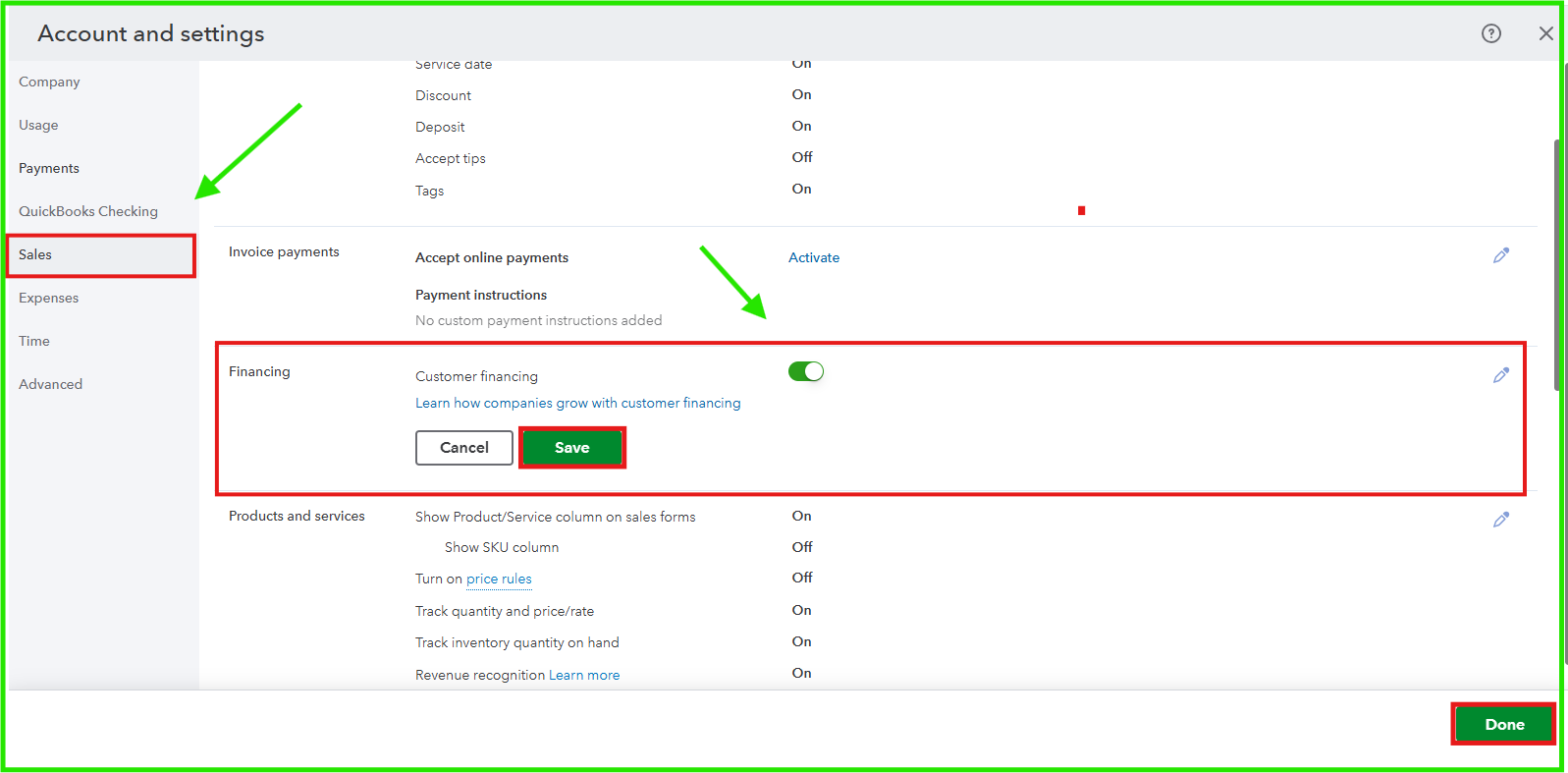
On top of that, you can share this offer with your customers by clicking the highlighted text under Customer Financing. From there, enter the customer's email address and click Send.
To know more about the Customer Financing in QBO, you can visit this article for detailed information: Understand QuickBooks Online customer financing options.
Feel free to click the Reply button below if you have any other questions or need further assistance with QuickBooks. We're here to help!


