By following these instructions, you’ll be able to view your old purchase orders in QuickBooks, Tony.
You can use the Filter option on your Expense Transactions page to access your old purchase orders. I’m glad to show you the steps.
- Log in to your QuickBooks Online account.
- Select the Expenses menu.
- Under the Expenses tab, go to the Filter option.
- Choose Purchase order in the Type dropdown.
- Select the Date period.
- You can set the Status, Payee, and Category if needed.
- Press Apply.

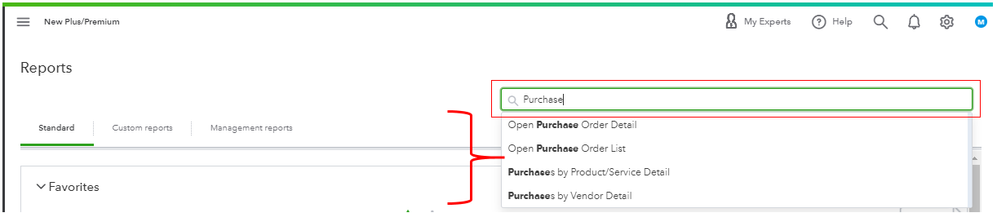
QuickBooks also offers Purchase Orders reports to give you insights into your company's purchase order activity. Just go to the Reports menu, then search for Purchase Order report.
I’ve also added these resources about customizing reports and how to save the same settings for future use:
Don't hold back to drop a comment below if you have any other questions or concerns besides your purchase orders. I'll be here. Have a great day and always take care!


