I'm here to help you record a check as a refund, fv0515.
You can use the Check entry to record the partial refund. It reduces the bank's balance and offsets the customer's payment.
Here are the steps you can follow.
Step 1: Record the check as a refund.
- Click + New, then choose Check.
- Select the customer you want to refund from the Payee ▼ drop-down.
- From the Payment account ▼ drop-down, enter the bank account where you deposited the payment.
- On the first line of the Category column, choose Accounts Receivable.
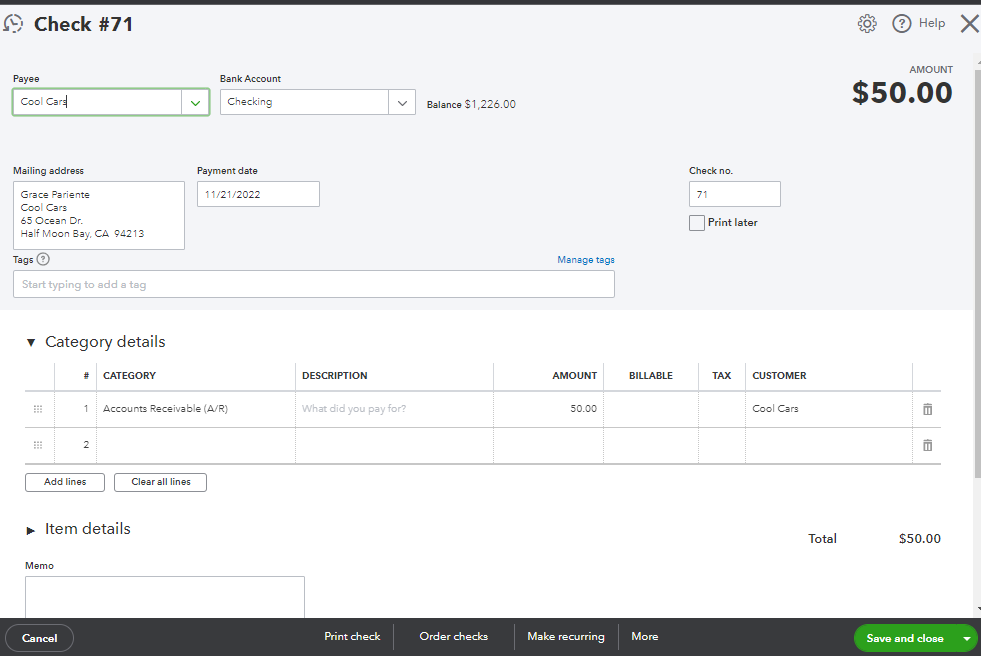
- Enter how much you want to refund in the Amount field.
- Fill out the other fields as you see fit, then click Save and close.
Step 2: Link the check to the customer's payment.
- Click + New, then choose Receive payment.
- Select the same customer you used for the check.
- Fill in other fields.
- Under the Outstanding Transaction section, mark the Check you've created.
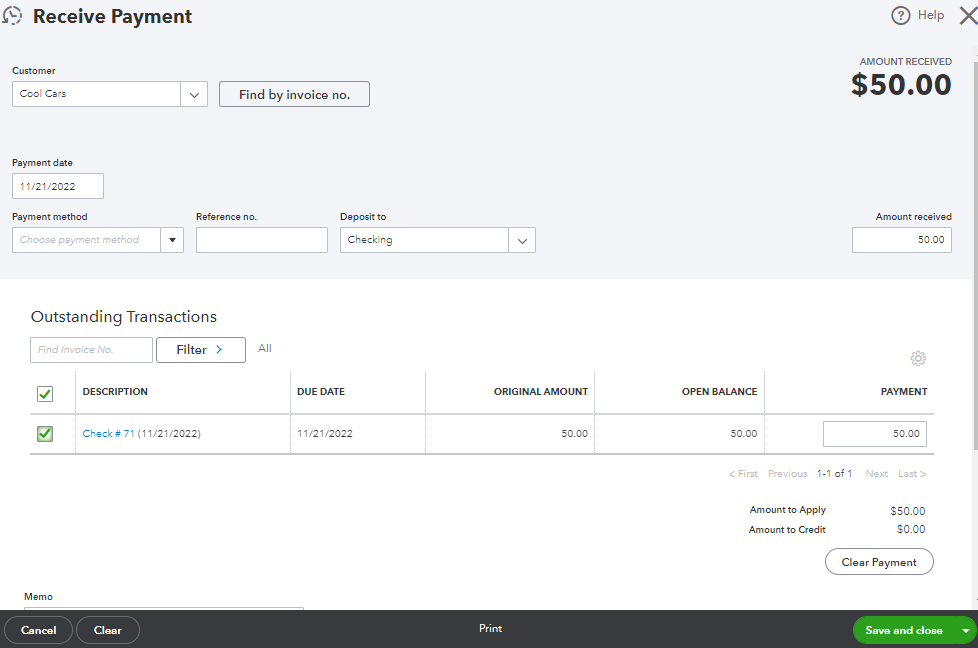
- If you have automation to apply bill payments turned on, this step is done for you.
- Click Save and close.
Processing a refund depends on various scenarios. Check out this article to learn how to record them in QuickBooks: Record a customer refund in QuickBooks Online.
In addition to this, it's important to review your transactions in QuickBooks to make sure they match with what's your bank statements. That being said, I recommend reconciling bank accounts every month. Please browse this complete reconciliation guide through this link: Learn the reconciliation workflow in QuickBooks.
Click the Reply button below and tag me if you have additional questions about recording a refund. It's always my pleasure to help you.


