Turn on suggestions
Auto-suggest helps you quickly narrow down your search results by suggesting possible matches as you type.
Showing results for
Get 50% OFF QuickBooks for 3 months*
Buy nowThe modern version no longer has the "transaction report" as a report option. The screen shows a Create option, instead of New. Please let me know how I may stop this involuntary change.
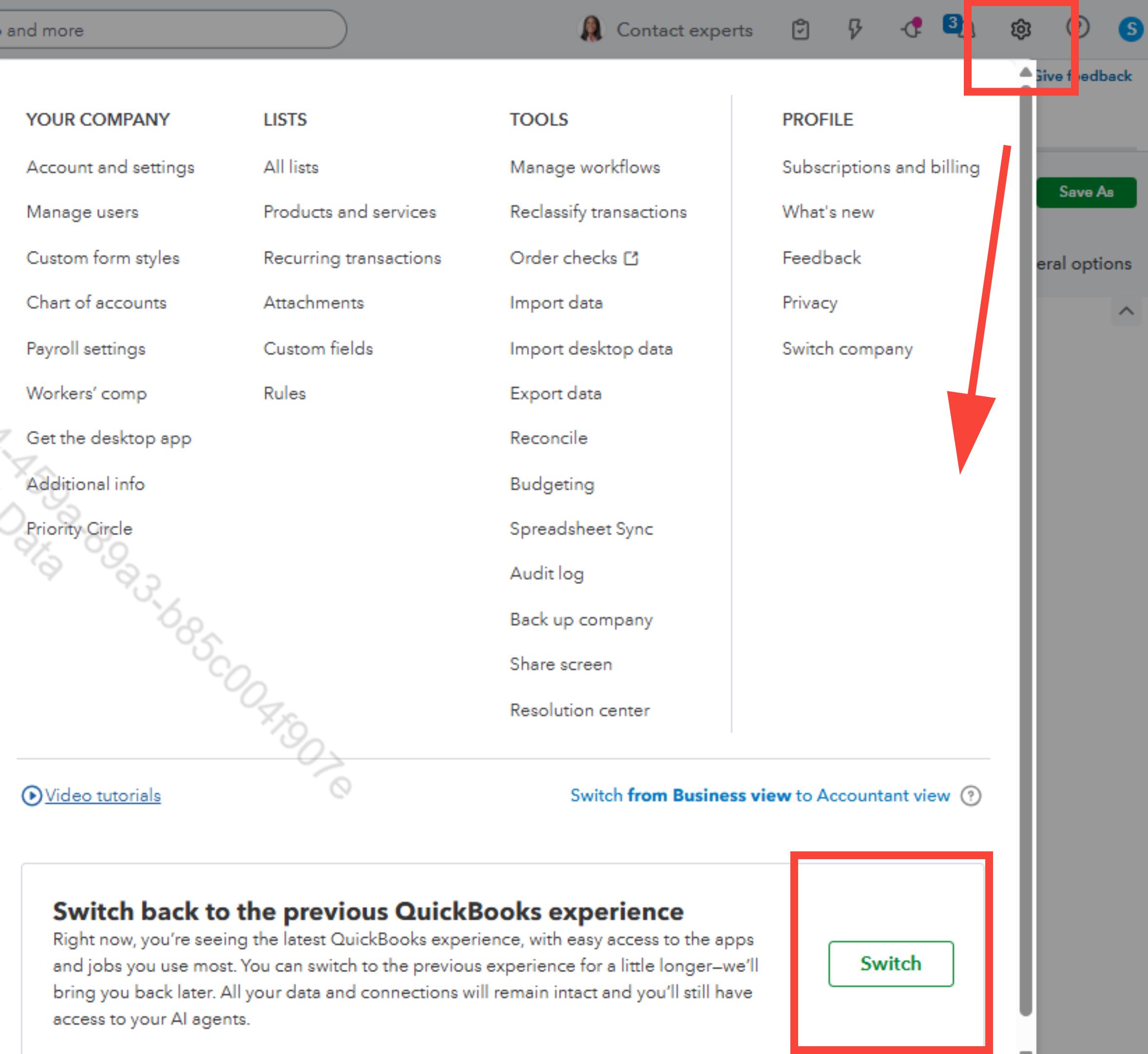
I appreciate your patience while using the new QuickBooks Online interface, Mark. We can switch back to the old version through the settings by using the Gear icon.
Before I guide you on how to revert to the old version, could you clarify what type of Transaction report you're referring to? This is because all reports are still accessible in the new QuickBooks interface.
Moving forward, here's how to return to the old one:
Regarding the Transactions report, if you'd like to access it in the new version of QuickBooks Online, you can find it under Reports or Reports and Analytics, where you can choose from various types of reports.
Here’s an example of the steps you can follow:
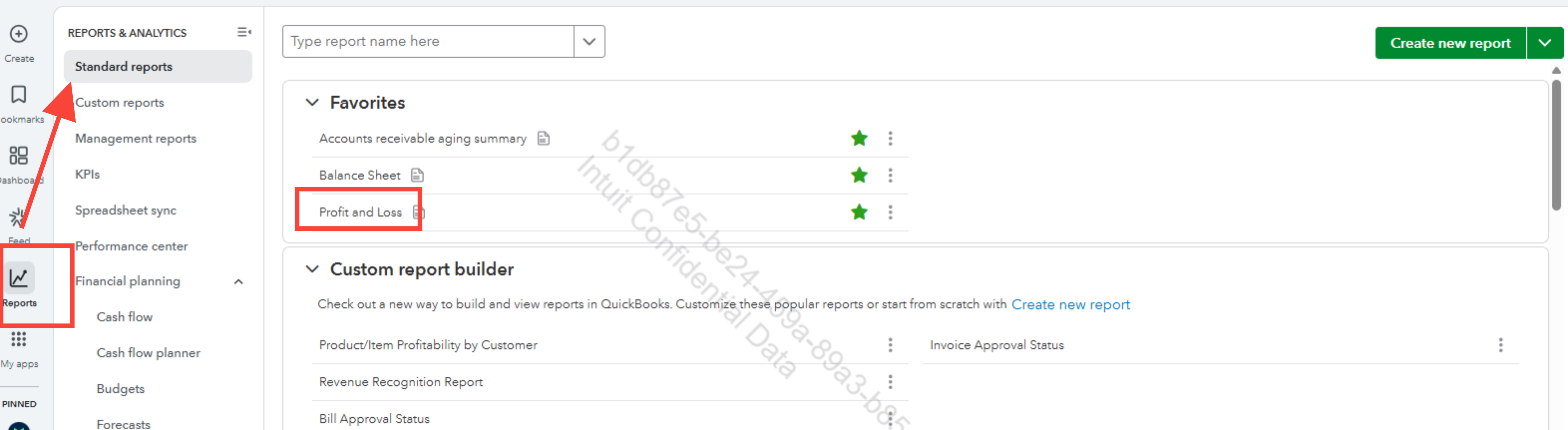
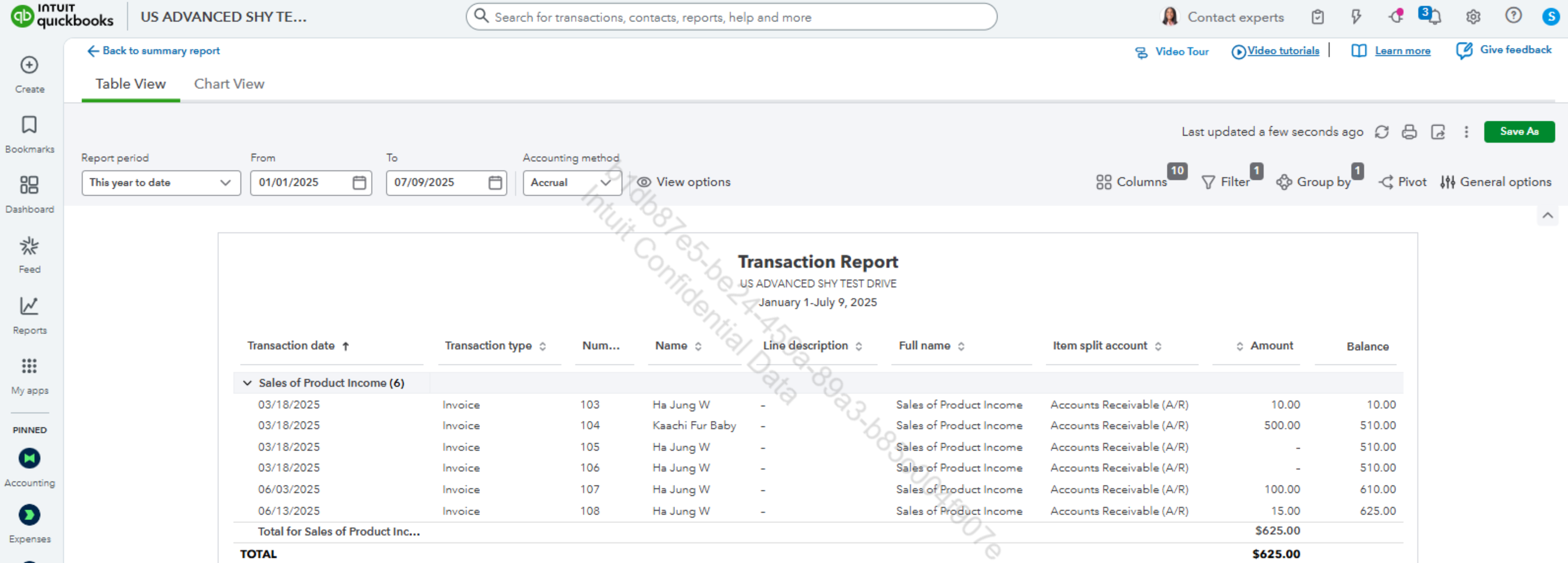
We can check out this article on how to run a report in QuickBooks Online: Run a report.
If you have additional concerns related to QuickBooks, feel free to return here for continuous assistance.
There is no "Switch" option that appears below like in your example.
Another company was changed when I opened it up this morning. I had to adjust the dashboard because it threw everything on the screen again.
I can't get rid of the items that we never use in the new marquee across the top.
You'll want to access the account as the primary or company admin, Mark. This way, you can switch QuickBooks Online (QBO) to its previous version. I'll provide further details below about it to help you address your inquiry.
Although the new version is being rolled out to users of the program, users will still have the option to opt in or out and enjoy QBO in their preferred version. But you'll want to ensure access to the company as the primary or company admin of the account. Otherwise, the option you're trying to access won't be available.
If your access doesn't meet the requirement to switch QBO back to its previous version, you can check this page to help you request to be granted the access: Request to be the primary admin or contact.
You can continue to communicate in the comment section if you have other questions about QuickBooks or need assistance resolving your concerns. Our team will provide a prompt response as soon as possible.


You have clicked a link to a site outside of the QuickBooks or ProFile Communities. By clicking "Continue", you will leave the community and be taken to that site instead.
For more information visit our Security Center or to report suspicious websites you can contact us here


