Get 50% OFF QuickBooks for 3 months*

Buy now
cancel
Showing results for 
Search instead for 
Did you mean: 
Announcements
Simplify payday and set payroll to run automatically on QuickBooks. Explore QuickBooks Payroll
allisonlewisjacobs
Level 1

How do you show (display) the running balance in QB accts even if you don't use QB online to reconcile? I tried clicking the "running balance" option, but it didn't work

 
1 Comment 1
JayneusR
QuickBooks Team

How do you show (display) the running balance in QB accts even if you don't use QB online to reconcile? I tried clicking the "running balance" option, but it didn't work

Hello there, Allison.


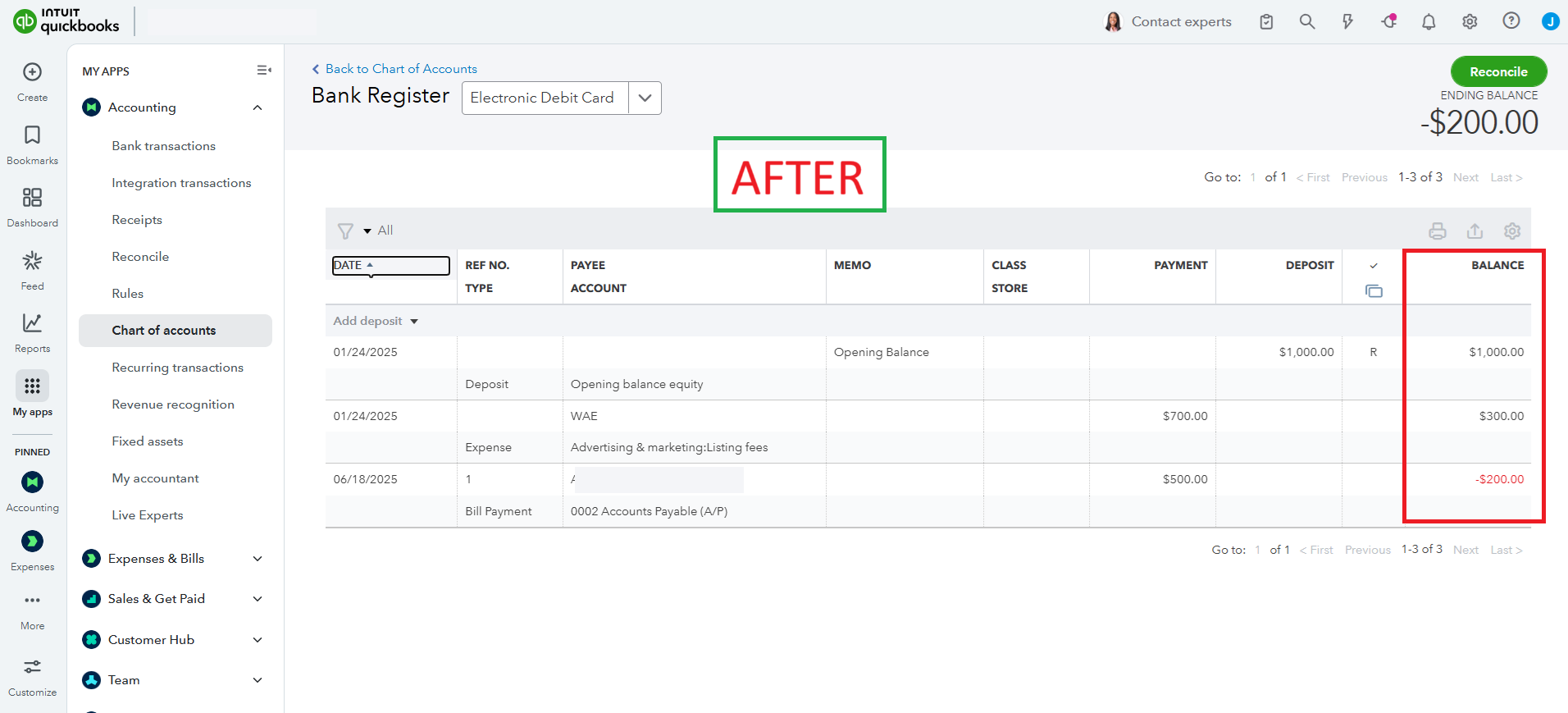
To show the running balance in QuickBooks accounts in your View Register tab, you'll need to sort the Date column.


Here's how:


  1. Return to your  View Register tab.
  2. Select the Date to sort the column.
  3. Then, it will show the running balance of the account.
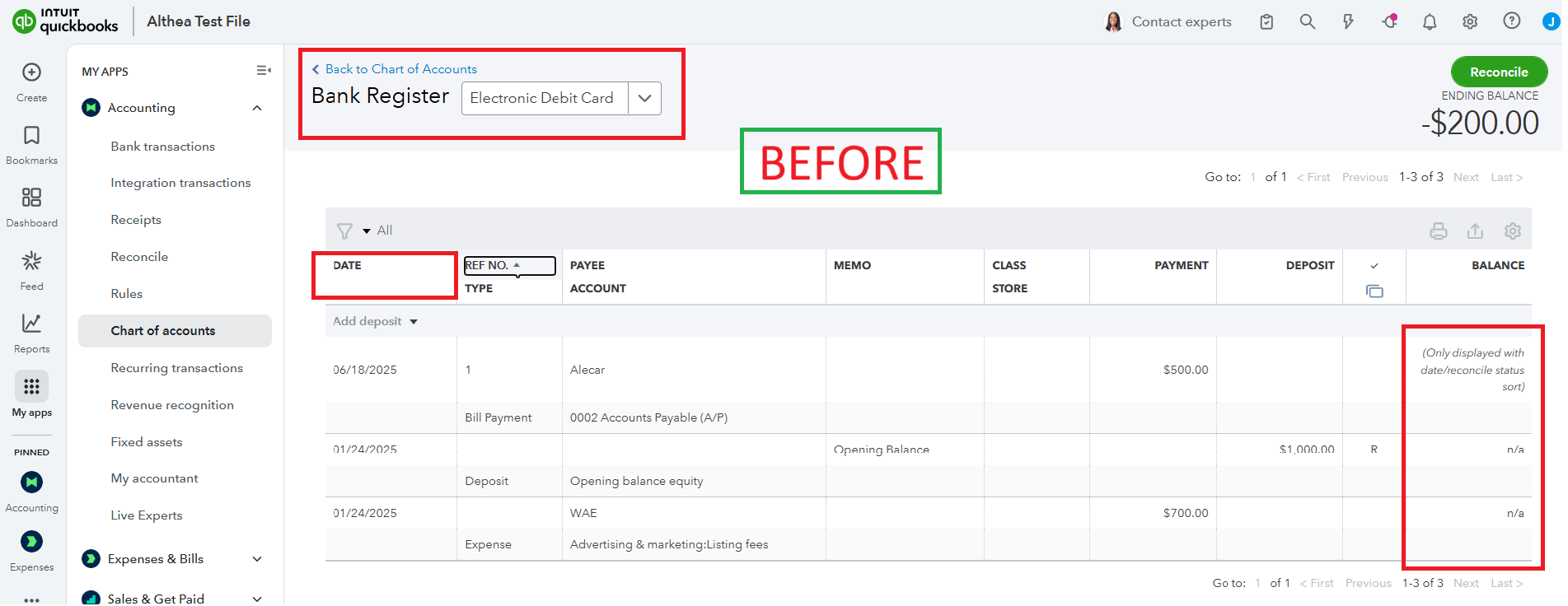
 

Here are sample picture illustrating  after sorting by Date.


Ready to simplify bookkeeping and focus on growing your business? With QuickBooks Live Expert Assisted, our professional bookkeepers handle the details, turning financial chaos into clarity so you can thrive.


Feel free to use the Reply button below if you have any further questions or need assistance with QuickBooks.

Need QuickBooks guidance?
Log in to access expert advice and community support instantly.

Need to get in touch?

Contact us