Hello there, Allison.
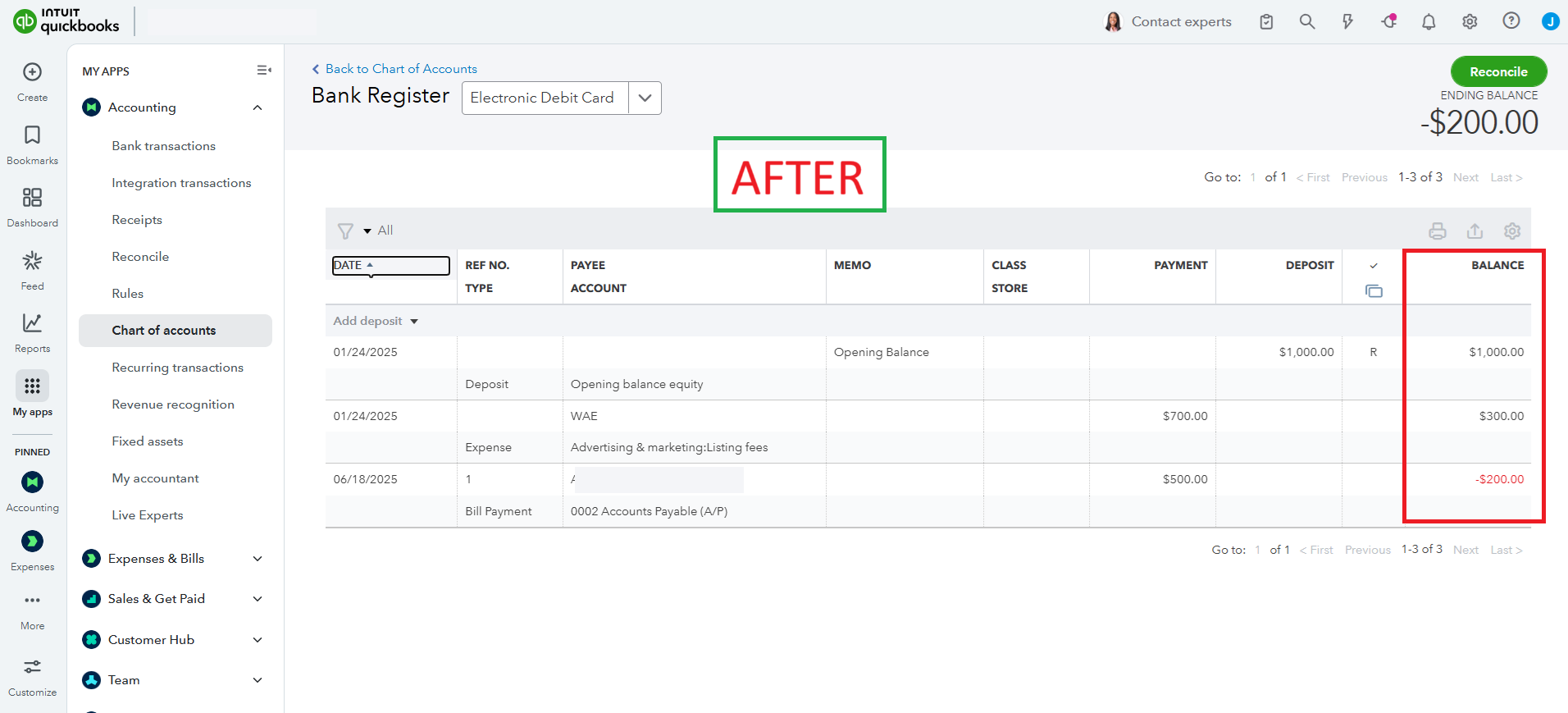
To show the running balance in QuickBooks accounts in your View Register tab, you'll need to sort the Date column.
Here's how:
- Return to your View Register tab.
- Select the Date to sort the column.
- Then, it will show the running balance of the account.
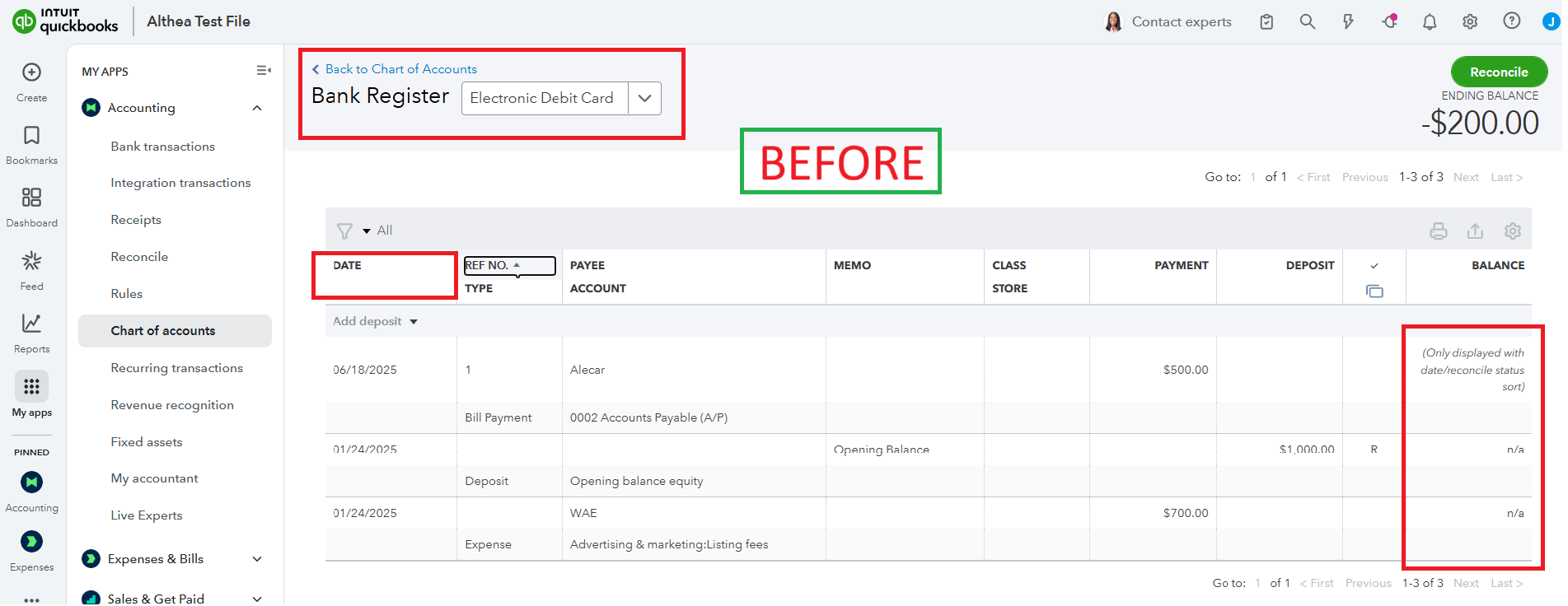
Here are sample picture illustrating after sorting by Date.
Ready to simplify bookkeeping and focus on growing your business? With QuickBooks Live Expert Assisted, our professional bookkeepers handle the details, turning financial chaos into clarity so you can thrive.
Feel free to use the Reply button below if you have any further questions or need assistance with QuickBooks.


