You'll need to manually open the tax payment in the register to view the check number, as the unique check number will not automatically display in the check register, Finsec.
Here's a sample screenshot:
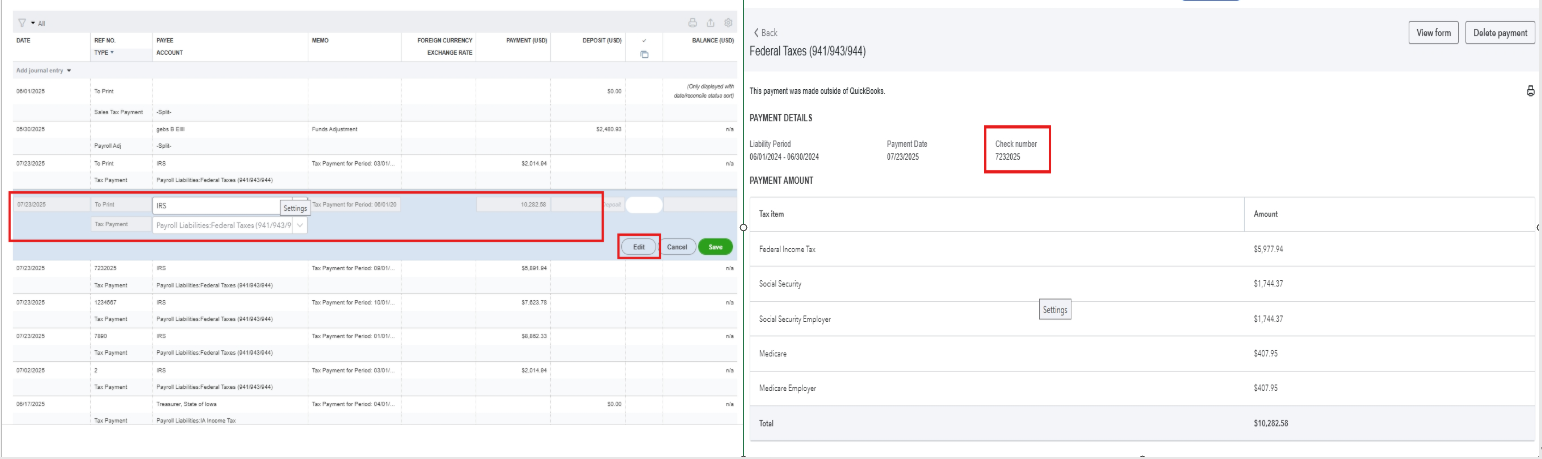
However, if you have already opened the tax payment in the register and find that the check number wasn't entered, you can delete the tax payment and re-enter it to re-enter the check number.
Here's how:
- From the Payroll taxes.
- In the Payment tab, scroll down to the button and click All Payment History.
- Select Tax Payment History, then tap the taxes you want to edit.
- Hit Delete Payment button.
- Once done, go back to the Payment tab, locate the deleted payment, pay it, and re-enter the check number.
Please let me know if you have other questions or concerns.


