Hello there, kbarret.
I'll help you update the email address you used to forward receipts.
I'd like to make sure we're on the same page. Do you mean you changed their email address in the Account and settings and used this link: Manage Your Account to update their email address as well?
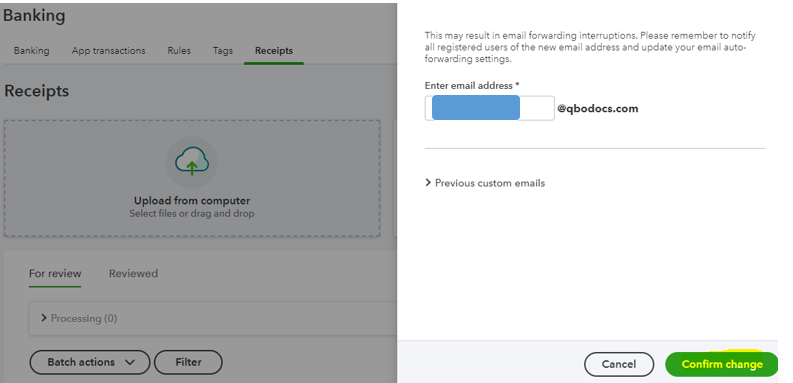
If yes, instead of doing it from Intuit account and Accounting settings, we can go to the Receipts tab to change your client's email address successfully. Also, make you have the right access or permission.
- Go to the Banking tab.
- Within the Receipts tab, click Manage your forwarding email.
- Click Update.
- Enter their new email address. Then, hit Confirm change.
Here are the articles for additional information on managing receipts in the program:
Please know that you can always post if you have more concerns about changing emails, and other details in your QuickBooks account. I'm here to help you anytime.


