QuickBooks Online (QBO) doesn't offer a built-in feature or template for vendor packing slips, Roxanne.
Packing slips are commonly used for customer shipments while vendor transactions revolve around purchase orders and expense tracking. Thus, QBO doesn't include packing slips for vendor transactions, as it's primarily focused on managing sales and customer-facing workflows.
As a workaround, we can manually create a vendor packing slip template outside QuickBooks using a spreadsheet or Excel.
You can follow the steps below:
1. Go to Reports and select either Purchases/Service Detail or Open Purchase Order Detail reports.
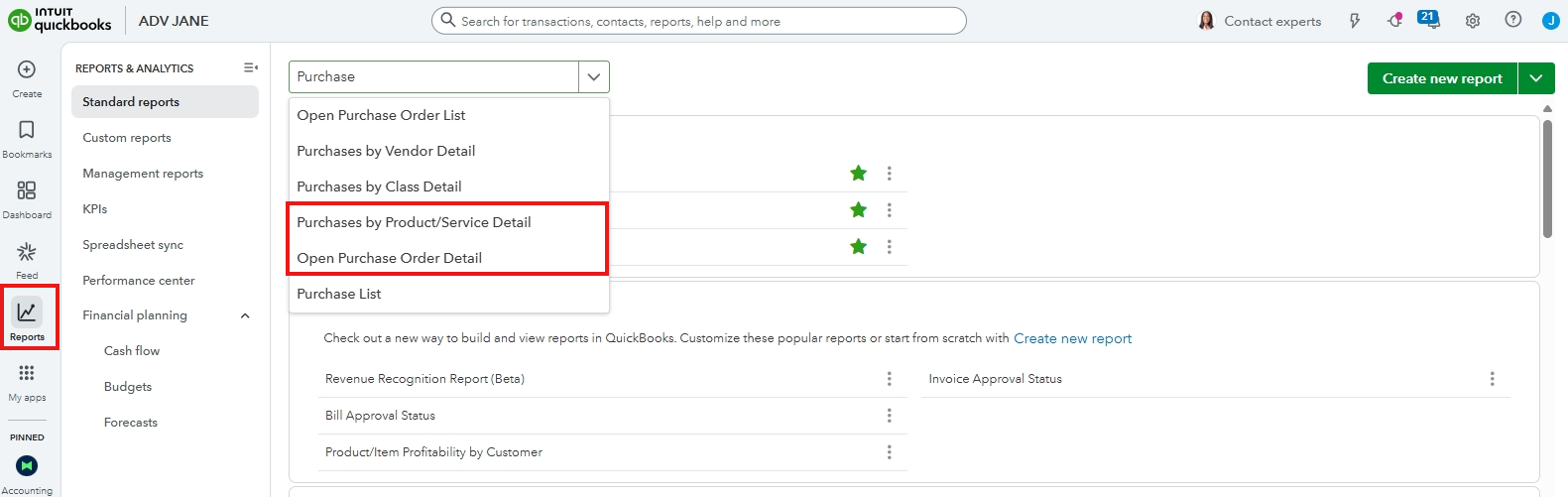
2. Customize the report by adjusting the date range and including all essential details about the items.
3. Once done, you can export this report as it will serve as your reference when creating the packing slip outside QBO.
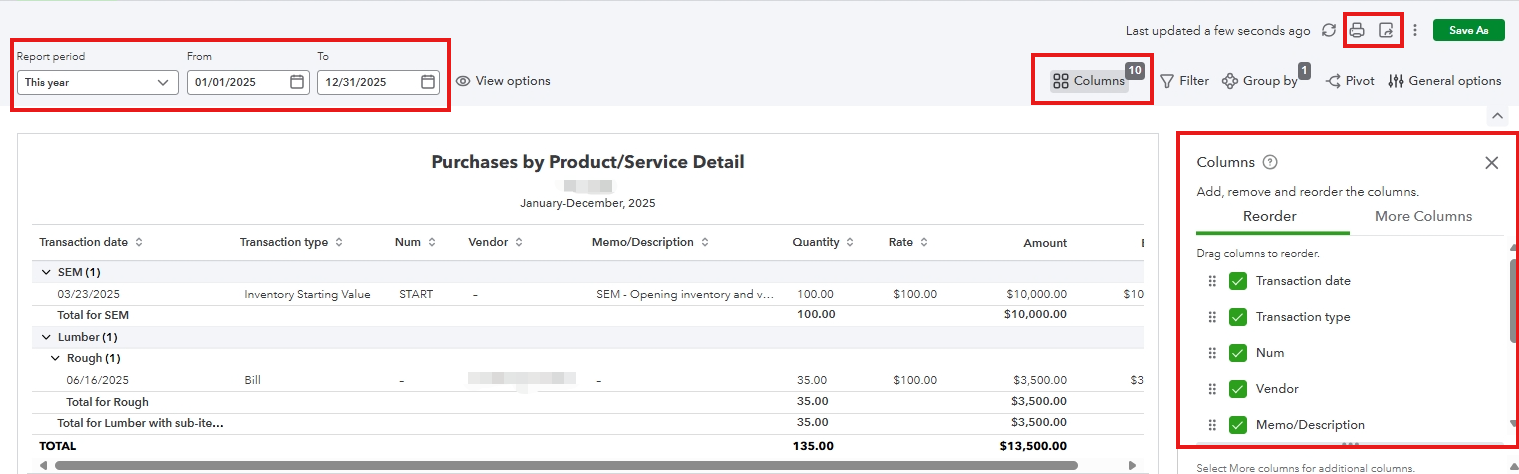
You can refer to this article for detailed information regarding the steps on how to personalize and export reports: Customize reports.
Alternatively, you can explore a third-party application that focuses on inventory management or shipping to integrate QBO in handling packing slips, purchase tracking, and shipping workflows.
Feel free to reply to this post if you need further assistance.


