Welcome to the Community forum, cnhtruckingllc.
We can inactivate the customer profile and set up a new vendor, as converting it to another is unavailable. I'll show you how.
QuickBooks treats vendors and customers separately, so there's no direct way to switch them. As a workaround, we can start by editing the customer's name before making it inactive, since the system won't allow duplicate names. Here's how to do that:
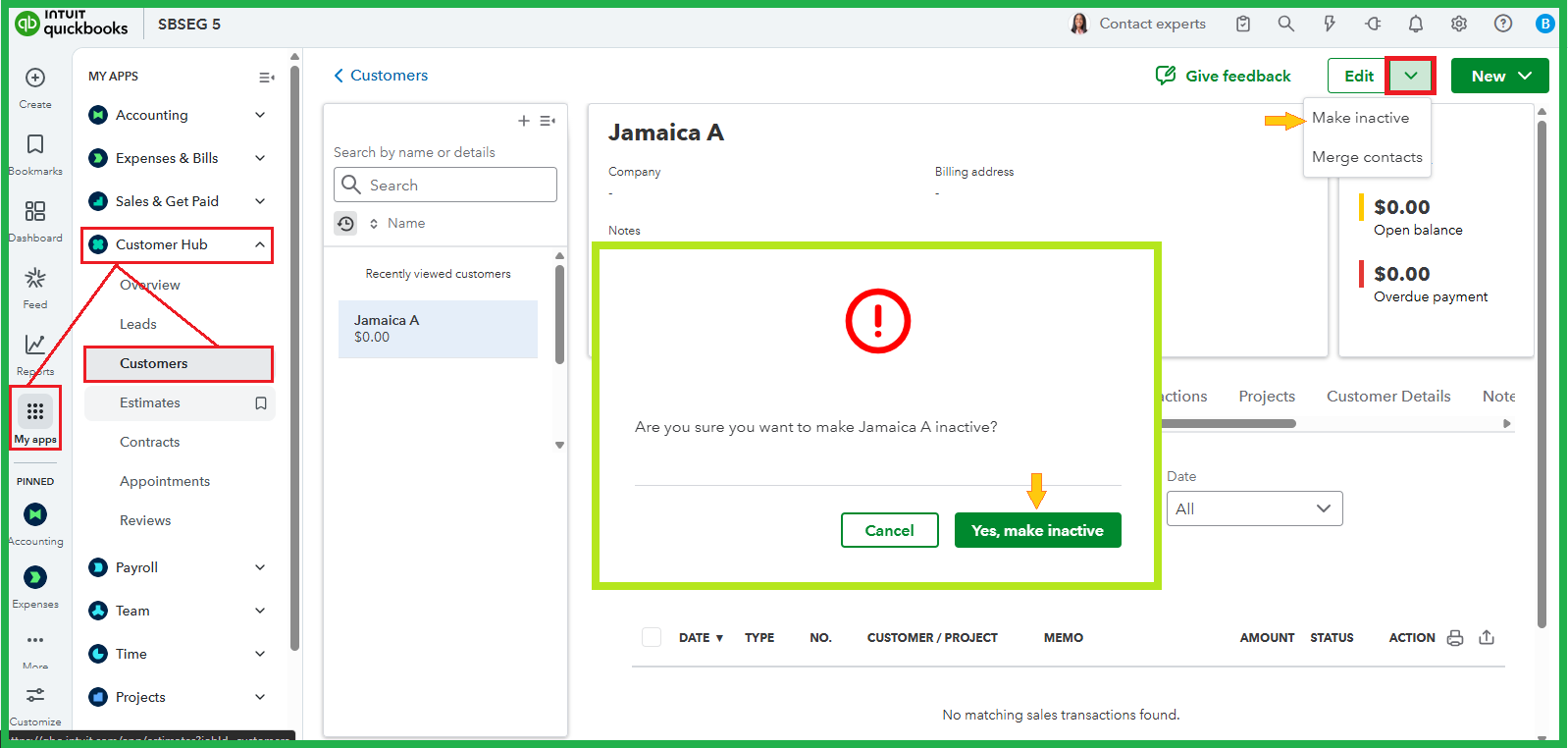
- Go to My apps menu in the left pane.
- Select Customer Hub, then Customers.
- Select the customer's name from the list to open their profile.
- Click Edit at the top-right to modify the name, then Save.
- On the Edit dropdown menu, hit Make inactive and then Yes, make inactive.
Once done, you can follow the steps below to create a new vendor:
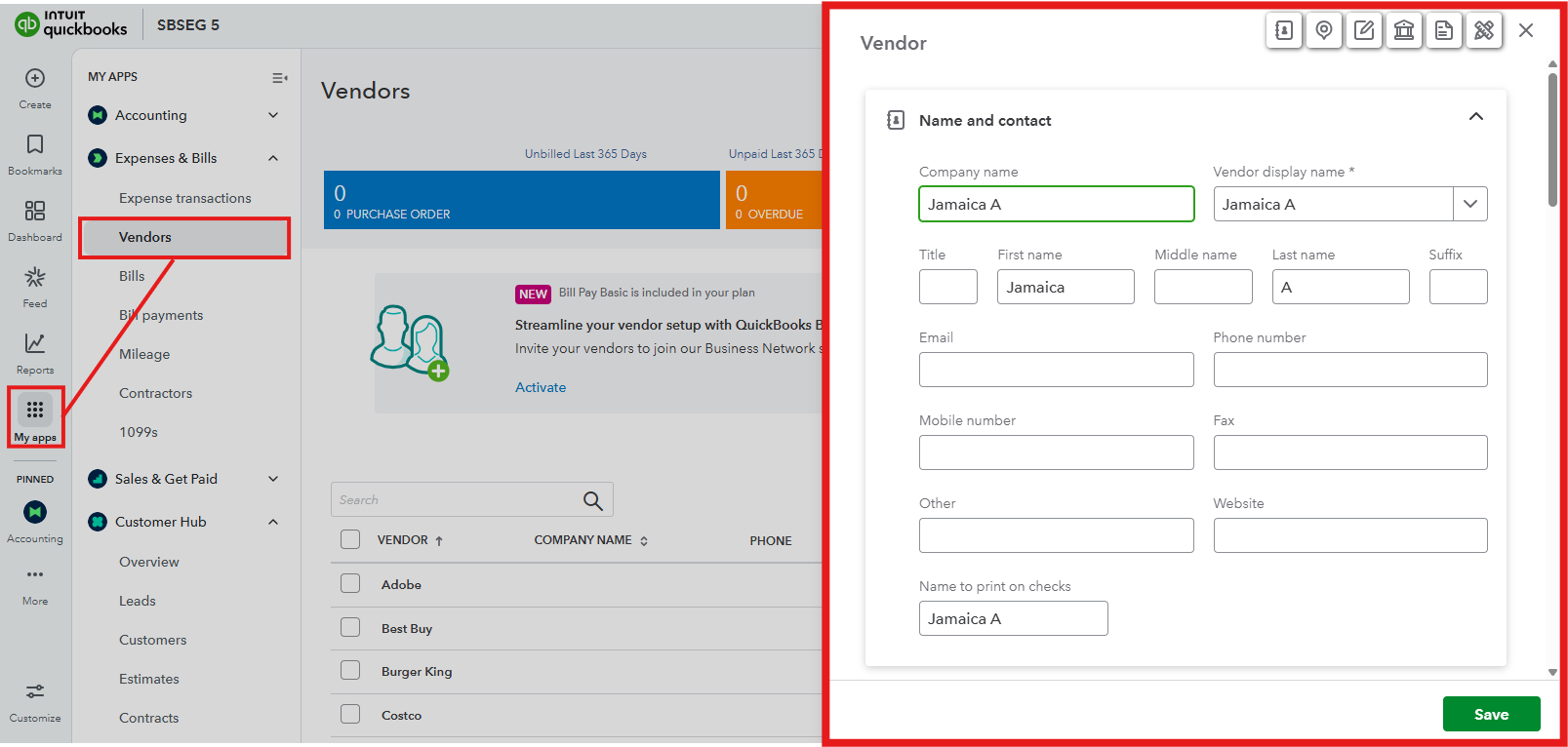
- Navigate to the My apps menu.
- Select Expenses & Bills, then Vendors.
- Click the New Vendor button.
- Enter your vendor's information, then Save.
You can scan this article to learn what more you can do with vendors: Add a vendor.
Do you need help tracking your future bills and ensuring they're on the correct account? Speak now with a QuickBooks Live Expert for more personalized assistance.
Feel free to reach out to us anytime if you need further help managing vendors or creating transactions for them. We're always here to ensure your business runs smoothly.


