You can reactivate your bank account through the Chart of Accounts (COA), @mkirchoffner.
Here's how:
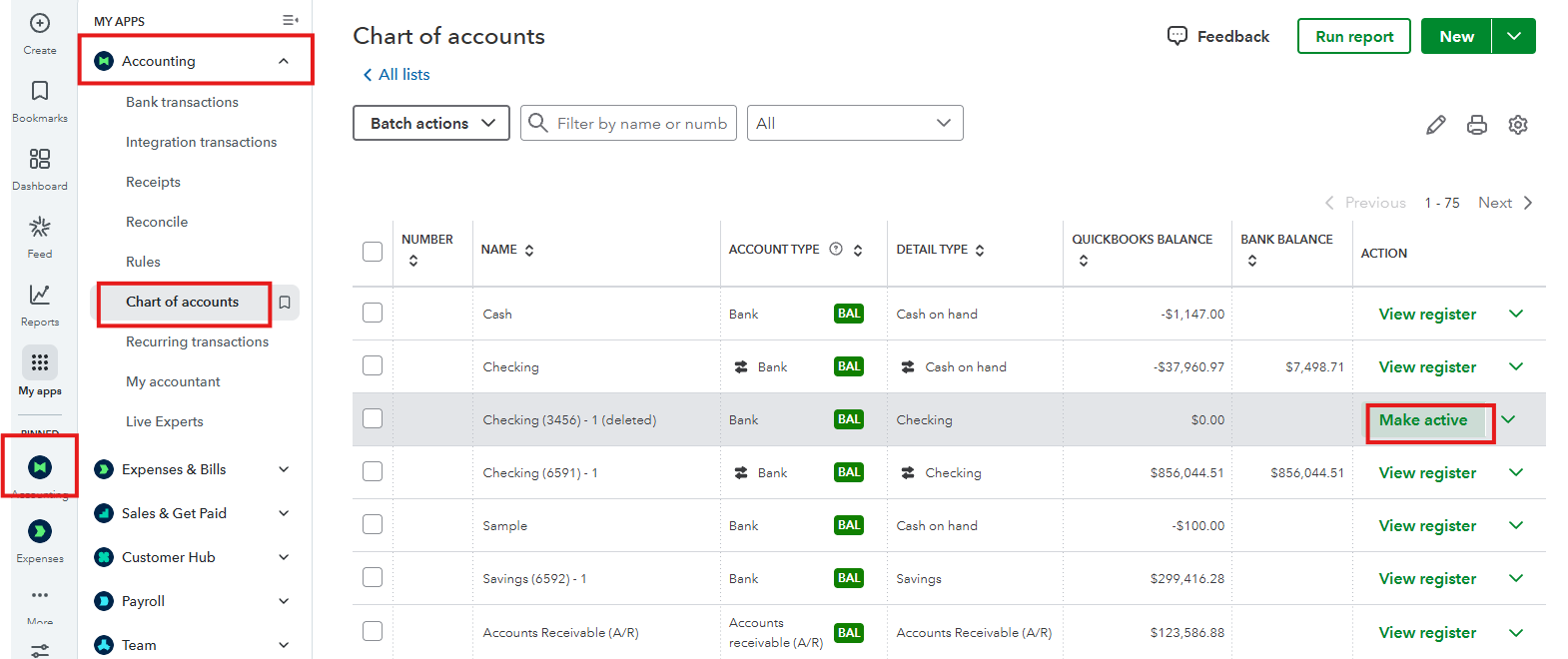
- Navigate to the Accounting menu and select Chart of Accounts.
- Find the bank account that is inactive or disabled.
- Click Make active to reactivate the account.
However, if you're referring to a disconnected bank account, you can enable it via Manage Connections. Here's how:
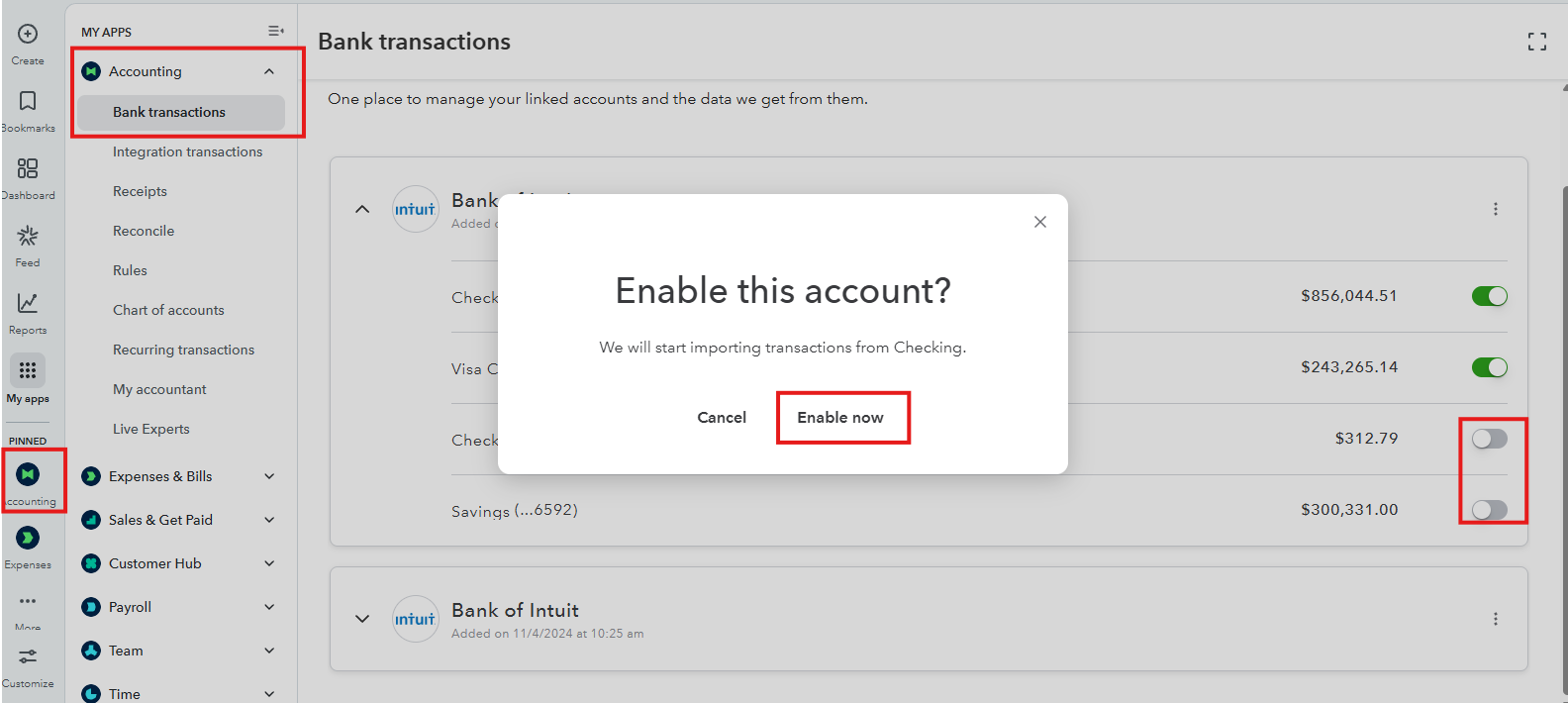
- In the Bank transactions section, click the drop-down icon beside the Link account.
- Select Manage connections, then choose the connected bank account.
- Locate the temporarily disabled account, toggle the setting to enable it, and click Enable now.
I'm adding this article that tackles reconciliation to ensure your account is balanced and accurate: Reconcile an account in QuickBooks Online.
Also, consider checking out our QuickBooks Live Expert Assisted team. They can help you with your bank accounts, transactions, and reconciliation.
We'll be around to help you if you have any other questions about enabling bank accounts.


