Typically, the transaction description appears when making a transaction in QuickBooks Online (QBO).
I'd like to know what specific transaction you're referring to. If you're referring to transaction templates, one possible reason the Description won't show is that the option may be turned off. Ensure it's turn on when creating a transaction to show the option. Here's how:
In Invoices:
- Go to the Create icon, then Invoices.
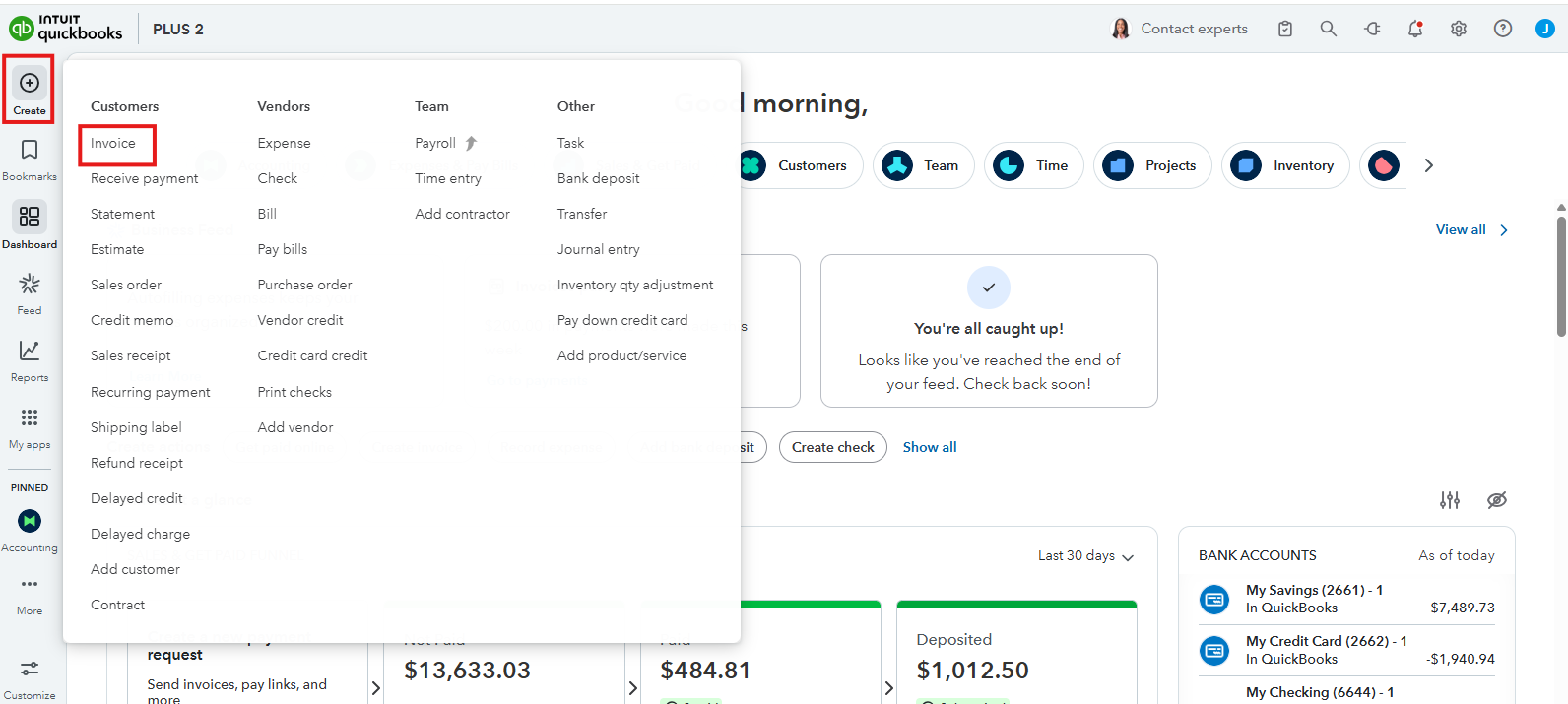
- Navigate to Manage, then Customization.
- Scroll down and turn on the Description.
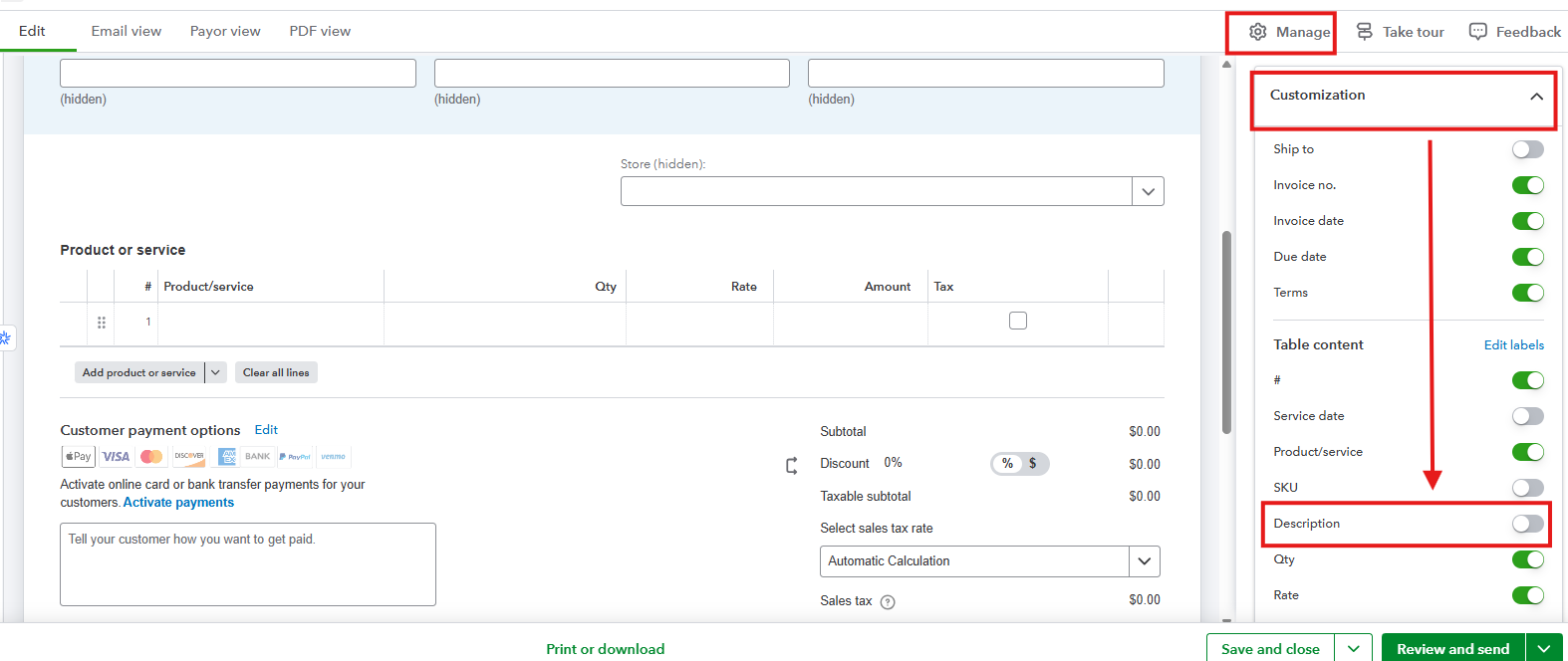
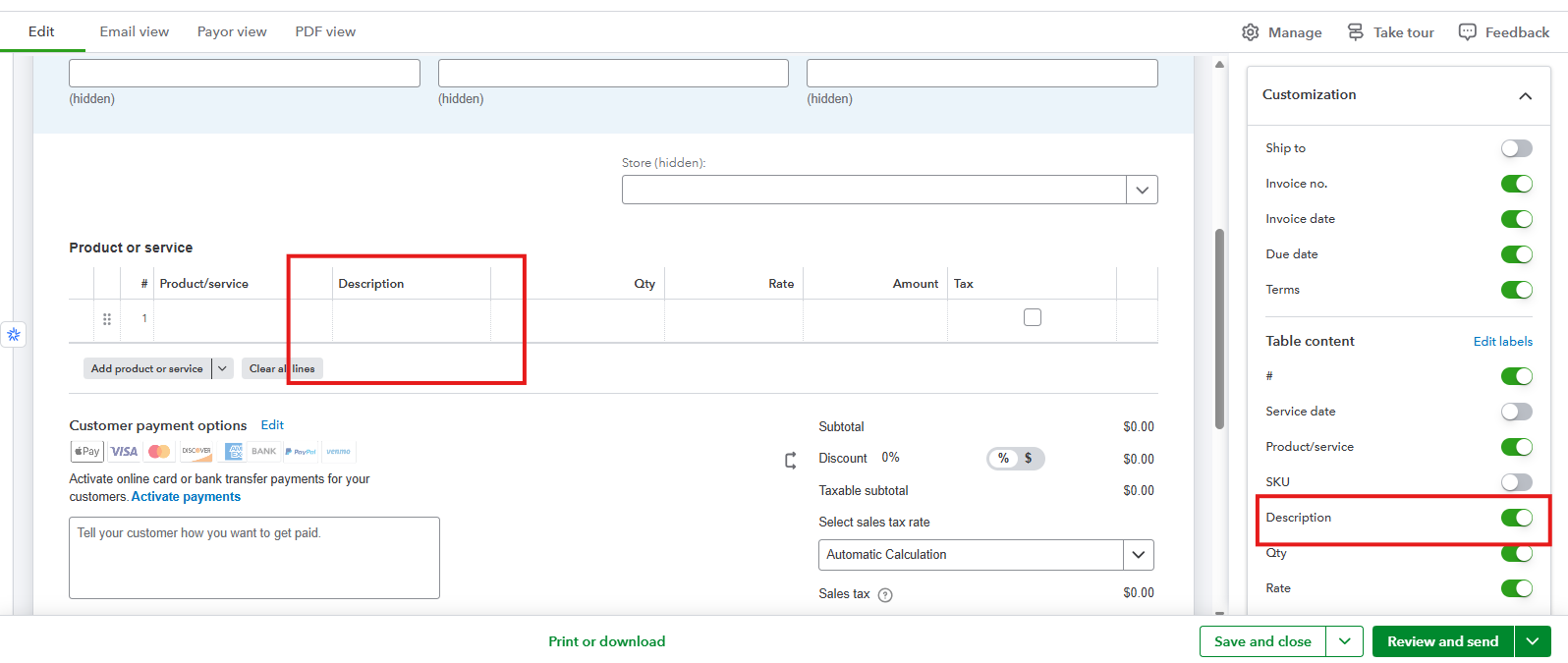
- It will then display under Product or Service.
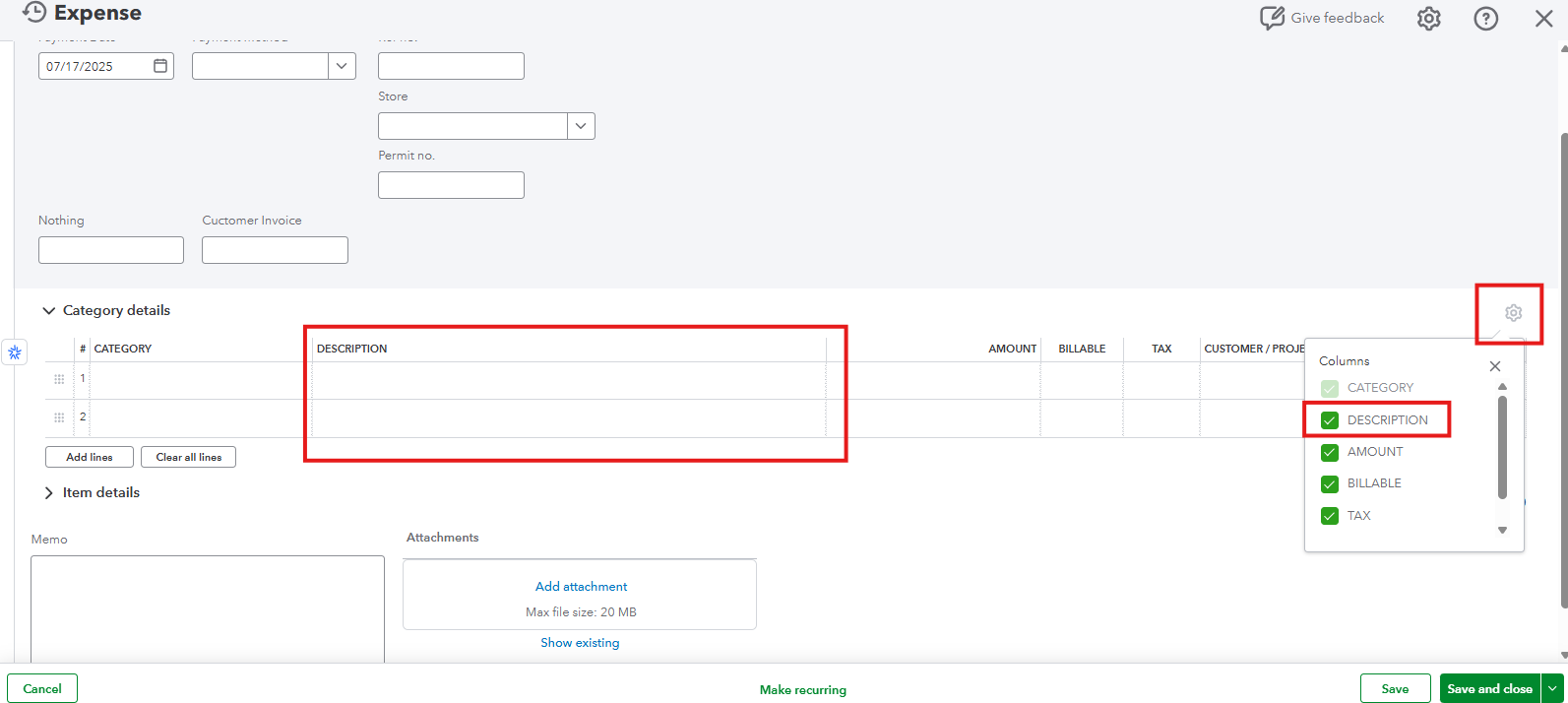
In Expense:
- Go to Expense.
- Click the mini Gear icon above Customer/Project.
- Mark Check to show the Description.
If it's already turned on and still won't show, I recommend clearing your Intuit-specific cookies and logging in using supported web browsers in QuickBooks for smooth functionality.
If you mean something else, feel encourage to hit the Reply button below.


