Turn on suggestions
Auto-suggest helps you quickly narrow down your search results by suggesting possible matches as you type.
Showing results for
Get 50% OFF QuickBooks for 3 months*
Buy nowAfter creating an invoice for time and expenses, we realized some items were not marked as billable as they should've been. We do not want to send two separate invoices to client. If we delete the first one, will those billed items show again as billable on the list so we can then choose ALL the items to be billed in just one invoice? Or else, can you edit the first invoice to add extra items from the billable items list? Please help. Thanks.
Solved! Go to Solution.

I understand that things can happen beyond our control, PARROQESPTO. I'm here to help you get this sorted out.
To add the billable items to the invoice, I'd suggest editing the transaction. This ensures you're able to add the correct items.
Here's how:
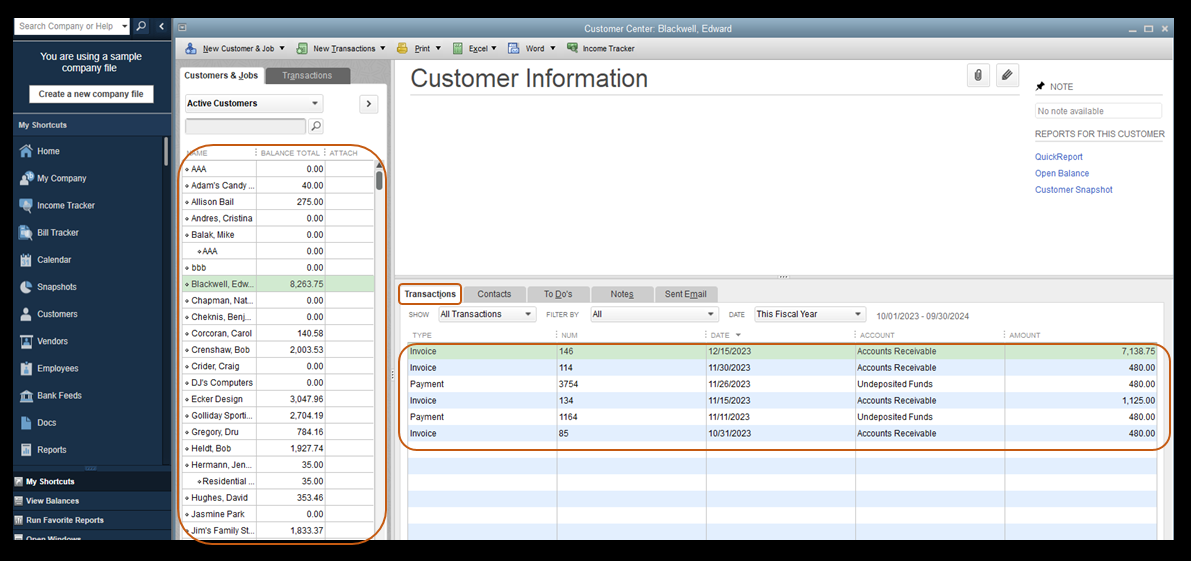
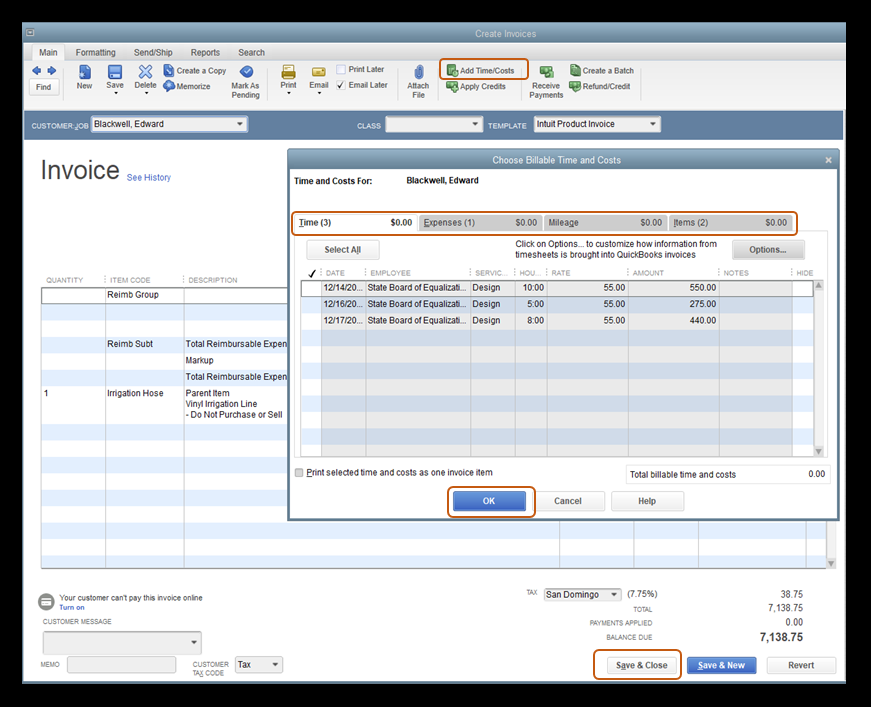
Additionally, I've included this article that'll help you keep track of your sales and expenses in QuickBooks Desktop. This helps you focus on the information that matters most to your business: Run Customer, Job, and Sales Reports.
Please stay in touch with us here in the Community if you have other questions about creating invoices in QuickBooks Desktop, PARROQESPTO. It's always my pleasure to help you out.
I understand that things can happen beyond our control, PARROQESPTO. I'm here to help you get this sorted out.
To add the billable items to the invoice, I'd suggest editing the transaction. This ensures you're able to add the correct items.
Here's how:
Additionally, I've included this article that'll help you keep track of your sales and expenses in QuickBooks Desktop. This helps you focus on the information that matters most to your business: Run Customer, Job, and Sales Reports.
Please stay in touch with us here in the Community if you have other questions about creating invoices in QuickBooks Desktop, PARROQESPTO. It's always my pleasure to help you out.
Thank you so much. We can't believe we never saw the option to add time and cost up there. We were able to add the expenses to the same invoice. Once again, THANK YOU.
That's good news, PARROQESPTO.
We're glad to know that our colleague was able to help you and everything's working well on your end.
If you have other concerns, don't hesitate to let us know. We'll be happy to assist you. Keep safe!


You have clicked a link to a site outside of the QuickBooks or ProFile Communities. By clicking "Continue", you will leave the community and be taken to that site instead.
For more information visit our Security Center or to report suspicious websites you can contact us here


